Showing posts with label Xhorse app. Show all posts

4/26/2026

How to Solve Xhorse App Bind Device Params Error?

Problem:

Tried to bind Xhorse Dolphin XP005L key cutting machine with Xhorse App. But App displayed a Params error: nation-code. How to fix it?

Xhorse App Bind Device Params Error 1

Solution:

Do the following:

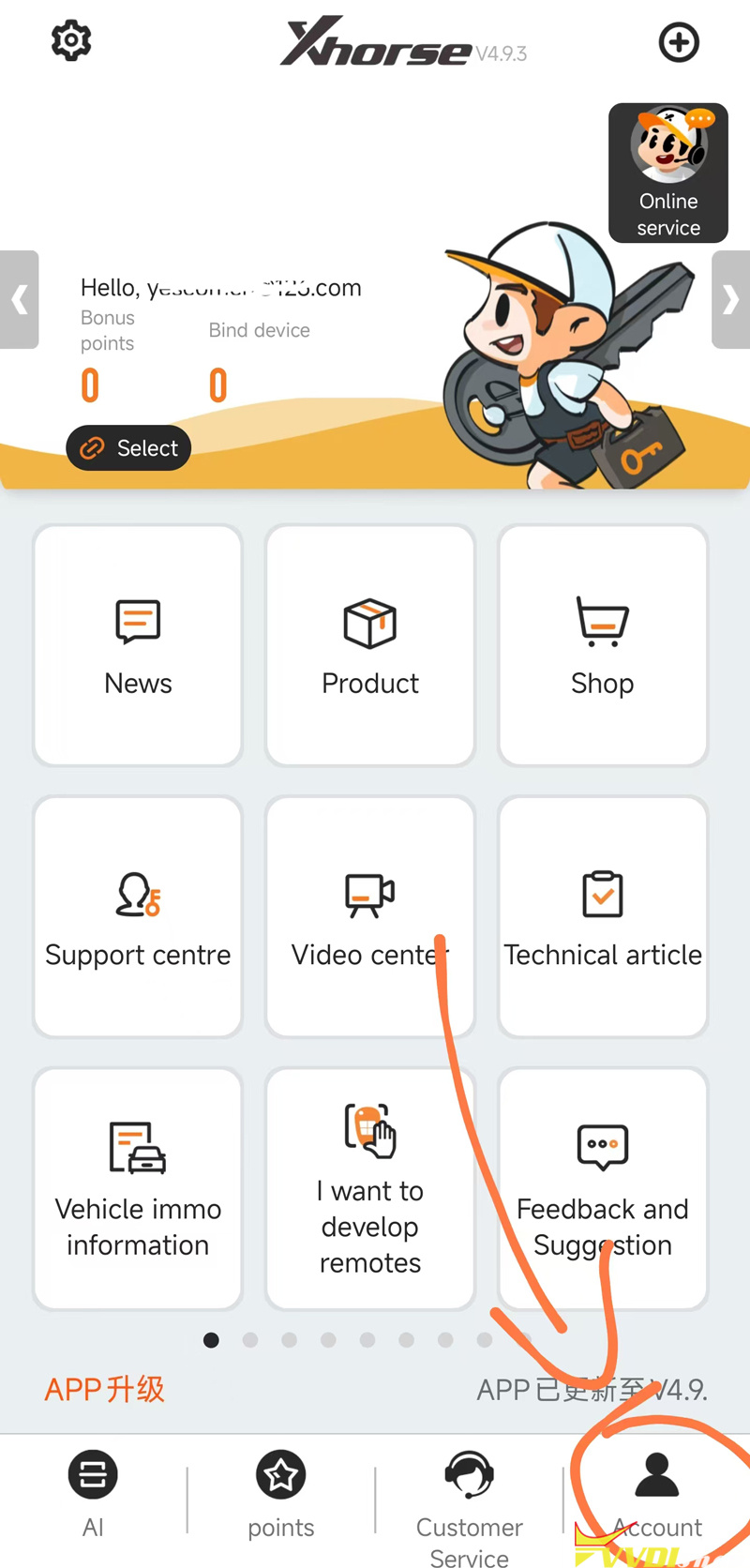
In Xhorse App, go to Account. Register an Xhorse account and login.

Xhorse App Bind Device Params Error 2

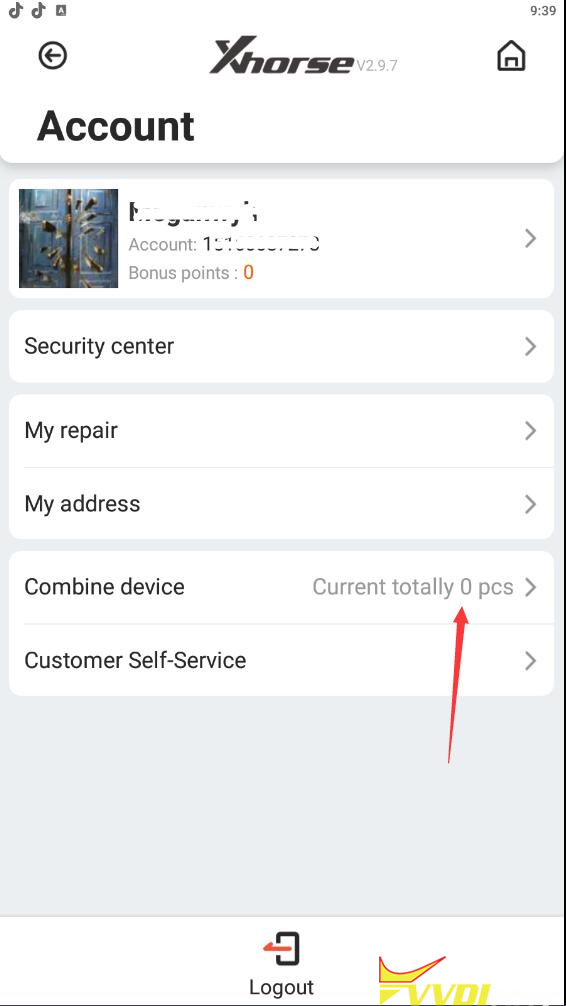
After login Xhorse account, select Combine device.

Xhorse App Bind Device Params Error 3

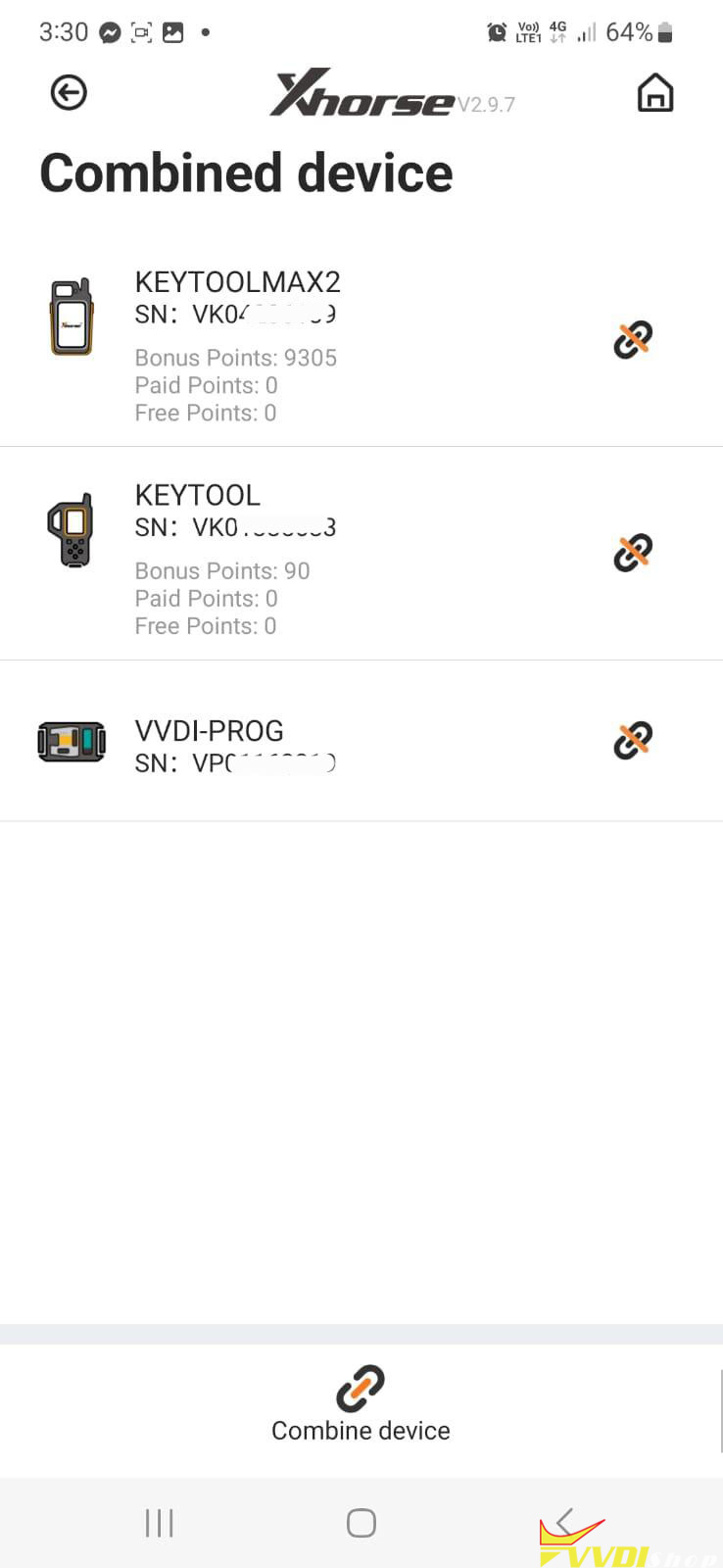
Choose Combine device and check the device you have combined.

Xhorse App Bind Device Params Error 4

11/23/2022

How to Solve Cannot Find Xhore App in Play Store?

Question: Does anyone know why the Xhorse app is not in the Play store? on Android the app does not appear. Or will they have it to share?


Answer:

Scan the QR code here to link your xhorse account if not find app in the Google play store.

Cannot Find Xhore App in Play Store

For iOS system, directly search and download xhorse app on Apple google play store or download here,


https://apps.apple.com/us/app/xhorse/id1440550587

8/10/2020

How to Send Message to Xhorse Tech Support?

 If anyone need to contact Xhorse Tech Support / send feedback – here is quick view how to do that.


How to post feedback / send message to tech support:

In Xhorse App, select Feedback and Suggestion-> I want to feedback
Enter problem type and suggestion, then Submit.

send-xhorse-feedback-1

send-xhorse-feedback-2

send-xhorse-feedback-3

send-xhorse-feedback-4


https://www.vvdishop.com/service/post-feedback-to-xhorse-tech-support.html

6/22/2020

How to Contact Xhorse Customer Service online?

Xhorse users are able to contact Xhorse professional technical customer service on Xhorse app effectively to solve your problems while using Xhorse tools.

Customer Service Office Hours – Beijing Time – 9: 00-12:00 and 13:3018:00

How to Contact Xhorse Customer Service on Xhorse App?
Scan QR code or Search Xhorse App on google play store
Download Xhorse app
contact-xhorse-customer-service-1
contact-xhorse-customer-service-2
Run Xhorse App
contact-xhorse-customer-service-3
Press the top right “+” button, select “Customer Service”
contact-xhorse-customer-service-4
Select App online service or WeChat online service
contact-xhorse-customer-service-5
Select the question type (Xhorse Condor, Xhorse VVDI, Xhorse chip & remotes, Xhorse Mini OBD, other Xhorse tools)
contact-xhorse-customer-service-6

4/27/2020

V1.8.5 Xhorse APP Supports VVDI MINI OBD Tool

V1.8.5 Xhorse APP Supports working with VVDI MINI OBD Tool.

V1.8.5 Xhorse APP update info
-Support MINI-OBD device
-Improvement for dolphin draw key pictures
-UI improvement
-Bugfix

VVDI Mini OBD Tool Function List:
  • Key Programming
  • Battery Programming
  • Odometer Correction
  • Steering Angle Calibration
  • Key Code Learning
  • EABS Programming
  • Remote Manual Programming
xhorse-app-v185-vvdi-mini-obd

12/30/2019

VVDI Mini Key Tool Remote Database V207 Update Models

Xhorse VVDI Mini Key Tool remote database released to version 207 (25-12-2019)
supports more models
supports more remotes
supports more KeylessGo
vvdi-mini-key-tool-database-v207-1
V207 Database newly added model/Remote/KeylessGo
Infiniti KeylessGo ID47
Nissan ID47 2308
Nissan ID46 2383
Infiniti KeylessGo ID4A(panic)
Infiniti Q70L KeylessGo ID46 315MHz
FX35 (2009-2012) KeylessGo
QX80 ID46 2383
Intinifi
KR5S18014406 5btn 2315
Infiniti G35 (2007-2009) KeylessGo
Infiniti QX56 ID46 2383
FX35 (2009-2012) KeykessGo
Q50 (2016-2019) KeykessGo
Nissan KeylessGo ID47 2308
Nissan KeylessGo ID46 2383
Hyundai Elantra (2018+) KeylessGo ID47
Hyundai Elantra KeylessGo ID46 2272
Hyundai IX35 (2010-2013) KeylessGo
Hyundai IX35 KeylessGo ID46 D shape
Hyundai Elantra (2014-2017) KeylessGo
Hyundai Sonata8 KeylessGo ID46 2272
Hyundai New Santa KeylessFo ID46
Qoros5 KeylessGo ID46
Honda Odyssey USA (2014-2017) KeylessGo
Honda Odyssey KeylessGo ID47
Honda Odyssey (2018-2019) KeylessGo
Honda Accord 8th KeylessGo ID46
Honda Accord (2016-2017) KeylessGo
Honda Accord (2013-2015) KeylessGo
Ford Edge/Explorer KeylessGo
Ford Fiesta/Taurus (2017+) KeylessGo
Ford C-Max (2010-2015)KeylessGo
Ford Expedition (2015-2017) KeylessGo
Ford F150 ID49 433
Ford Ecosport KeylessGo ID4D-83 2274
Ford Ecosport (2015-2019) KeylessGo
Ford Fiesta (2015-2019) KeylessGo
Ford Fiesta (2017+) KeylessGo ID4D83
Ford Fiesta KeylessGo ID4D-83 2274
Ford Fiesta (2017+) ID49 433
Ford Fiesta (2008-2017) KeylessGo
Ford Mondeo KeylessGo ID4D-83 2274
Toyota Corolla (2019+) KeylessGo 433
Toyota Levin (2019+) KeylessGo ID4A
Toyota 12BER 15 Taiwan 1451
Toyota 1512H 314 71
Toyota 2015+ Taiwan 433 74
Nissan Altima (2016-2018) KeylessGo
Nissan Bluebird KeylessGo ID46 433
Nissan Bluebird (2019+) folding ID46
Nissan Bluebird/Sunny/Sylphy/Tiida 315
Nissan Cima KeylessGo ID4A
vvdi-mini-key-tool-database-v207-2

vvdi-mini-key-tool-database-v207-3

vvdi-mini-key-tool-database-v207-4

vvdi-mini-key-tool-database-v207-5

vvdi-mini-key-tool-database-v207-6

vvdi-mini-key-tool-database-v207-7

vvdi-mini-key-tool-database-v207-8

vvdi-mini-key-tool-database-v207-9

12/09/2019

Xhorse APP V1.7.5 adds OEM 46 Chip Copy

Xhorse APP released to new version V1.7.
V1.7.5 New Feature
– New AKL (all keys lost) support: VVDI Key Tool supports BYD all keys lost
– New chip support: VVDI Mini Key Tool supports OEM 46 chip copy
– New language: Turkish (Local dealer)
xhorse-app-update-v175-1

xhorse-app-update-v175-2

9/07/2019

Xhorse send Free ID48 96bit Copy Function till October 1st 2019

Xhorse rolls out Mid-autumn festival celebration promotion- Free 96 bit copy 48 function.

Offer requirement:
1) Download Xhorse App
2) Register your login account
3) Combine your VVDI Key Tool, VVDI2 or VVDI MINI Key Tool to your account before 1st October
96bit copy 48 function will be activated automatically on October 1st, 2019.
Promotion expires on 1st October, 2019.
vvdi2-free-id48-96-bit-copy
You can check related to Combine the key tool to your account here:

8/01/2019

Xhorse mobile App update to V1.6.0

Xhorse mobile App update to V1.6.0 on Aug. 1st, 2019.

Xhorse App V1.6.0 Update Feature:
-Improvement Home->Online service: Support video and voice message
-Add Home->Support center->Vehicle immo information
-Add Home->Support center->Technical article
-Add Hone->More->Help
-Add new language support: Spanish, Portuguese, Italian, Hebrew
-UI improvement
-Bugfix
xhorse-app-update-v160

6/05/2019

How to share ID48 96bit copy from VVDI2 with VVDI key tool in Xhorse App?

In previous post, we have discussed how to share ID48 96 Bit copy between VVDI2 and VVDI Key Toolin old VVDI Key Tool App. How about the new Xhorse App?

Here’s the tips:
1). Customer need to log in the APP and combine VVDI2 and VVDI key tool (check how to combine devices?).
in that account what customer use to login

3).  Enter the account to share the authorization of ID48 copy from vvdi 2 to vvdi keytool , as
below
Go to Account->Customer Self-Service 
xhorse-app-share-license-1

share-id48-96bit-license-2
Select Share Authorization 
share-id48-96bit-license-3
Note: Product bonus points under the same account can be shared without transfer (except VVDI MB tool)
Each vvdi 2 only can share with one vvdi keytool, and both device need to be combined in same account.
http://www.vvdishop.com/service/share-vvdi2-key-tool-id48-copy-in-xhorse-app.html

6/03/2019

VVDI Mini Key Tool Firmware V1.1.1 Update Feature

Xhorse App update to V1.5.1 and vvdi mini key tool remote maker firmware update to V1.1.1 on June 3rd, 2019.


Update Feature:
-Support copy vvdi super chip
-Add French language
-UI Improvement
-BugFix

How to Update VVDI mini key tool firmware to v1.1.1?
Connect mini keytool with mobile phone via Bluetooth
vvdi-mini-key-tool-firmware-update-to-v111-1
Open Xhorse app and check new update
vvdi-mini-key-tool-firmware-update-to-v111-2
Press firmware update
vvdi-mini-key-tool-firmware-update-to-v111-3
Update firmware in progress
vvdi-mini-key-tool-firmware-update-to-v111-4

vvdi-mini-key-tool-firmware-update-to-v111-5
Firmware update success
vvdi-mini-key-tool-firmware-update-to-v111-6
Reset vvdi mini keytool
vvdi-mini-key-tool-firmware-update-to-v111-7
Firmware update to v1.1.1 success.

5/26/2019

Xhorse New APP: Tokens & Bonus Points

For Xhorse new APP, some users have the same question, how to exchange points to tokens? where is the bonus points?

  1. Where is the token service in Xhorse new APP?
Choose “Shop“, then “Tokens“, then use the bonus points to “Exchange” the tokens (200 bonus points = 1 token).
Tokens are used from VVDI MB online password calculation.
vvdi-xhorse-app-points-to-token-1
vvdi-xhorse-app-points-to-token-2

  1. Bonus points in Xhorse new APP.
Click on “Bonus points” to enter.
vvdi-xhorse-app-points-to-token-3
vvdi-xhorse-app-points-to-token-4
The method to get bonus points:
25 bonus points from Xhorse normal-wire remote;

40 bonus points from Xhorse-wireless remote

60 bonus points from universal smart key, the point will be recorded in your device once you use it at the first time.
Remotes can be coded, decode/prepare many times but points you can take from remote only once.

200 bonus points for free by using VVDI BE key pro.

Otherwise one single token for VVDI MB password calculation costs 25USD.
vvdi-xhorse-app-points-to-token-5
Good luck.