
How to solve Xhorse Multi Prog Volvo KVM VDD overcurrent error when using KVM XDNP27 adapter?


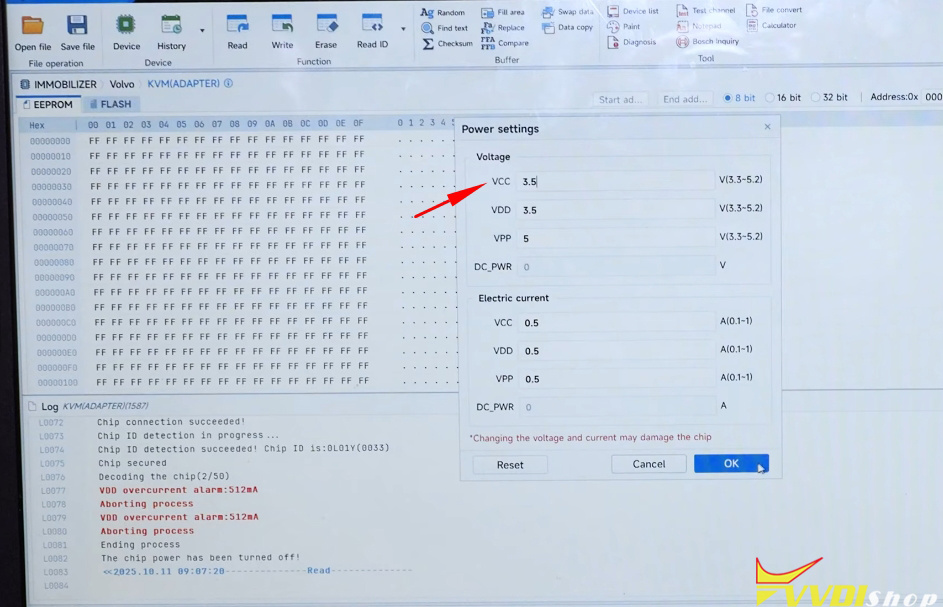
This instrument is currently indicating VDD overcurrent, which means there is excessive current.
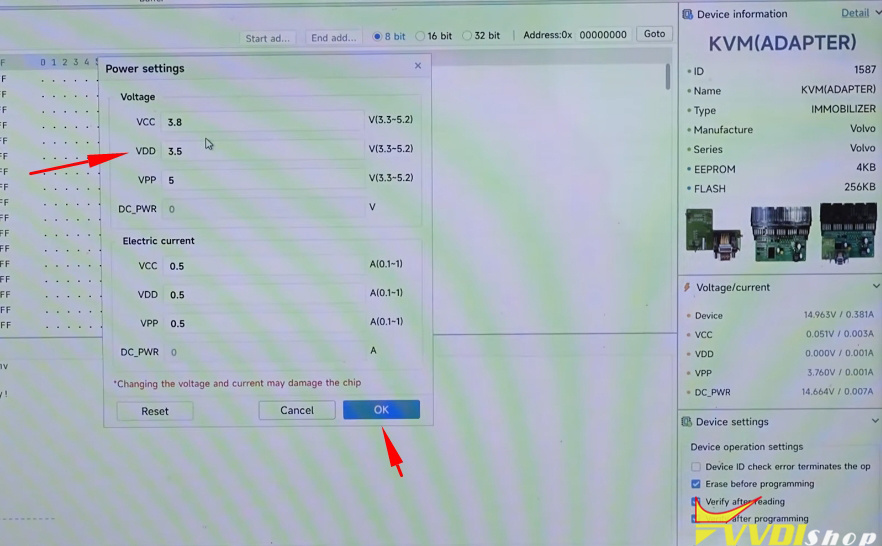
Select VDD, change from 5V to 3.5V.
We can adjust it from 3.3 to 5.2V
But we will set the lowest voltage to VDD 3.5V because this box is burned out.

If VDD still overvoltage, so we adjust it further to VCC, bringing it down to 3.5V.
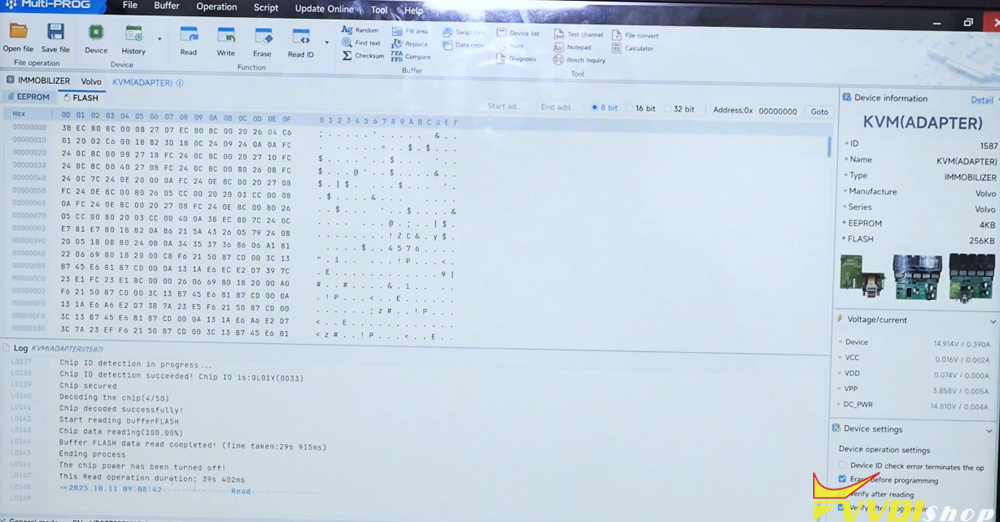
Decoding the chip. The chip is currently being read.
Chip decoded successfully. This means it has now been successfully read.


Read eeprom and flash successfully.


No comments:
Post a Comment
Note: Only a member of this blog may post a comment.