Showing posts with label xhorse smart key. Show all posts

10/08/2026

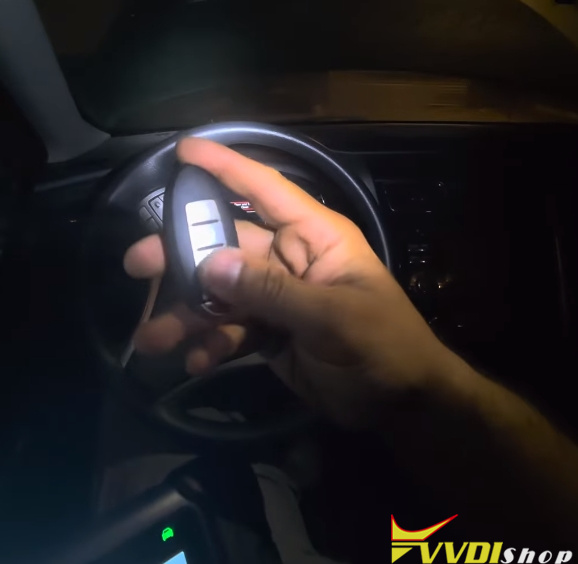
Configure Xhorse XSNIS2EN Nissan Smart Key Buttons

Problem:

After generating an Xhorse XSNIS2EN Nissan smart remote and program to a 2015 Nissan Altima (ID47 chip type), the car starts, but the Xhorse key trunk button triggers the panic function.

Configure Xhorse XSNIS2EN Nissan Smart Key Buttons 1

Solution:

Button functions may need to be customized afterward to match the vehicle’s layout.

To fix this:

Go to More → Modify the buttons read.

Go to Smart key customization.

The panic function is mapped to 02, and the trunk is mapped to 01.

Switch them: trunk to 01, panic to 02.

Select Settings to confirm and write the new key configuration.

With that, the job is complete.

Configure Xhorse XSNIS2EN Nissan Smart Key Buttons 2

Configure Xhorse XSNIS2EN Nissan Smart Key Buttons 3

Configure Xhorse XSNIS2EN Nissan Smart Key Buttons 4


12/15/2025

How to Solve Peugeot 2008 Xhorse PSA Smart Key Not Working?

 Problem:

Generated Xhorse PSA style smart key for Peugeot 2008 MY2021 with vvdi key tool max pro. After programming, everything works but xhorse smart key will not work.

smart searched the key and generated peogeot 2008 And also tried PS7.

Only starts when upto the Antenna. Any solution?

Peugeot 2008 Xhorse PSA Smart Key Not Working 1

Peugeot 2008 Xhorse PSA Smart Key Not Working 2

Solution:

You generated the wrong key.

There are 3 options. Try other keys.

If 29AxM use v2, genarate smart V2 key.

Peugeot 2008 Xhorse PSA Smart Key Not Working 3

NOTE:

Keyless entry and keyless start only are a different key completely, 2 different PCB on OEM key one has keyless entry chip and one hasn’t.

8/03/2025

Program 2023 Kia Picanto 8A Smart Key using Xhorse Smart Key

 Here comes the user working experience on programming the Xhorse universal smart key on the Hyundai/Kia 8A chip type smart key system:

For example, it’s a 2023 Kia Picanto.

Some users had issue programming A LOT of xhorse Kia/Hyundai remotes. Removing the battery made a difference because I’ve never removed the battery before until yesterday when I checked feedback and saw a suggestion about it.

Take the battery out of the remote before putting it on the start button.

Removing battery when programming. It works 100%

Program 2023 Kia Picanto 8A Smart Key using Xhorse Smart Key 1

Program 2023 Kia Picanto 8A Smart Key using Xhorse Smart Key 2

Program 2023 Kia Picanto 8A Smart Key using Xhorse Smart Key 3


2/09/2025

Clone Mazda CX30 CX5 6A Smart Key with VVDI Key Tool

 Here is another way to add a Mazda CX-30/CX-5/M6/M8 etc 6A smart key with Xhorse tools without connecting to car.

How to copy Mazda 6A smart key with Xhorse key tool (Key tool max, key tool max pro, key tool plus) and Xhorse universal remote key.?

This requires an original or working key. So add key only.

First,  generate the right key with the ID6A.

Go to Vehicle Remote- Mazda.

Generate ID6A remote using xhorse smart remote.

Clone Mazda CX30 CX5 6A Smart Key with VVDI Key Tool 1

Clone Mazda CX30 CX5 6A Smart Key with VVDI Key Tool 2

Clone Mazda CX30 CX5 6A Smart Key with VVDI Key Tool 3

Clone Mazda CX30 CX5 6A Smart Key with VVDI Key Tool 4

Then clone remote using xhorse xm38.

Go to Special Function-> Copy Proximity Remote->Mazda 6A smart key clone

Follow prompts to collect original key data and write new key.

Clone Mazda CX30 CX5 6A Smart Key with VVDI Key Tool 5

Clone Mazda CX30 CX5 6A Smart Key with VVDI Key Tool 6


11/07/2024

Xhorse VVDI Universal Remote Collection in 2024

 Xhorse has consistently pushed the boundaries of innovation in automotive technology. With a commitment to enhancing convenience and security for vehicle owners, Xhorse has introduced a new lineup of remotes designed to meet the evolving needs of the market. Here we’ll showcase the latest version of Xhorse remote family: XS Series, XE Series, XN Series & XK Series.

xhorse remote 2024

XS Series

XS Series Universal Smart Keys are at the forefront of versatility, supporting the simulation of multiple immobilizer transponders, including 46, 47, 48, 49, 4A, MQB, etc. With thousands of car models supported (keep increasing), these keys are a game-changer for locksmiths and automotive professionals.


Among the XS Series, we feature two specialized keys:

  • XM38 Universal Smart Key: In addition to the standard types, the XM38 supports TI series 4D/8A types, further expanding its compatibility.


Building on the XM38 Universal, this key adds support for various Toyota immobilizer types, including 4D(98/94/D4/9F/34/F0/78/F1), 8A(88/A8/A8/AA/39/F3/F4/BA/B8), and 4A. This makes it an essential tool for anyone working with Toyota vehicles.

xhorse xs series remote


XE Series

XE Series Super Remotes are universal wireless remotes featuring an embedded clonable Super Transponder. This series is divided into two versions:


  • XT27A Version: This version supports generating a variety of wireless remote types, including 11, 12, 13, 7935, 7936, 46, 47, 48, 4C, 4D, 4E, 8A, 8C, and 8E.


  • XT27B Version: This version extends its capabilities to include 49, 4A, MQB48 (VDO dashboard) among its range of supported remote types, making it even more versatile for automotive applications. The supported types of XT27B includes 11, 12, 13, 7935, 7936, 46, 47, 48, 49, 4A, 4C, 4D, 4E, 8A, 8C, 8E, MQB48(VDO dashboard) etc.

xhorse XE series remote


XN Series

XN Series Wireless Remotes are engineered with a built-in cloneable transponder, allowing for the simulation of multiple immobilizer transponders, including 11, 12, 13, 7936, 7937, 7947XTT, 7946, etc. This makes the XN series a practical choice for professionals who require flexibility and reliability.

xhorse XN series remote


XK Series

XK Series Wired Remotes offer exceptional value with their ultra-high cost performance. Their integrated design minimizes programming risks, ensuring a safe and efficient working environment. These remotes are ideal for technicians looking for a dependable solution.


XK Series Garage Remotes are designed to be compatible with a wide range of garage door brands. Their thoughtfully crafted appearance and excellent quality make them a reliable choice for securing the garage. With a focus on durability and user-friendliness, these remotes are sure to impress.

xhorse XK series remote

At Xhorse, we are dedicated to innovation and continuously strive to expand our product lineup. If you’re looking for more remotes, stay tuned! We have exciting developments on the horizon.


www.vvdishop.com

11/04/2024

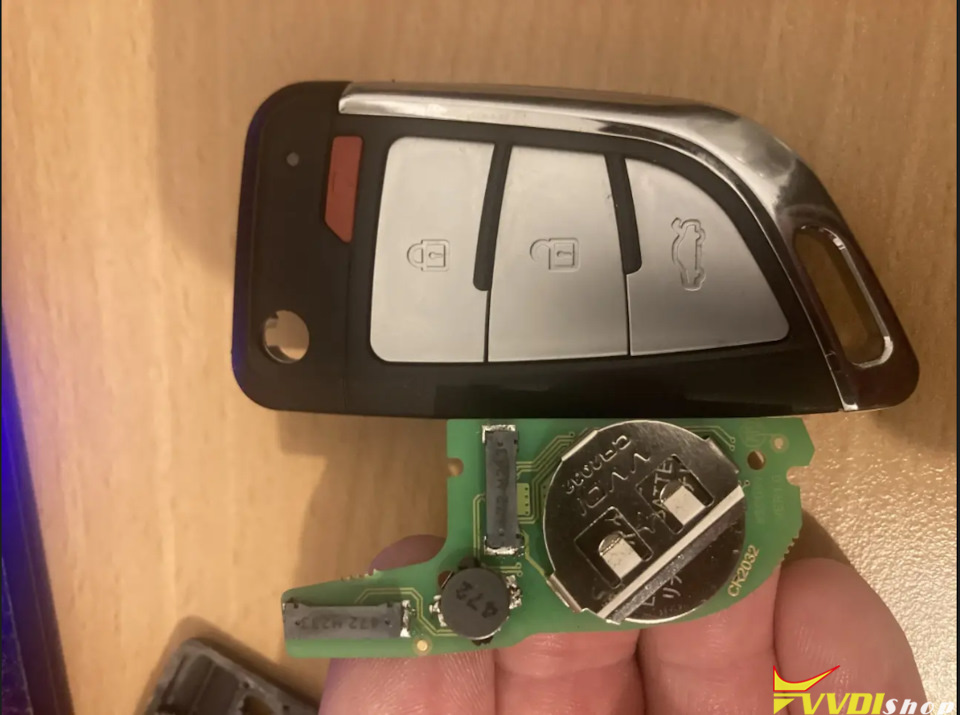
How to Remove Xhorse XSKF30EN Smart Remote Key Shell?

 How to remove/disassemble the Xhorse XSKF30EN crystal knife style universal smart remote key shell?

Check the instructions below:

Remove Xhorse XSKF30EN Smart Remote Key Shell 1

You will need this small key shell removal tool.

There is a small button on the back of the remote.

Remove Xhorse XSKF30EN Smart Remote Key Shell 2

Press the button and pull the the part

Remove Xhorse XSKF30EN Smart Remote Key Shell 3

There are 3 holes on the bottom.

Remove Xhorse XSKF30EN Smart Remote Key Shell 4

Insert key removal tool into the smallest hole and pry upwards.

Remove Xhorse XSKF30EN Smart Remote Key Shell 5

Remove Xhorse XSKF30EN Smart Remote Key Shell 6

Then you can remove key shell.

Remove Xhorse XSKF30EN Smart Remote Key Shell 7

www.vvdishop.com


https://www.vvdishop.com/service/disassemble-xhorse-xskf30en-smart-key.html


6/10/2024

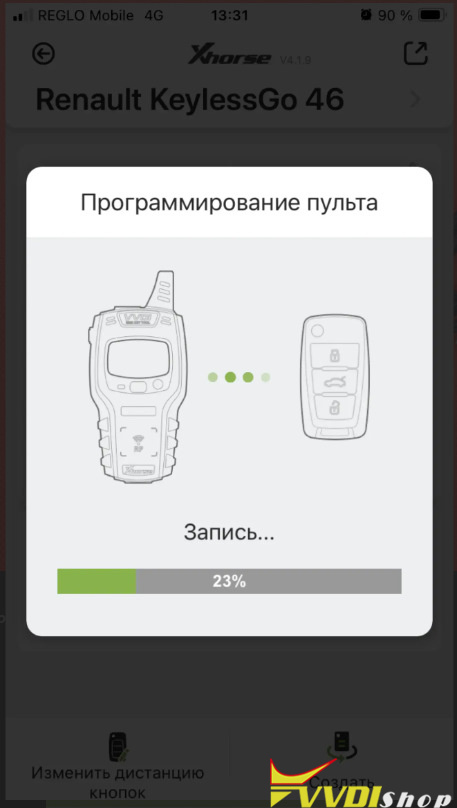
Generate and Program Renault Scenic ID46 Key with Xhorse Key

 It’s a Renault Scenic with ID46 chip key.  We’ll make a key using xhorse universal smart key.


We will use vvdi mini key tool.

Generate and Program Renault Scenic ID46 Key with Xhorse Key 1

First of all, we need to decide what key we need, open the program, select the make of the car and the type of the original key, it is highlighted in a green frame, it comes with KeylesGo with an ID46 chip

Generate and Program Renault Scenic ID46 Key with Xhorse Key 2

We generate a Xhorse XSKFF0EN 4-button smart key

Generate and Program Renault Scenic ID46 Key with Xhorse Key 3

Let’s take it apart, put the board into the mini key tool programmer, again select our car, the remote control with the ID46 chip and press for generation.

Generate and Program Renault Scenic ID46 Key with Xhorse Key 4
Generate and Program Renault Scenic ID46 Key with Xhorse Key 5‘

Generate remote completed successfully.


and then we go to the car, program key with key tool, for example, RenoLink.

Generate and Program Renault Scenic ID46 Key with Xhorse Key 6

We place the board from the key in the card slot with the chip at the bottom, this is the only way the receiver will detect the card.

Generate and Program Renault Scenic ID46 Key with Xhorse Key 7

Select your car and read PIN

Generate and Program Renault Scenic ID46 Key with Xhorse Key 8

then click Connect, click Test Presence, it has determined that there is one native card and there is an empty card in the slot

Generate and Program Renault Scenic ID46 Key with Xhorse Key 9

then click Start Learning, the card is detected in the reader

Generate and Program Renault Scenic ID46 Key with Xhorse Key 10

check the box, click Learn Key Card and add our native card again. at the bottom the light turns red Card Learnt OK means the card is programmed.

Generate and Program Renault Scenic ID46 Key with Xhorse Key 11

Next, click Validate, then Cancel and click Disconnect. Exit the application, close everything, disconnect.


We press the buttons of the new remote control, everything works, we collect the key, we get out of the car, we close the doors, we press the close button and… here it’s a bummer, the close button does not work and only the turn signals blink, we press the other buttons, the panic button works, the headlights turn on and off, opening the trunk opens the car, and the door open button, on the contrary, closes the doors. In short, the buttons do not work as they should. Let’s connect again to the xhorse mini key tool, insert the key and read the information on the buttons.

Generate and Program Renault Scenic ID46 Key with Xhorse Key 12

We see this picture, the top 4 indicators are buttons and the code in numbers corresponds to the command.


panic button – 01 corresponds to reality, lock button – 08 and it unlocks it, so we write code 08 on the unlock button, then the trunk has code 04 and it unlocks the doors, again we enter code 04 for the unlock button, and accordingly the code remains 02 is the opening of the trunk, enter it for the trunk button and press the INSTALL button at the bottom of the display. all settings are saved, codes are registered.

Generate and Program Renault Scenic ID46 Key with Xhorse Key 13

Then we go to the car and check how everything works.

www.vvdishop.com