
Here comes the problem:
Successfully programmed a Xhorse XM38 smart key for a Toyota, and the lock/unlock functions worked perfectly. However, the boot (trunk) button was completely unresponsive.
The Problem
The original Toyota key worked fine (lock, unlock, and boot buttons all functional).
The new XM38 smart key was programmed successfully.
Lock and unlock worked, but the boot button did nothing.

This guide will walk you through the simple process to enable the boot button on an XM38 smart key, so you can avoid the same issue.
The Solution
Activating the boot button requires not just programming the key, but also modifying a setting via a key programming tool. Below is the step-by-step process as demonstrated using the Key Tool Plus (the same process works with other devices like MINI Key Tool or Key Tool Max Pro).
Step 1: Prepare the Key
Open the XM38 key shell.
Remove the PCB (printed circuit board).
Insert a battery into the PCB.
Step 2: Program the Remote
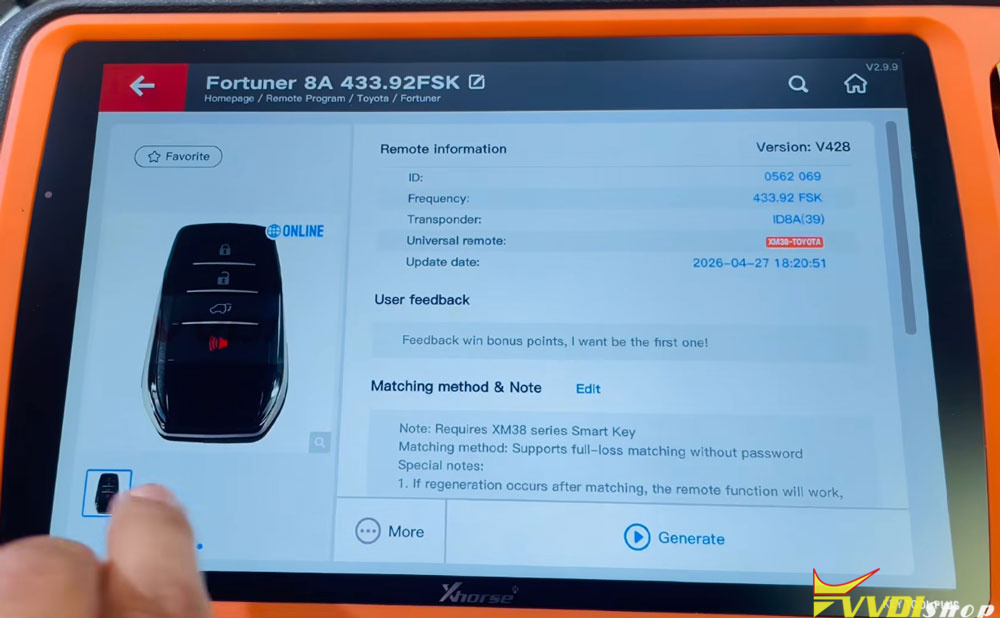
Go to the Remote Program menu on your device.
Navigate to Asia → Toyota.
Select the second option for Fortuner (the relevant model).
Choose the first photo option: Toyota Smart Key.
Generate the data. (This may take a moment as it generates online.)
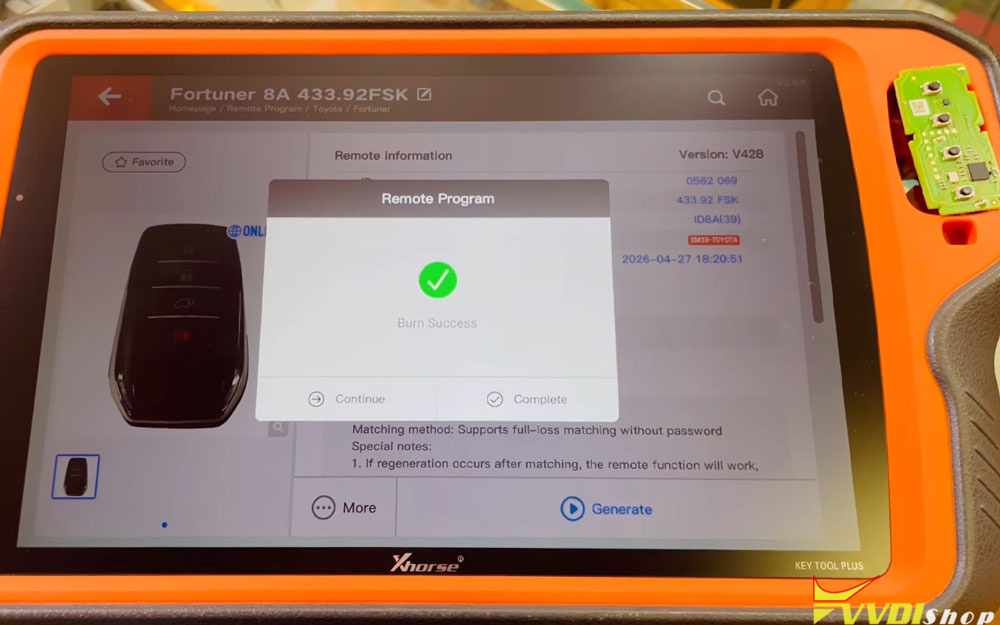
Wait for writing to reach 100% and confirm Burn Success Complete.
At this point, lock and unlock will work, but the boot button will still be inactive.


Step 3: Enable the Trunk Button via Special Functions
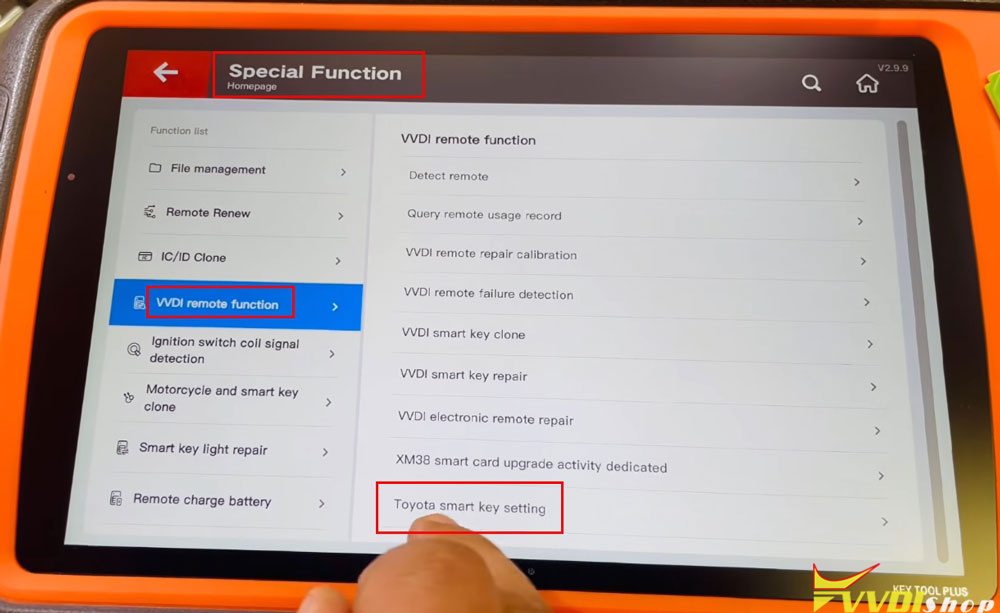
Return to the Home Page on your device.
Go to Special Function.
Select VVDI Remote Function.
Choose Toyota Smart Key Settings.
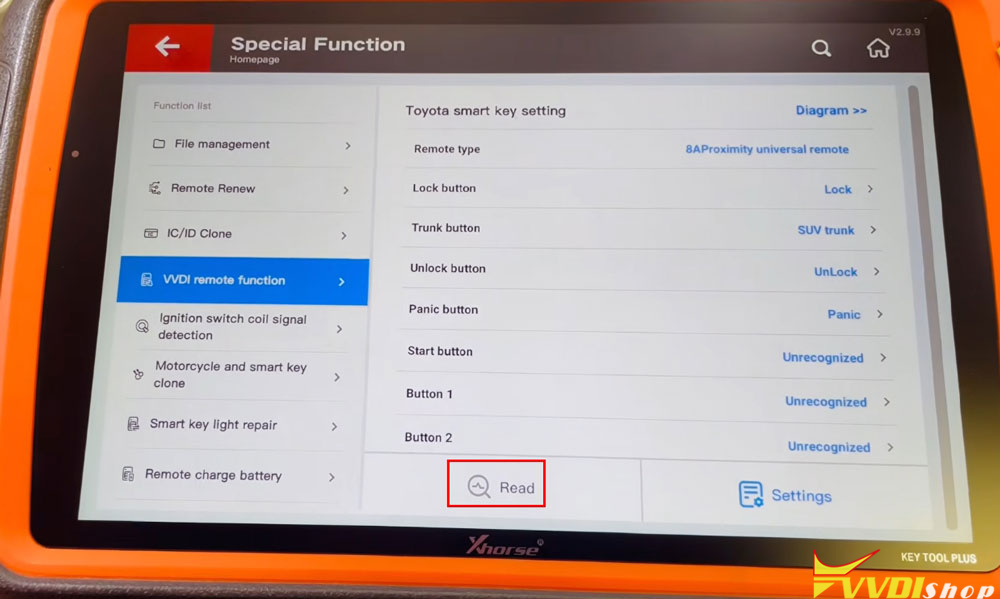
Press OK, then select Read to load the current key details.


Step 4: Modify the Trunk Button Setting
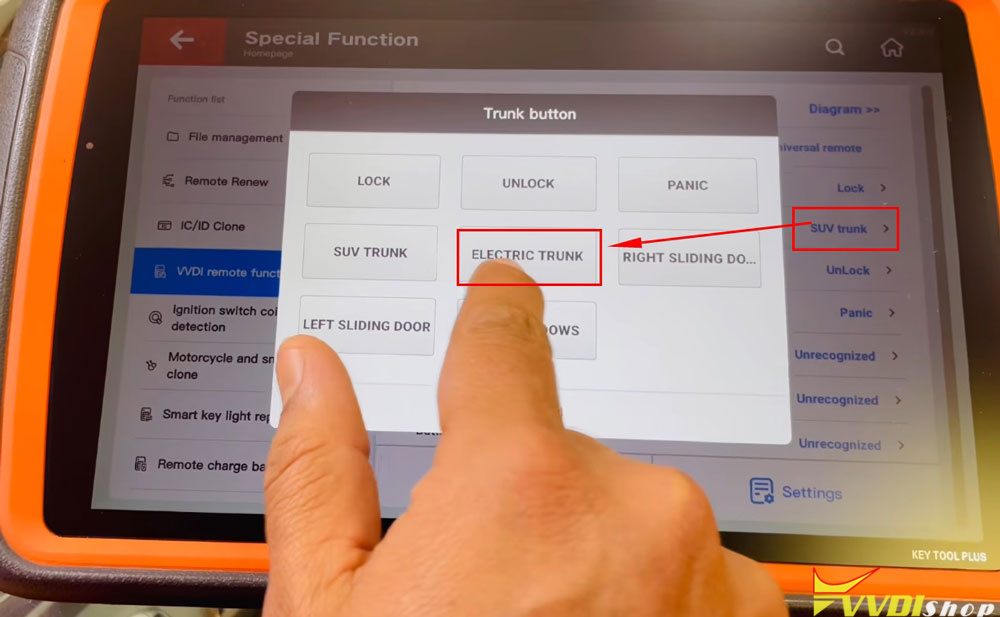
In the settings, you’ll see an option to modify the Trunk Button.
If the setting shows SUV Trunk, change it to Electric Trunk.
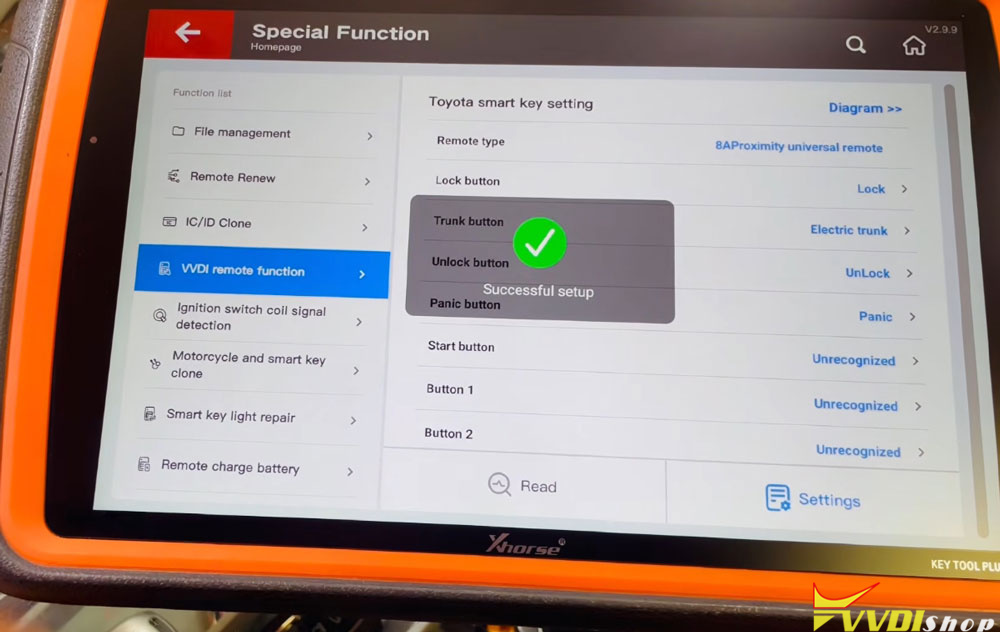
Press OK, then go into Settings and click once more.
You should see a confirmation: Setting Successful.


Step 5: Verify
After completing these steps, the boot button on your XM38 smart key will work exactly like the original key.
Why This Matters
With this two-minute fix, you can avoid the same loss and provide a fully functional key to your customer.

No comments:
Post a Comment
Note: Only a member of this blog may post a comment.