11/30/2025

Solve VVDI MLB Keys Remote Issue by Removing diode

 Some users reported that after aprox 2 weeks/2 months xhorse VVDI MLB keys remote stop working. Keyless engine start works OK. Original key still working.


Solution 1 is to update the VVDI MLB keys firmware to latest version in software (check the previous post).

Here comes new solution 2.

Remove this diode and short circuit the two solder points. Shown as images in the device.

Remove the diode and short circuit it to enhance the keyless entry and fix the battery issues.

Solve VVDI MLB Keys Remote Issue by Removing diode

User feedback:

1.I made 4-5 Xhorse MLB keys like that. Temoved and shorted two points with wire. None of them came back. It helps to solve this problem.

2. I tried. It does fix the issues.

Add VW Golf 2020 MQB48 Key Data with VVDI MLB Tool

 Today’s experience with the VW Golf 2020 MQB48 key was very difficult, but the process was successful.

The instrument panel is digital and the key is smart.

Read original key data with Xhorse VVDI MLB Tool MQB48 adapter.

Generate dealer key and learn key with VVDI Key Tool Plus.

I used read fast time all the time. The main thing is to make sure your wires are soldered properly and the key is positioned securely and the right way.

The Tricky part is to remove the mini capacistor.

You need a microscope and some solder skills.
Then no problem.

Add VW Golf 2020 MQB48 Key Data with VVDI MLB Tool 1

Add VW Golf 2020 MQB48 Key Data with VVDI MLB Tool 2

Add VW Golf 2020 MQB48 Key Data with VVDI MLB Tool 3

Add VW Golf 2020 MQB48 Key Data with VVDI MLB Tool 4

Add VW Golf 2020 MQB48 Key Data with VVDI MLB Tool 5


11/27/2025

VVDI Key Tool MIDI Program 2021+ Hyundai Creta All Keys Lost

 This guide provides a proven, step-by-step method for programming 2021+ Hyundai Creta all keys lost with Xhorse VVDI Key Tool MIDI. This procedure was successfully tested, confirming the tool’s capability for this modern vehicle.


  • Quick Summary

Tool Used: VVDI Key Tool MIDI

Vehicle: Hyundai Creta (2021+ Model. Also compatible with 2020, 2018 models using the 6A system).

Job Type: 6A PIN Read &All Keys Lost Programming

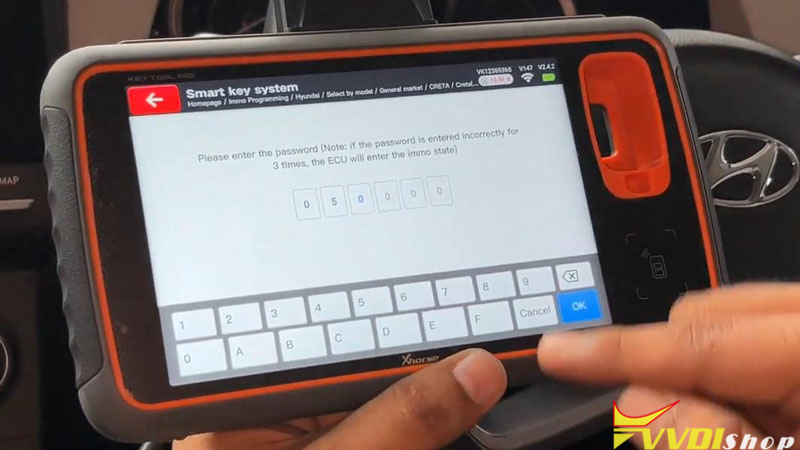
PIN Code Example:a 6-digit code: 059349

Result: Successfully read the PIN and programmed a new smart key.


  • Step-by-Step Programming Guide

Follow these straightforward steps to complete the job efficiently.


Step 1: Vehicle & Tool Preparation
Ensure the vehicle is in a safe location. Connect a stable power supply to the battery to prevent any voltage drop during programming that could cause ECU damage.


Step 2: Read the 6A PIN Code

  1. Turning ignition on, power on your Key Tool MIDI.
  2. From the main menu, select Immo Programming -> Hyundai ->Read PIN code ->Password reading(6A smart card)
  3. Follow the on-screen instructions. The tool will communicate with the immobilizer and display the 6-digit PIN code. Record this code accurately.

VVDI Key Tool MIDI Program 2021+ Hyundai Creta All Keys Lost 1

VVDI Key Tool MIDI Program 2021+ Hyundai Creta All Keys Lost 2

VVDI Key Tool MIDI Program 2021+ Hyundai Creta All Keys Lost 3

Step 3: Program the New Smart Key

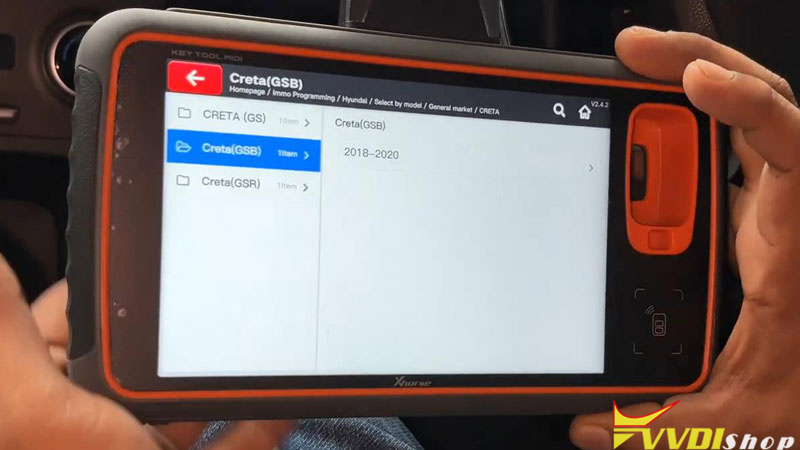
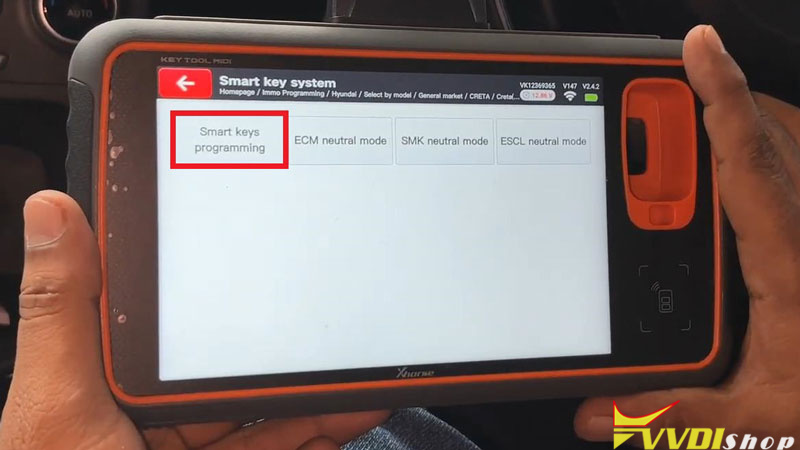
  1. Go back to Hyundaimenu: Select by model ->General market ->CRETA(GSB) ->2018-2020 ->Smart key system ->Smart Key Programming
  2. Enter the 6-digit PIN code when prompted.
  3. Follow the subsequent instructions precisely. This usually involves placing the new smart key in a specific spot like the cup holder or against the start/stop button.
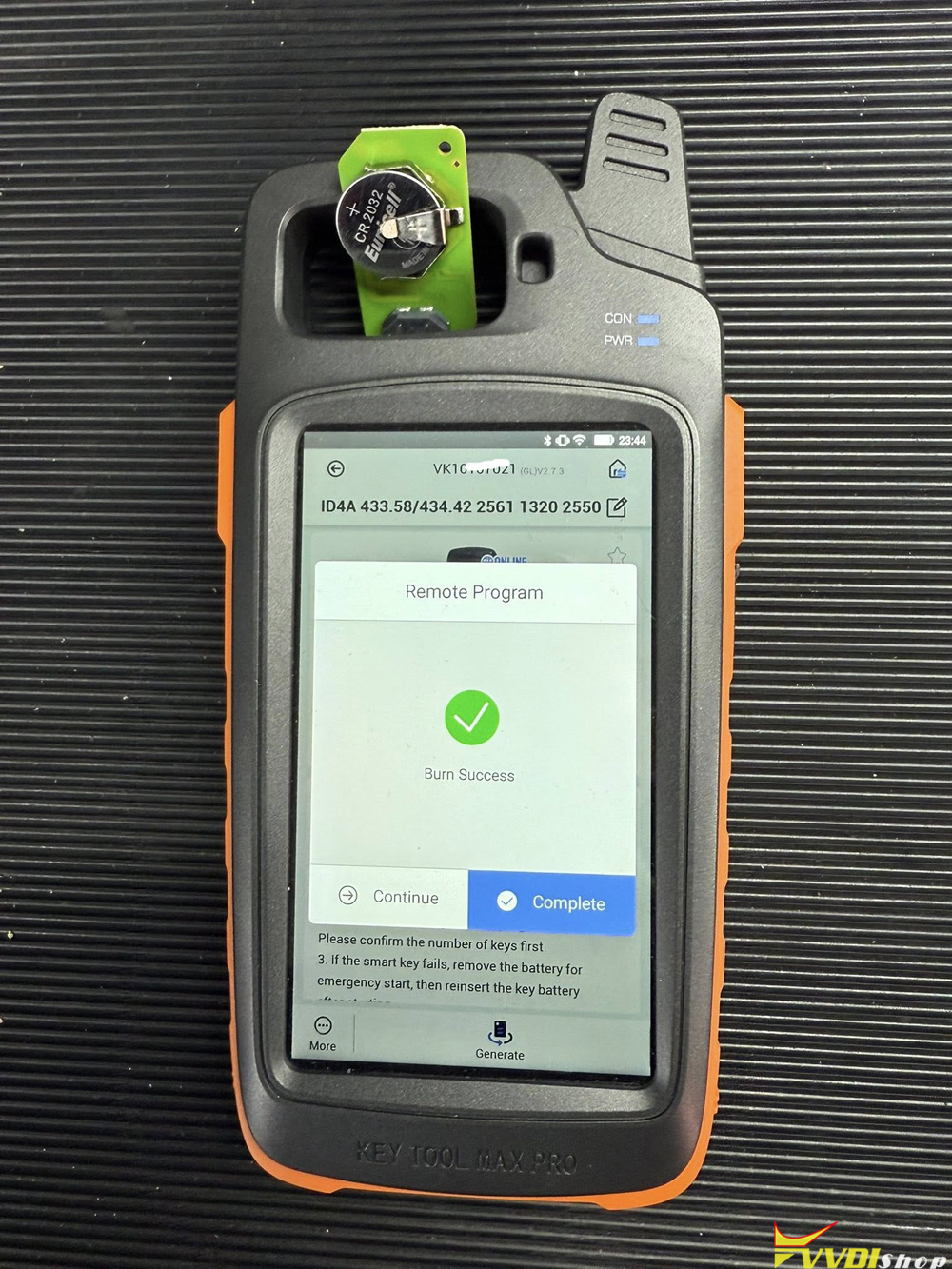
  4. The tool will confirm when the key has been successfully programmed.

VVDI Key Tool MIDI Program 2021+ Hyundai Creta All Keys Lost 4

VVDI Key Tool MIDI Program 2021+ Hyundai Creta All Keys Lost 5

VVDI Key Tool MIDI Program 2021+ Hyundai Creta All Keys Lost 6

Step 4: Final Verification
Turn the ignition OFF and exit the vehicle. Test the new smart key’s remote lock/unlock functions and confirm the vehicle starts normally.


  • Frequently Asked Questions (FAQ)

Q: Can Xhorse Key Tool MIDI read Hyundai Creta PIN?
A: Yes, definitely. The Xhorse Key Tool MIDI can successfully read the 6A PIN code from the immobilizer of 2021+ Hyundai Creta models, as demonstrated in this guide.


Q: What is the PIN code format for a Hyundai Creta?
A: The Hyundai Creta uses a standard 6-digit PIN code (e.g., 059349).


Q: How to program a Hyundai Creta smart key with Xhorse?
A: The process involves two main steps:

First, use the tool’s “PIN Read” function to get the 6-digit code from the vehicle. Second, use that PIN in the “Smart Key Programming” function to add a new key.


Q: Is this guide applicable for all key lost situation?
A: Yes, this specific tutorial was performed and confirmed successful for an all-keys-lost (AKL) scenario on the Hyundai Creta.


Conclusion

The Xhorse VVDI Key Programmer provides a reliable and efficient solution for Hyundai Creta key programming. This guide confirms its ability to handle the critical task of 6A PIN reading and smart key programming, making it an indispensable tool for auto locksmiths working on modern Hyundai vehicles.


www.vvdishop.com

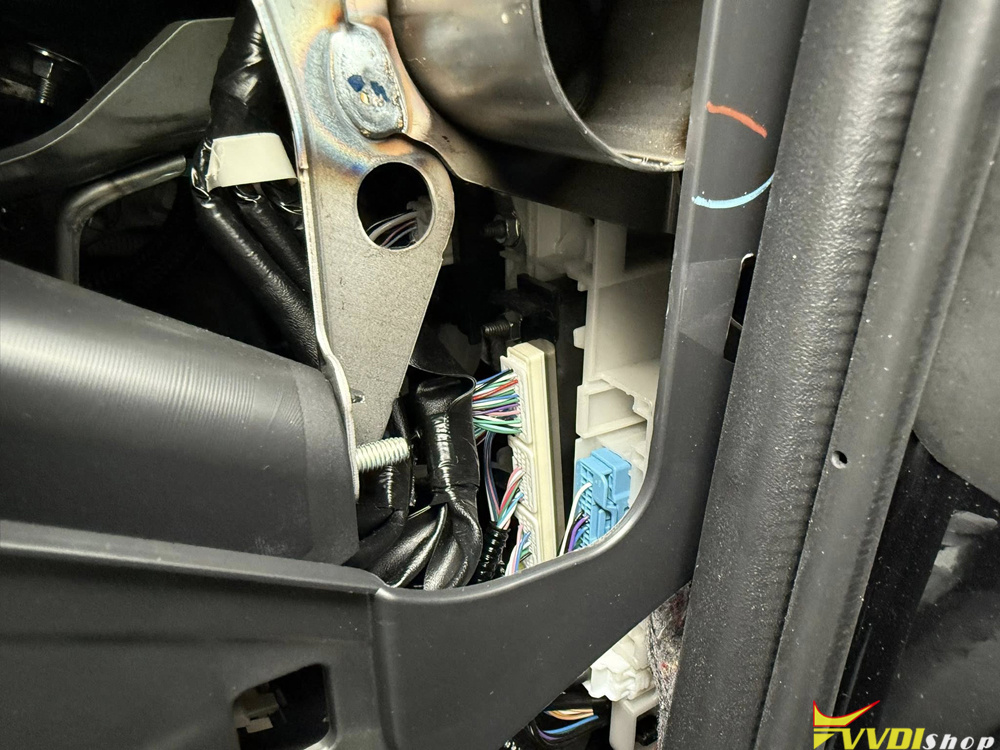
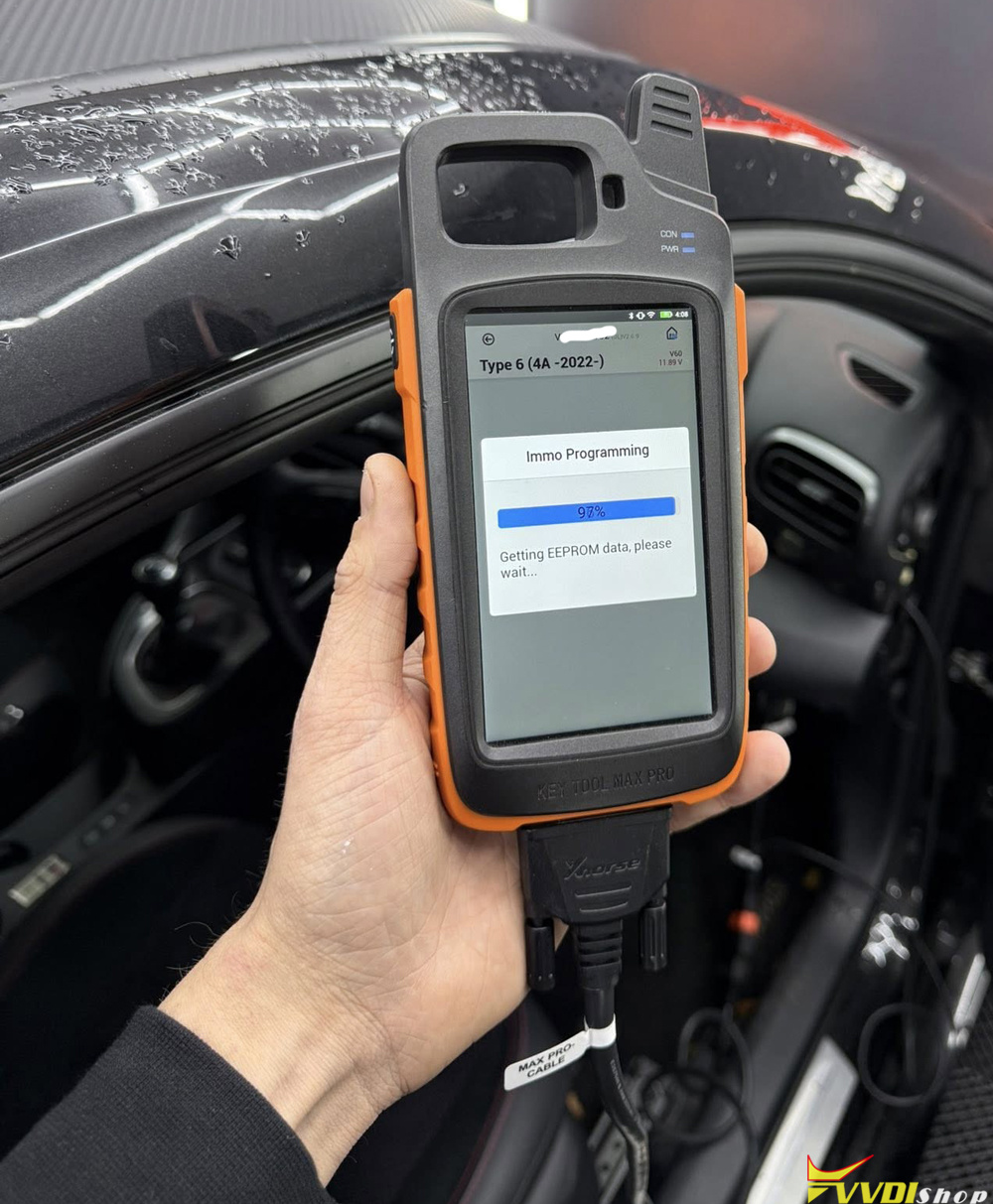
Program Toyota Yaris 2022 4A Smart Key with Xhorse Key Tool Max Pro

 Toyota Yaris 2022 4A (BA) lost keys is done with xhorse vvdi key tool max pro.

Here’s how
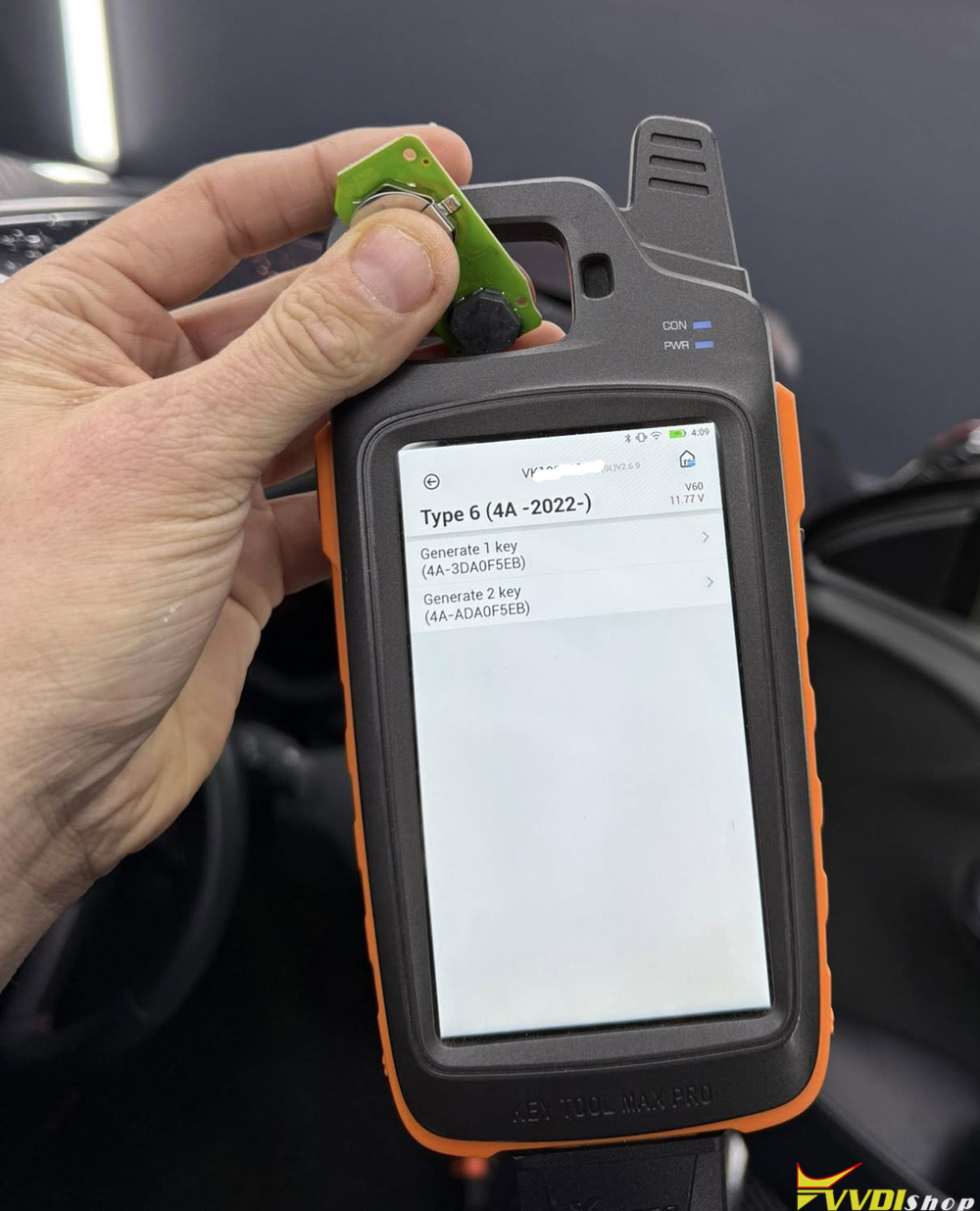
1. Prepare remote (XM38)

Program Toyota Yaris 2022 4A Smart Key with Xhorse Key Tool Max Pro 1

Generate XM38 4A remote under this option.

Program Toyota Yaris 2022 4A Smart Key with Xhorse Key Tool Max Pro 2
2. Connect 30 pin cable to smart box

Program Toyota Yaris 2022 4A Smart Key with Xhorse Key Tool Max Pro 3
3. Select vehicle
4. Read data
5. Select lost keys & write to slot
6. Prepare key
7. Start engine.

Program Toyota Yaris 2022 4A Smart Key with Xhorse Key Tool Max Pro 4

Program Toyota Yaris 2022 4A Smart Key with Xhorse Key Tool Max Pro 5

Program Toyota Yaris 2022 4A Smart Key with Xhorse Key Tool Max Pro 6

Program Toyota Yaris 2022 4A Smart Key with Xhorse Key Tool Max Pro 7

11/26/2025

VVDI Prog and VVDI2 Program BMW F16 BDC All Keys Lost

 Introduction & Initial Challenge:

The vehicle in question, a BMW X6 F16 BDC system, arrived with a complete key loss (AKL). In such modern BMWs, simply programming a new key via the OBD-II port is not possible without first obtaining critical security data and preparing the vehicle’s central computer. The primary challenge involves two main steps:

Reading the Immobilizer Security Number (ISN) from the Engine Control Unit (DME).

Unlocking and preparing the Body Domain Controller (BDC) to accept new keys.


Step 1: Reading the ISN from the DME

Since no keys were present, the first step was to physically access the vehicle’s engine control units.

Remove DME from the vehicle. The specific model was identified as Bosch 0261 S15 497 (MEVD 17.2.h).

You can read ISN code with CG FC200 programmer on bench.


Step 2: Unlock and Prepare the BDC

With the ISN acquired, the next step was to prepare the BDC, the vehicle’s main security and access module.

Physical Access: The BDC was carefully removed from the vehicle. Its cover was opened to reveal the internal circuit board and the essential M95xxx EPROM chip.

Read and save BDC 95256 eeprom data with vvdi prog and clip adapter.

VVDI Prog and VVDI2 Program BMW F16 BDC All Keys Lost 1

VVDI Prog and VVDI2 Program BMW F16 BDC All Keys Lost 2

VVDI Prog and VVDI2 Program BMW F16 BDC All Keys Lost 3

VVDI Prog and VVDI2 Program BMW F16 BDC All Keys Lost 4

Bench Setup: The BDC was placed on a dedicated test bench, where power and necessary connectors were attached to simulate being in the vehicle.

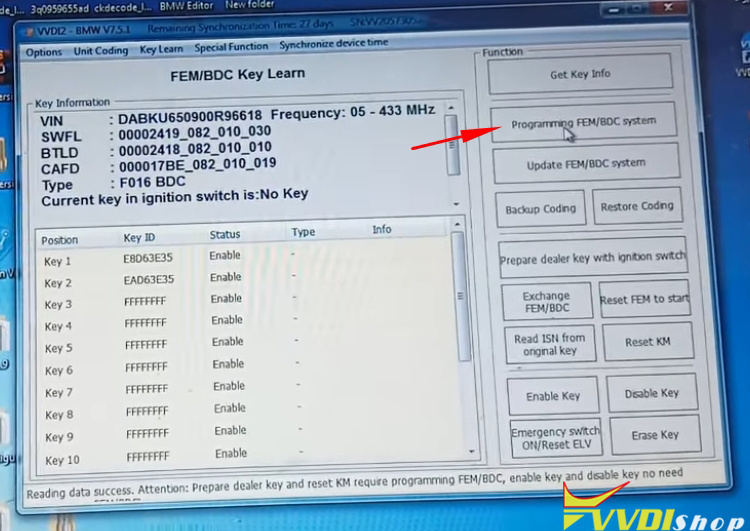
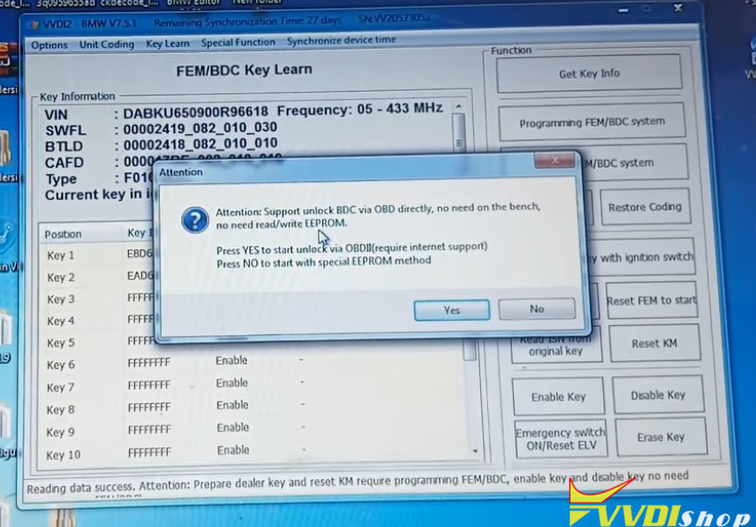
Unlocking via VVDI2: Instead of directly reading and writing the EEPROM, we used the VVDI2. By selecting the “BDC Key Learn” function and choosing to program/unlock the BDC directly via OBD (simulated on the bench), the tool connected to an online server.

Server-Side Unlocking: This process involved the server generating a modified “flash file.” The VVDI2 tool then wrote this file to the BDC, a process that took several minutes. Upon completion, a message confirmed the “FEM BDC update success.”

VVDI Prog and VVDI2 Program BMW F16 BDC All Keys Lost 5

VVDI Prog and VVDI2 Program BMW F16 BDC All Keys Lost 6

VVDI Prog and VVDI2 Program BMW F16 BDC All Keys Lost 7

VVDI Prog and VVDI2 Program BMW F16 BDC All Keys Lost 8

VVDI Prog and VVDI2 Program BMW F16 BDC All Keys Lost 9

VVDI Prog and VVDI2 Program BMW F16 BDC All Keys Lost 10

VVDI Prog and VVDI2 Program BMW F16 BDC All Keys Lost 11

VVDI Prog and VVDI2 Program BMW F16 BDC All Keys Lost 12

VVDI Prog and VVDI2 Program BMW F16 BDC All Keys Lost 13

Step: Programming Key

After the BDC was successfully unlocked, we proceeded to program the first new key.

Key Learning: Back in the VVDI2’s “BDC Key Learn” menu, the “Add Key” function was used. The previously saved ISN was pasted into the tool.

Success with Anomalies: The key was successfully learned, and the car started successfully. The remote functions also worked after a battery was installed in the key fob.

Persistent Fault Code: A diagnostic scan revealed a persistent “SWFL Lost” (Steering Wheel Lock) fault code. Clearing this fault permanently would require a full update of the BDC using BMW’s official ESys software, a step deferred based on the customer’s potential need for only one key.

VVDI Prog and VVDI2 Program BMW F16 BDC All Keys Lost 14

VVDI Prog and VVDI2 Program BMW F16 BDC All Keys Lost 15

VVDI Prog and VVDI2 Program BMW F16 BDC All Keys Lost 16

VVDI Prog and VVDI2 Program BMW F16 BDC All Keys Lost 17

VVDI Prog and VVDI2 Program BMW F16 BDC All Keys Lost 18

www.vvdishop.com

11/25/2025

Clone Audi A3 MQB Cluster D70F3537 with Xhorse

 Is it possible to clone original read from audi A3 2013 MQB cluster to another cluster with exact same MCI D70F3537. Original cluster dead after full read. I have already calculated sync data for dealer key preparation. All keys lost originally.

But after cluster read. And attempt to reset cluster didn’t work. I just need to confirm if it is possible to take original read over to donor cluster.

Original cluster part number is 8V0920870. 0570. H24
Donor cluster part number is 8v0920870G. 2220. H03.

Both cluster is 2013 year model. And both for audi car.

Will it be possible to clone D70F3537 from one to another directly on bench using Xhorse multi prog with MQB adapter?


Feedback:

If the sw and hw are the same then it is possible.

I used sync data to prepare dealer key successfully.
Select dashboard replace. Xhorse Vvdi2 asked for old dash encrypted data and new dash encrypted data. Calculated another file to be written with multi prog or vvdi prog. File written successfully. All info from old dash into new dash. Prepared dealer key with sync data. Used immo data selection to learn key successfully.
Car started and removed coded automatically when key learned.

11/24/2025

Xhorse Multi Prog Repair BMW Mini BMW FRM3 Module Review

 BMW / MINI

Its the season of flat batteries and if you guys ever find a customer come in with the complaint similar to.
“Ever since I jump started my car the windows don’t work” or something electrical has stopped working.
What happens is the FRM (footwell) module corrupts the software after a low voltage scenario.

The eeprom jumps into the Dflash and we cannot communicate with the module afterwards leaving us facing the prospect of buying a new module plus programming.
There is another way to resolve the problem. We can connect to the board directly and Re-align the software which Re populates the eeprom side of the software restoring its ability to communicate and work again.

Xhorse Multi Prog detects the misaligned partitions. multiprog has a feature it will do it automatically. Vvdi prog will read and write but not fix it automatically.

You can also buy a clip for the board saves the soldering, saves loads of time.

Soldering is easy on these though.

Xhorse Multi Prog Repair BMW Mini BMW FRM3 Module 1

Xhorse Multi Prog Repair BMW Mini BMW FRM3 Module 2

Xhorse Multi Prog Repair BMW Mini BMW FRM3 Module 3

Xhorse Multi Prog Repair BMW Mini BMW FRM3 Module 4

Xhorse Multi Prog Repair BMW Mini BMW FRM3 Module 5

Xhorse Multi Prog Repair BMW Mini BMW FRM3 Module 6