12/11/2025

Xhorse VVDI PROG vs CGPRO: BMW Mileage Correction

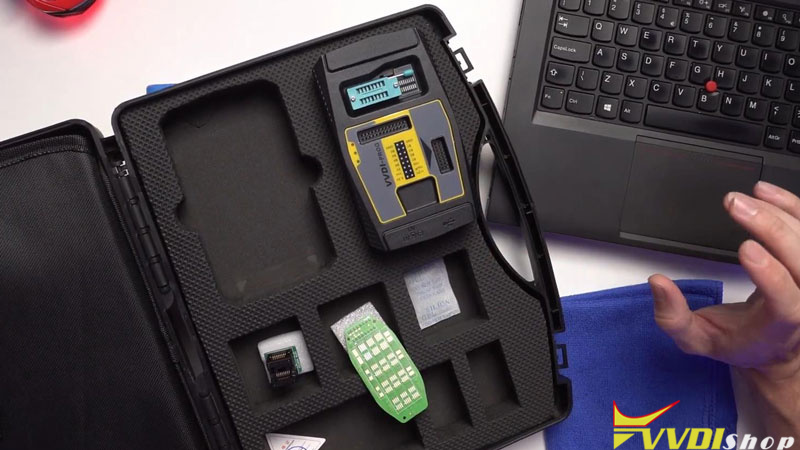
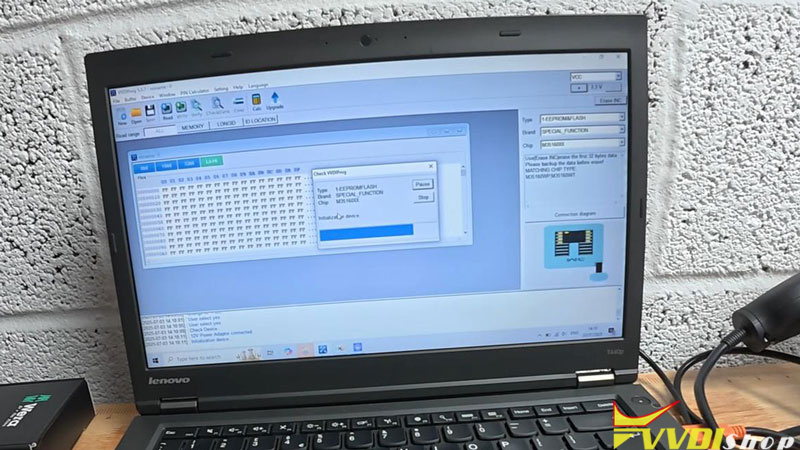
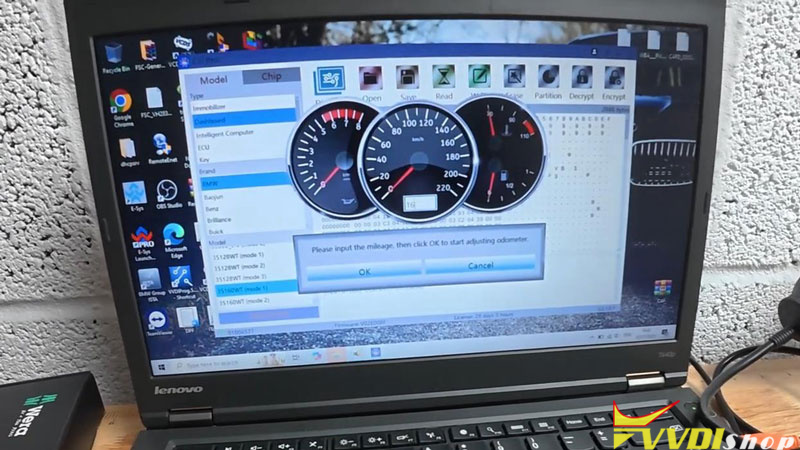
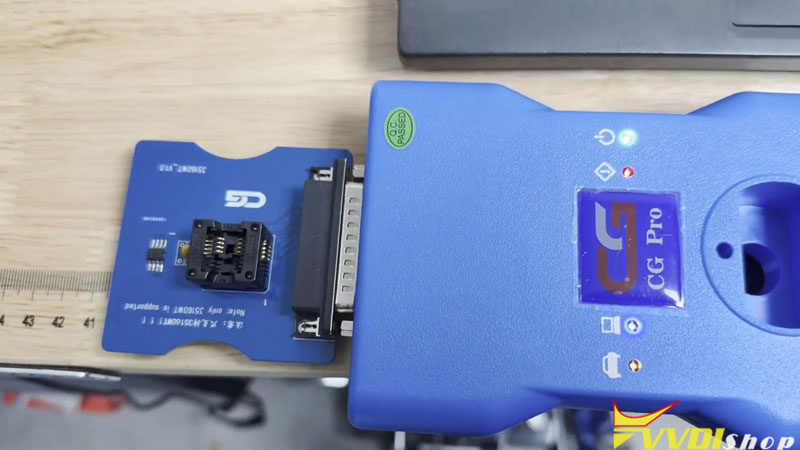
 When adjusting mileage on BMW instrument clusters equipped with EEPROM chips like the 35160WT, 160D0WTand 35128WT, two popular tools are often considered: Xhorse VVDI PROG and CGPRO. Below is a point-by-point evaluation based on real‑world testing to help you choose the right tool.

Xhorse VVDI PROG vs CGPRO: BMW Mileage Correction 1

Xhorse VVDI PROG vs CGPRO: BMW Mileage Correction 2

FeatureVVDI PROGCGPRO
CompatibilityBroad EEPROM and module support (CAS, FRM, etc.).Covers many BMW chips; includes adapters for 35128WT (mode 2/3).
Mileage CorrectionReliable via chip‑replacement method using dedicated emulator chips (sold separately).Built‑in mileage editor; automatic checksum calculation for supported chips.
Ease of UseRequires third‑party software for data editing; workflow can be complex.More user‑friendly interface with integrated functions.
Cost & AccessoriesHigher initial price (~$419); essential adapters often sold out/extra cost.Lower entry price ($399); most adapters included.
Key LimitationCannot erase 35160WT mileage with standard accessories; chip replacement adds cost.Unreliable erasure on 35160WT; cannot reduce mileage on 35128WT mode 1.
Online RequirementNo mandatory internet connection for basic operations.Requires internet for license validation.
Overall VerdictRobust for chip‑level replacement, but hidden costs and complexity exist.Streamlined for common tasks, yet inconsistent on critical chips.


Summary & Recommendations

You need deep chip-level programming capabilities

Regularly perform BMW chip replacement or module cloning

Require reliable 35160WT solutions via chip emulation
(Note: Requires higher expertise and additional investment)

Xhorse VVDI PROG vs CGPRO: BMW Mileage Correction 3

Xhorse VVDI PROG vs CGPRO: BMW Mileage Correction 4

  • Choose CGPRO if:

Your focus is on straightforward mileage adjustment for common BMW models

Prioritize workflow efficiency and user-friendly operation

Need integrated software with automated calculations
(Note: May show inconsistency with specific chips like 35160WT)

Xhorse VVDI PROG vs CGPRO: BMW Mileage Correction 5

Xhorse VVDI PROG vs CGPRO: BMW Mileage Correction 6

Key Reality:
No single tool fully supports all BMW EEPROM chips. The 35160WT series remains particularly challenging.


Quick Guide:

Basic shops: CGPRO for cost-efficiency

BMW specialists: VVDI PROG for technical flexibility


Final Decision:
Match your choice to actual workflow needs and technical capability. For consistent results across varied BMW chips, a multi-tool approach often outperforms any single device. Always have backup plans for chip-specific limitations.


www.vvdishop.com

12/10/2025

Xhorse Multi Prog Jump Recovery Error Solution

 Problem:

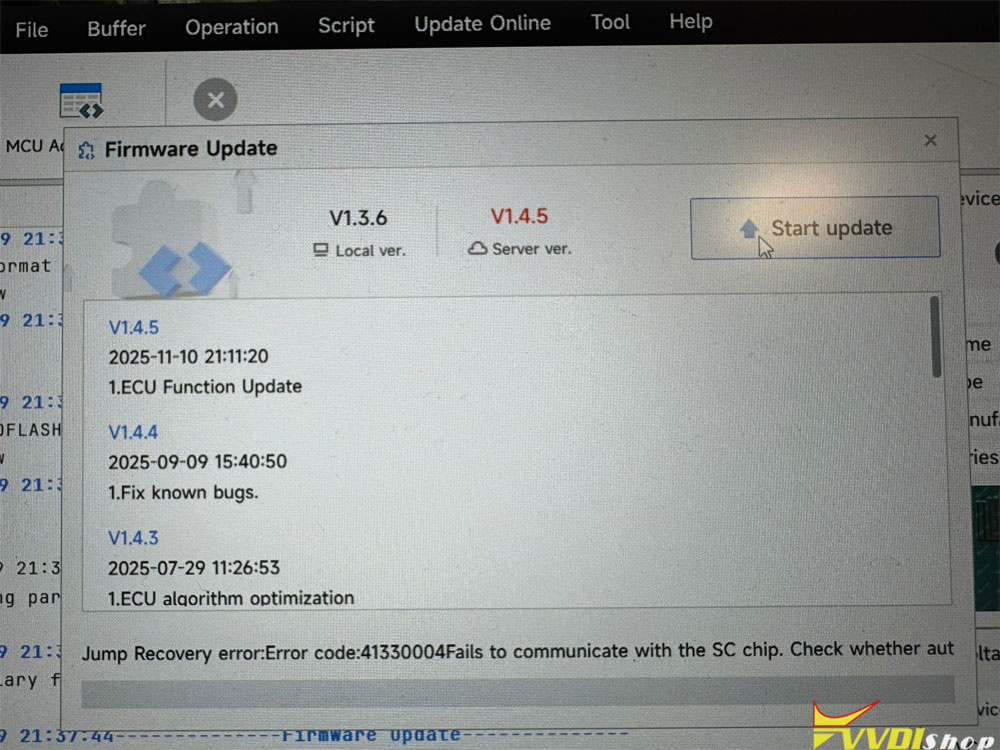
I received my Xhorse Multi prog and today i installed it to my PC. But I can not update the firmware of the device from 1.36 to 1.45.

It says “Jump Recovery error: Error code 41330004 Fails to communicate with the SC chip.” Any solution?

Xhorse Multi Prog Jump Recovery Error 1
Xhorse Multi Prog Jump Recovery Error 2

Solution:

Press and hold the Reset button on the main unit before powering on, and hold it for 5 seconds after powering on. Try to force firmware upgrade.

Xhorse Multi Prog Jump Recovery Error 3
Xhorse Multi Prog Jump Recovery Error 4

Xhorse Multi Prog Jump Recovery Error 5


12/09/2025

Xhorse XK MQB Gen2 Remote Has a Adapter

 New 2nd generation XK MQB (XKMQB5EN) remote key comes with a little adapter for XT27 or XT57 chip.

It’s good idea.
No need glue, no need to open key shell.

If you don’t have to open the shell! Where does the chip go?
You need to put battery inside also it a nuclear remote.
More seriously before this adapter we have to open the shell to put the chip correctly with few glue.
Now no need.

This adapter is useful in case you don’t have glue, tested and approved no noises.
Xhorse has had those on some model remotes. Just not all.

Xhorse XK MQB Gen2 Remote Has a Adapter 1

Xhorse XK MQB Gen2 Remote Has a Adapter 2


12/07/2025

Xhorse Multi Prog Read and Write VW DQ250 MQB Gearbox

 A client presented a Å koda Octavia A7 (MQB platform) with a critical issue: after swapping in a gearbox from an identical donor car, the vehicle would not drive. While the transmission seemed to mechanically shift gears and the selector display worked, the car remained stationary. Diagnostic scans revealed a critical fault: “Transmission Locked.” This pointed directly to a mismatch between the vehicle and the new mechatronic unit—the brain of the DSG gearbox. The solution was to clone the data from the original, non-functional mechatronic into the donor unit.


The first attempt used a high-end programmer (“PCMFlash”). Despite correct power (13.7V) and wiring, the tool repeatedly failed to identify the module or establish proper communication. The module would not even return its identification data. Then we switch to a secondary tool—an Xhorse Multi Prog programmer.


The Multiprog successfully connected to the gearbox. The cloning process involves reading three critical memory areas:

  • Internal EEPROM: Saved as a backup file.
  • External EEPROM: This read appeared more “correct” than the first.
  • Flash Memory: The main firmware, which takes several minutes to read.

All files were saved for comparison and as a restore point before any writing.

Xhorse Multi Prog Read and Write VW DQ250 MQB Gearbox 1

Xhorse Multi Prog Read and Write VW DQ250 MQB Gearbox 2

Xhorse Multi Prog Read and Write VW DQ250 MQB Gearbox 3

Xhorse Multi Prog Read and Write VW DQ250 MQB Gearbox 4

Xhorse Multi Prog Read and Write VW DQ250 MQB Gearbox 5

Xhorse Multi Prog Read and Write VW DQ250 MQB Gearbox 6


\Writing and Successful Cloning

The EEPROM data was written first.

The full Flash memory was then cloned onto the unit.
The process completed successfully without requiring a separate adaptation procedure (like ODIS online).


The Å koda drove normally, with the DSG gearbox shifting smoothly and correctly. The cloned mechatronic was fully accepted by the vehicle, resolving the “Transmission Locked” fault.


Key Takeaways:
Persistence with Tools: If one high-end tool fails, try another. Communication protocols and compatibility can vary unexpectedly.

Verification is Crucial: Always read and back up data multiple times if possible, and compare files from different tools to ensure data integrity before writing.

Connection is Everything: A seemingly minor connection issue (a loose connector) can completely halt communication with a sensitive module.

Modern MQB Units are Cloneable: Despite initial communication hurdles, the DQ250 MQB mechatronic can be successfully cloned on the bench and in the vehicle using appropriate tools and procedures, saving the cost of a brand-new unit and online programming.

12/04/2025

Xhorse VVDI Wireless Remote and Super Remote Difference

What are the differences between Xhorse VVDI Wireless Remote and Super Remote? Understanding their differences is essential for choosing the correct tool for automotive key replacement and programming.


In this guide, we break down the key distinctions and provide a clear comparison table for easy reference.

Xhorse VVDI Wireless Remote and Super Remote Difference 1

Quick Overview

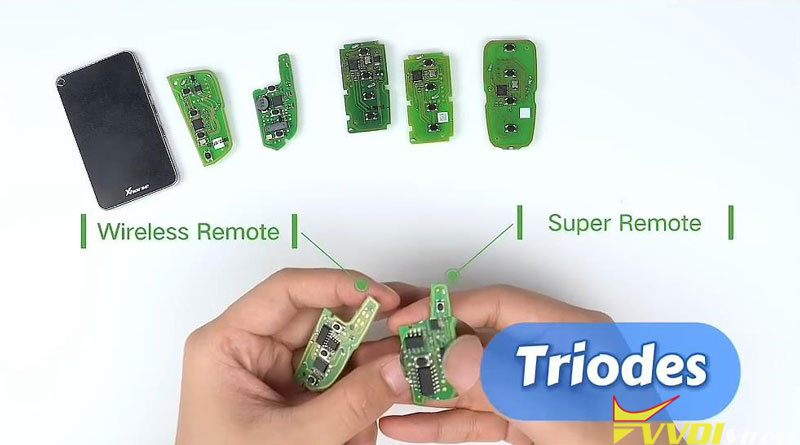
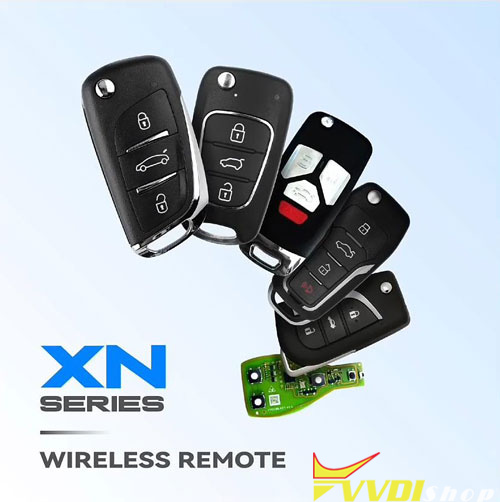
Wireless Remote corresponds to the XN series.

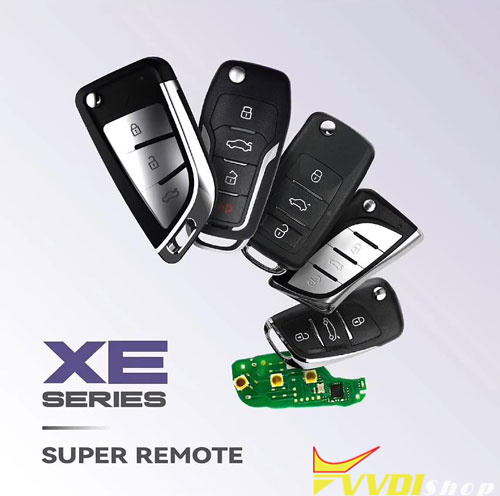
Super Remote corresponds to the XE series.


Both VVDI Remotes have an inductor on the back and require a battery to be installed when they are generated (programmed).


Technical Difference

One of the main hardware differences is:

Super Remote has 2 triodes (transistors), while Wireless Remote does not.

Xhorse VVDI Wireless Remote and Super Remote Difference 2

Compatibility Breakdown

  • Wireless Remote Supports:
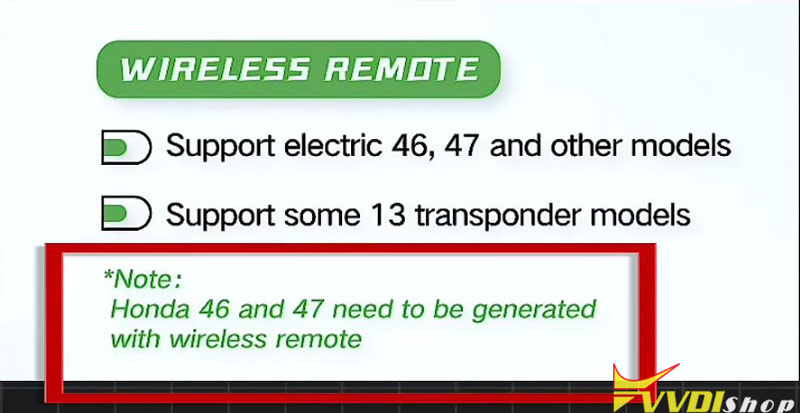
  1. Electric models 46, 47, and others
  2. Some 13 transponder models

Important: Honda 46 and 47 must be generated with a Wireless Remote.

Xhorse VVDI Wireless Remote and Super Remote Difference 3

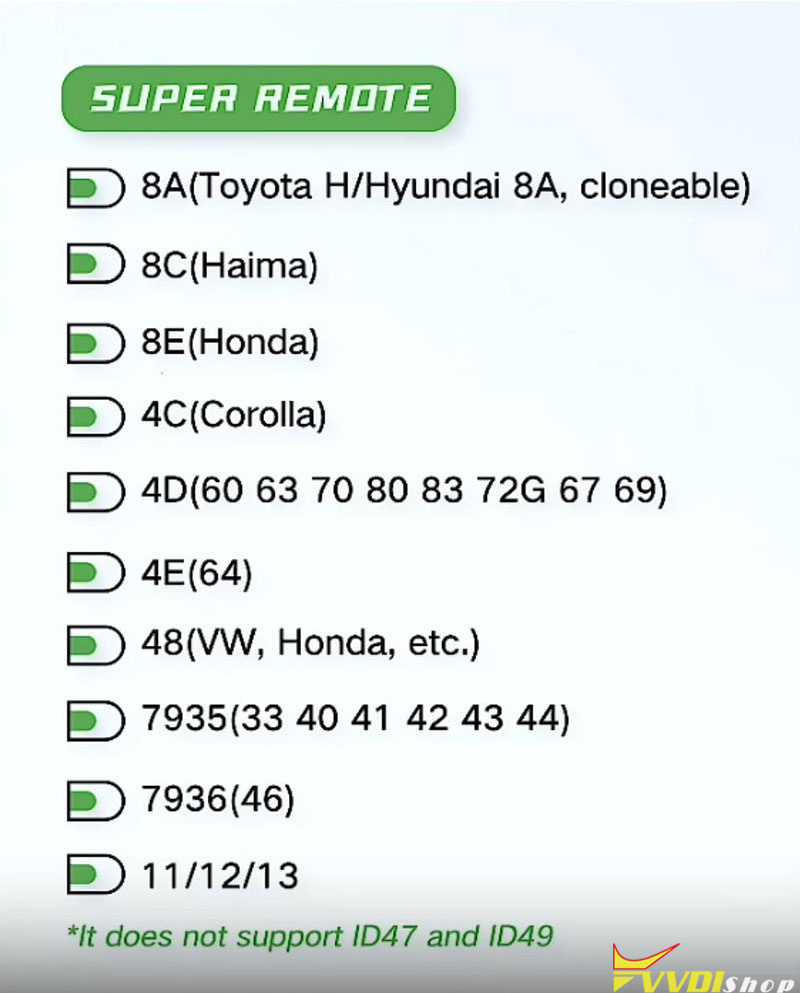
  • Super Remote Supports:

8A (Toyota H / Hyundai 8A, cloneable)

8C (Haima)

8E (Honda)

4C (Corolla)

4D (60, 63, 70, 80, 83, 72G, 67, 69)

4E (64)

48 (VW, Honda, etc.)

7935 (33, 40, 41, 42, 43, 44)

7936 (46)

11/12/13 transponders


Note: Super Remote does not support ID47 and ID49.

Xhorse VVDI Wireless Remote and Super Remote Difference 4

Comparison Table

FeatureWireless RemoteSuper Remote
SeriesXN seriesXE series
Imagevvdi XN wireless remotevvdi XE super remote
TriodesNone2 triodes
Inductor on backYesYes
Battery required for generationYesYes
Key Honda models46, 47(must use Wireless Remote)Does not support ID47, ID49
Common supported modelsElectric 46, 47, some 13 transponder models8A, 8C, 8E, 4C, 4D, 4E, 48, 7935, 7936, 11/12/13
Best forHonda 46/47, specific electric modelsToyota, Hyundai, Haima, VW, Corolla, and wider transponder range


Which One Should You Choose?

  • Use a Wireless Remote if you’re working with Honda 46 or 47 or other electric models listed.


  • Use a Super Remote for broader compatibility, especially with Toyota, Hyundai, VW, and various transponder types – but avoid it for ID47 and ID49.


Both remotes are essential in automotive key programming, but picking the right Xhorse Keys and Chips depends entirely on your vehicle model and transponder type.


Need help identifying the right remote for your vehicle?
Consult your vehicle’s manual or a professional automotive locksmith to ensure correct programming and compatibility.


www.vvdishop.com

12/03/2025

Xhorse Multi Prog Read and Write Volvo XC90 CEM M30855FW

 Problem:

Some people have problems cloning Volvo XC90 CEM with Xhorse multi prog. It is screwing up 7 different data.


For example:

Tried to clone Volvo XC90 CEM processor M30855FW with xhorse multi prog,
read ok, save file ok, write ok, verify failed 7 different data in the last 3 rows
FF,s changed for 00,s in 7 locations , checksum differences.


Solution:

You can read and WRITE this MCU with Xhorse Multi prog!

Just need to change the way you get the data from and IN the chip.

Go to MCU (instead of Volvo Immo) then renesas M30855FW(UART).

Now you can, if you make the extra changes write without error.

Use the UART protocol, not the volvo CEM.

Reading original one for cloning is enough 6-wire volvo protocol, but to write donor we need to use UART pinout!

Xhorse Multi Prog Read and Write Volvo XC90 CEM M30855FW

12/01/2025

How to Solve Xhorse VVDI2 No BMW BDC3 Key Copy Menu?

Is there any news about Xhorse VVDI2 where to upload BMW BDC3 key data for copy. No new software of VVDI2 to load file.


VVDI2 upload BDC3 key data menu is ready.

If there is no BMW BDC3 menu, download and replace VVDI2-BMW.exe file. It will be there.

Free download VVDI2-BMW.exe

vvdi2 bmw exe

The function requires BMW G function license activation.

Need to read BDC3 key data by vvdi prog or multi prog first.