8/14/2023

How to Unlock BMW CAS4 with Xhorse VVDI2 and Test Platform?

 How-to: unlock BMW CAS4 and add a newer shape key using xhorse vvdi2 key programmer.


Vehicle model example: Bmw F02 750 Li

Get it out of the car because the transmission is 6HP and need to unlock on bench.

(Before that when this CAS was connected to the car, it gave a warning and told that this car is having 6 hp transmission you should do it by a programmer or on the bench)


Device used:

Xhorse vvdi2

BMW CAS4 test platform or godiag one

Xhorse CAS Plug

power supply

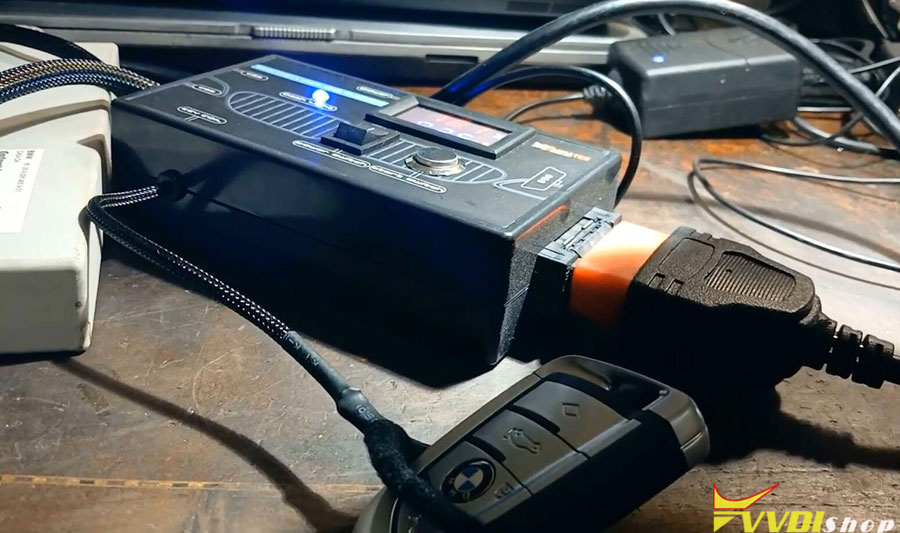
Unlock BMW CAS4 with Xhorse VVDI2 and Test Platform 1

Unlock BMW CAS4 with Xhorse VVDI2 and Test Platform 2

Procedure:

Connecting 12 volts power to the BMW CAS test platform and power switch is on

Run vvdi2 software->BMW software

Put working key and turn on ignition on

Unlock BMW CAS4 with Xhorse VVDI2 and Test Platform 3

Press Connect to detect vehicle information

Software asks prepare dealer key and change km require unlock CAS4.

Press Unlock CAS4/CAS4+ function

Unlock BMW CAS4 with Xhorse VVDI2 and Test Platform 4

Unlock BMW CAS4 with Xhorse VVDI2 and Test Platform 5

Unlock BMW CAS4 with Xhorse VVDI2 and Test Platform 6

Unlock BMW CAS4 with Xhorse VVDI2 and Test Platform 7

Unlock BMW CAS4 with Xhorse VVDI2 and Test Platform 8

Unlocking CAS4 module.

Unlock success you can make dealer key.


Get key info again.

Unlock BMW CAS4 with Xhorse VVDI2 and Test Platform 9

VVDI2 says this unit no need programming.

Select prepare dealer key with programmer.

Record the following informations can be saved at your document


Insert working key into ignition

Unlock BMW CAS4 with Xhorse VVDI2 and Test Platform 10

Then select an unused key position

Insert a new key

Unlock BMW CAS4 with Xhorse VVDI2 and Test Platform 11

Unlock BMW CAS4 with Xhorse VVDI2 and Test Platform 12

Unlock BMW CAS4 with Xhorse VVDI2 and Test Platform 13

Unlock BMW CAS4 with Xhorse VVDI2 and Test Platform 14

it has been learned successfully.


Take all of them out and try to turn the power completely.

Both keys will turn ignition on.

Everything is working and the car is running.


www.vvdishop.com

8/11/2023

Free Download Xhorse VVDI2 Software V7.3.5

 Xhorse VVDI2 software was released to V7.3.5 on Aug. 11th, 2023.


VVDI2 software 7.3.5

*** 2023-08-11
*** Require firmware V7.3.5
************************************************************************
===== VAG V7.3.5 =====
1. Improvement autodetect for VAG immobilizer system
2. Improvement online calculation for MQB system: Lock NEC35xx/RH850/NEC34xx+95128
3. Bugfix

===== BMW V7.3.5 =====
1. Unlock BDC module via OBDII. Easy and fast job(SWFL_00002419.085.xxx.xxx not support OBD)
2. Bugfix

===== Porsche V7.3.5 =====
1. Bugfix

===== PSA V7.3.5 =====
1. Bugfix

===== Transponder Programmer V7.3.5 =====
1. Improvement prepare remote funciton
a). Support FengshenS30, SANYI, Jiefang types make remote directly
b). Require load BCM file read by VVDI-PROG
2. Bugfix

===== Copy 48 (96 bits) V7.3.5 =====
1. Bugfix

===== J2534 V7.3.5 =====
1. Bugfix

===== Online Upate Tool V7.3.5 =====
1. Bugfix

===== Quick Start V7.3.5 =====
1. Bugfix


Download Xhorse VVDI2 7.3.5

http://dl.xhorse.com/product/vvdi2/software/VVDI2-InstallerV735_V2.exe
http://dl.xhorse.com/product/vvdi2/software/VVDI2-InstallerV735.exe

8/09/2023

How to Identify CN Version Xhorse Remote by Region?

 Question:

I got some xhorse universal remotes, some are global version and some Chinese version. Is there a quick way to identify if it is CN version?


Yes, you can identify remote from region.

If area shows “08”, the remote is Chinese version.

Otherwise it is not CN version.

Identify CN Version Xhorse Remote by Region


Can Xhorse VVDI Prog Read Opel Astra BCM D70F3469?

 Question:

How can we read with Opel Astra BCM D70F3469 with xhorse vvdi prog? Follow the wiring diagram but it failed to read.

Can Xhorse VVDI Prog Read Opel Astra BCM D70F3469 1

Can Xhorse VVDI Prog Read Opel Astra BCM D70F3469 2

Can Xhorse VVDI Prog Read Opel Astra BCM D70F3469 3

Solution:

That mcu is protected, can’t read by vvdi prog. only write.
immo data is on EPROM 95160 , but all configurations on Mcu , full clone only  with i/o terminal.
if you only clone the eeprom then the car will start. but if there is a different software and configuration in the used one, something will not work correctly, for example, lights or something else, just like if you had an automatic gearbox and you buy a module from a manual one, it will also be bad.


www.vvdishop.com

8/07/2023

Decode VW Passat B6 PIN with Xhorse Key Tool Max Pro

 How-to: decode VW Passat B6/CC – PIN code from EEPROM Dump using Xhorse VVDI Key Tool Max Pro.


Procedure:

In key tool max pro, select Immo Data Tool->File management->Quick login-Scan PC QR code

Decode VW Passat B6 PIN with Xhorse Key Tool Max Pro 1

Decode VW Passat B6 PIN with Xhorse Key Tool Max Pro 2

Decode VW Passat B6 PIN with Xhorse Key Tool Max Pro 3

Visit http://i.xhorse.com on PC. Upload bin file to i.xhorse.com. (must read eeprom dump and save to PC)

Decode VW Passat B6 PIN with Xhorse Key Tool Max Pro 4

Decode VW Passat B6 PIN with Xhorse Key Tool Max Pro 5

In key tool max pro, go to File management->My data
Download vw passat B6 bin file to key tool max pro

Decode VW Passat B6 PIN with Xhorse Key Tool Max Pro 6

Decode VW Passat B6 PIN with Xhorse Key Tool Max Pro 7

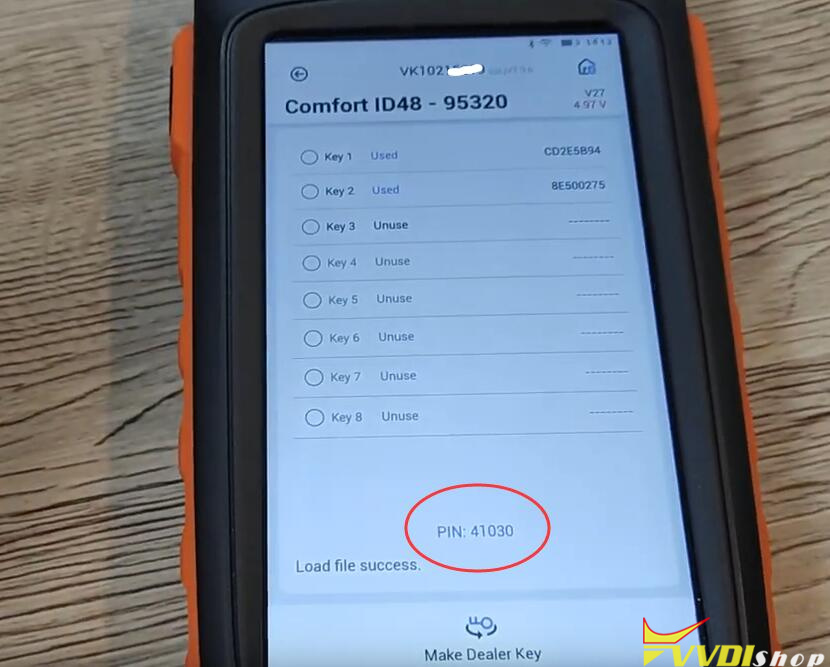
Go to Immo data tool->Europe->VW->Passat->Comfort ID48-95320
select vw passat bin file just downloaded

Decode VW Passat B6 PIN with Xhorse Key Tool Max Pro 8

Decode VW Passat B6 PIN with Xhorse Key Tool Max Pro 9

Decode VW Passat B6 PIN with Xhorse Key Tool Max Pro 10

Decode VW Passat B6 PIN with Xhorse Key Tool Max Pro 11

Now you will see PIN code.

Decode VW Passat B6 PIN with Xhorse Key Tool Max Pro 12
You can select an unused key position and make dealer key with the PIN code.

www.vvdishop.com

8/06/2023

FAQ Xhorse FT-OBD Tool for Toyota

 Here comes the frequently asked questions of Xhorse FT Mini OBD Tool for Toyota.

FAQ Xhorse FT-OBD Tool for Toyota

Q: How connect ft mini obd tool? use obd port?

A: Yes, use OBD port and control by Xhorse App.


Q:  it supports up to new models, but from what years ?
2000- ?
2006- ?

A: It does support older Toyota 2000 onwards.


Q: does the FT obd tool support Toyota 2023?

A: Yes, it supports Toyota till 2023.


Q: it can do 2022 and 2023 smart keys add without rolling code?

A: It can do most of them, but some requires rolling code from 3rd party, i.e BABA.


Q: Does Xhorse FT-OBD support non-smart key programming?

A: Yes, it does.


Q: is it standalone?

A: It should be controlled by Xhorse app.


Q: Key tool max pro can do this functions?

A: No, Partial Toyota 8A/4D Add key and all keys lost (with 8A AKL adapter).


Q: How can i update FT-OBD firmware?

A:  FT-OBD update is free in xhorse app>>FT-OBD>>update.


Q: Does vvdi key tool plus do all functions of FT-OBD?

A: Yes, it does.


Q: Can FT OBD TOOL do yaris 2007 8A chip AKL?

A: It cannot do older mechanic key all keys lost.

8/03/2023

What is Xhorse FT Mini OBD Tool for Toyota?

 This is the new Xhorse FT-MINI OBD TOOL for Toyota and Lexus key programming, model No. XDMOT0GL is ready now.


Device image display:

Small dongle

Wireless connection

Xhorse FT Mini OBD Tool 1

Xhorse FT Mini OBD Tool 2


Function:

Support over 95% of Toyota Add Key and All Keys Lost

Immo programming

Remote programming

Generate emergency key

-2016 smart key system programming

2016- smart key system programming


Car List:

Granvia, Land Cruiser, Kluger, Prado, Alphard, Previa HV, Tarago, Vellfire, Prius, Fortuner, Prius C, Hilux Sw4, Prius C2, Corolla EX, Prius PHV, Crown, Prius +, Highlander, Prius V,  Highlander HV, Previa, Hilux, Rav4, Hiace, Rav4 HV, Sequoia, Rav4 E+, Camry, Reize, Corolla, Sienna, Corolla Cross, Sienna HV, Avanza, Harrier, Tank, Harrier HV, Tundra, Levin, Vios, Vios FS, GAIA, Wildlander, IA, Venza, iM, Yaris, Ipsum, EZ, iQ, Avalon, Matrix, Allion, Mirai, IZOA ,OPA, Zelas, Raum, YARiS L, Rav4, Prime, Aqua, Rukus, Aristo, Rush, Auris, Sienna, BB, Solara, bZ4X, Tacoma, Comfort, TC, C-HR, XB, Land Cruiser, XD, FJ Cruiser, Yaris GR, Frontlander, 4Runner, FR-S, 86

Xhorse FT Mini OBD Tool 3

Login your Xhorse app and combine Xhorse FT Mini OBD tool with account.


Xhorse FT OBD App menu:

Xhorse FT Mini OBD Tool app 1

Xhorse FT Mini OBD Tool app 2

Xhorse FT Mini OBD Tool app 3

Xhorse FT Mini OBD Tool app 4

Xhorse FT Mini OBD Tool app 5

Xhorse FT Mini OBD Tool app 6

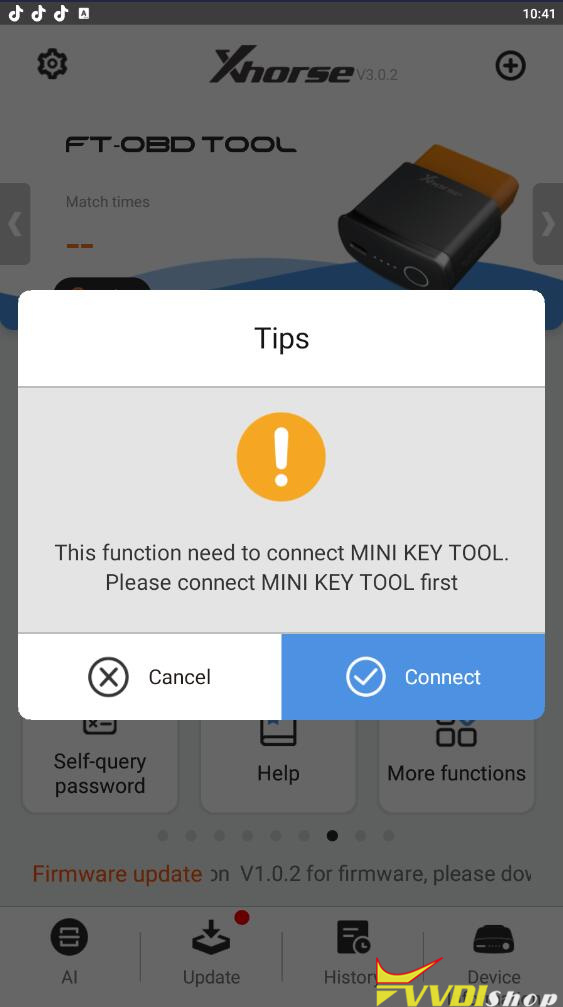
Generate emergency key function requires to work with vvdi mini obd tool

Generate emergency key function requires to work with vvdi mini obd tool

www.vvdishop.com