
It’s a Geely Coolray 2024. The owner needed to slightly adjust the mileage to maintain the dealership’s warranty (they had adjusted it before the maintenance).
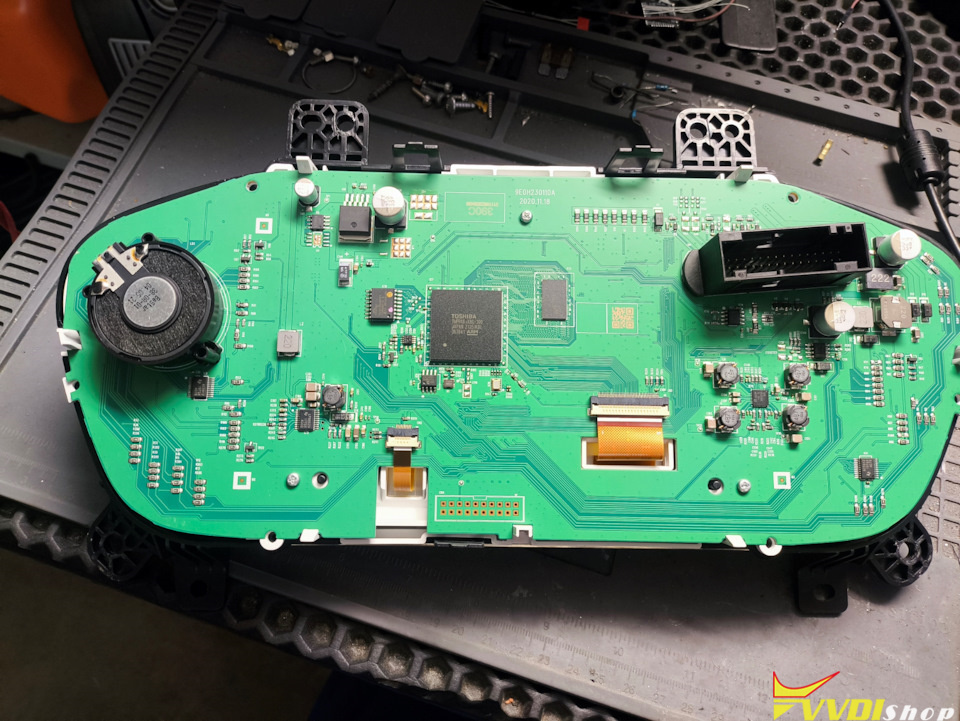
The panel looks like this.

First, remove the instrument panel. To do this, pull the visor up with one sharp movement, unscrew the 12 screws, and then remove the panel. The rear panel cover is secured with clips and 4 screws.


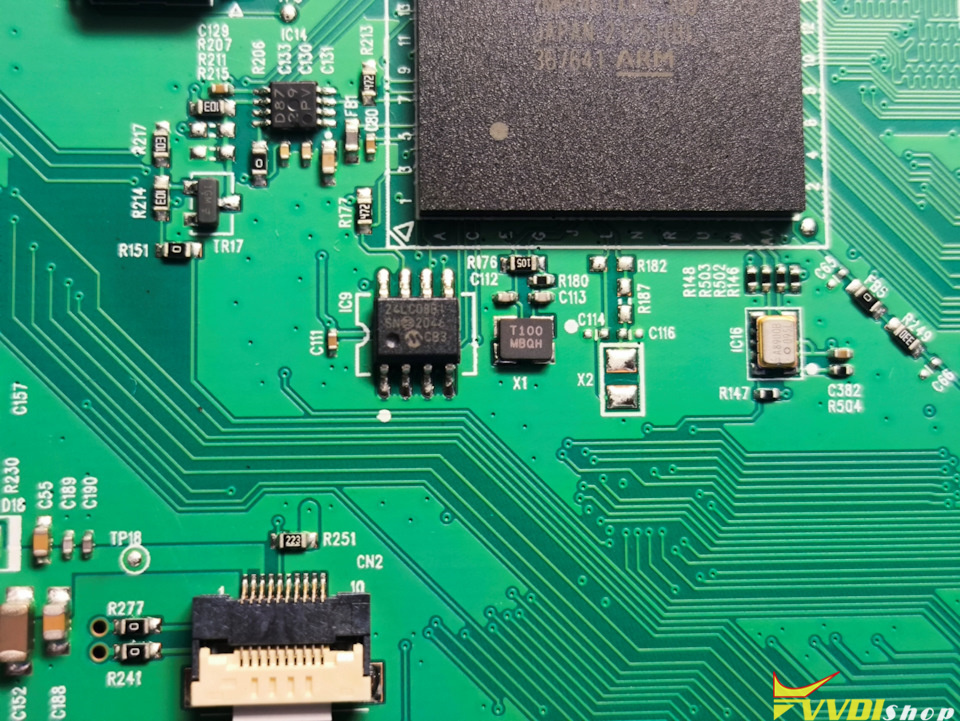
EEPROM chip which contains the mileage.
He read the m24c08 microcircuit using Xhorse Multi prog programmer, but it’s necessary to desolder it; you can make a mess with a clothespin.
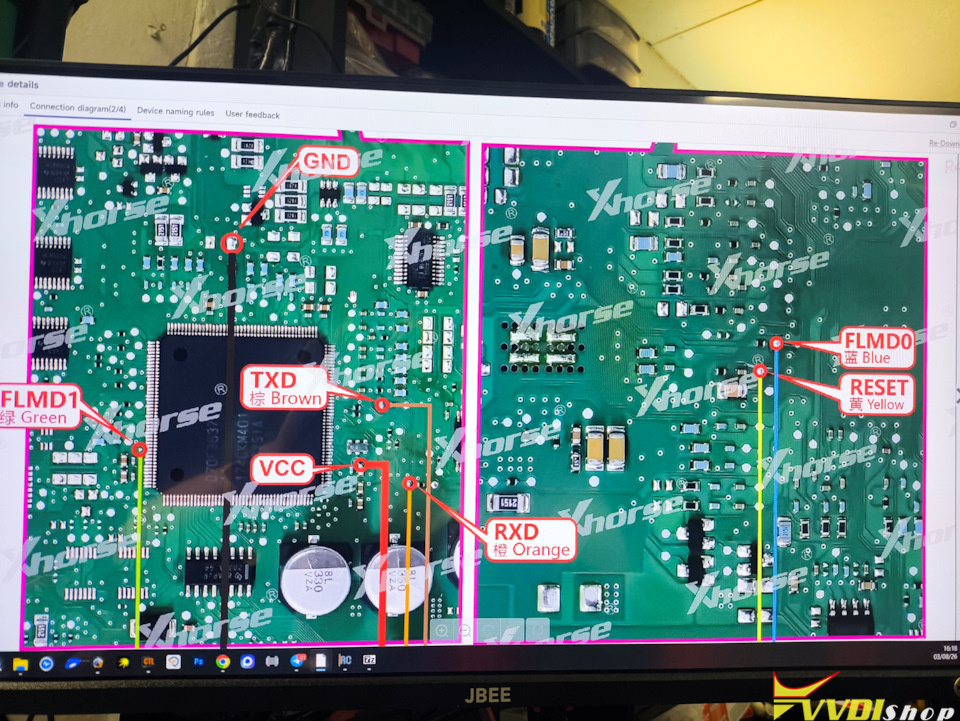
Let’s remove the dash panel, lower the fuse box, and unscrew the four BCM mounting bolts. It’s on the left pillar at the top of the front; it contains a bunch of components. Removing it is very inconvenient. Next, we need to find something to read it with. There’s no EEPROM there; all the information is stored in the processor. The MultiProg programmer from Xhorse helped us with this. The connection is easy, but you’ll need to be handy with a soldering iron.

He read it, sent it to the same programmer, uploaded it back to the BCM, and then re-entered it into the instrument cluster.
He put it back together, and bingo! The mileage is exactly what he needed. He ran the auto launcher through the modules, and the transmission included the mileage from the BCM.

No comments:
Post a Comment
Note: Only a member of this blog may post a comment.