Showing posts with label xhorse renew adapters. Show all posts

12/06/2021

Xhorse VVDI Key Tool Max Unlock BMW Comfort Access

 Here’s the tutorial on unlocking/renewing BMW smart key comfort access (non OEM) remote with xhorse vvdi key tool max remote maker.

OEM come sealed so you have to have aftermarket shell to replace OEM. Old shell is trash after cutting open!


BMW 2004-2010
Smart key/Comfort Access
FCC KR55WK49147
Aftermarket
Remote (None OEM)
Chip PCF7953

Xhorse VVDI Key Tool Max Unlock BMW Comfort Access 1

Xhorse VVDI Key Tool Max Unlock BMW Comfort Access 2

Xhorse VVDI Key Tool Max Unlock BMW Comfort Access 3

Xhorse VVDI Key Tool Max Unlock BMW Comfort Access 4

Status: already locked.

In key tool max, go to Special function- Remote Renew- BMW- 5WK49147 E series 315MHz Smart Key

Xhorse VVDI Key Tool Max Unlock BMW Comfort Access 5

You have two options to unlock smart key, by xhorse renew adapter or soldering
key tool max will show you wiring diagam

Xhorse VVDI Key Tool Max Unlock BMW Comfort Access 6

Xhorse VVDI Key Tool Max Unlock BMW Comfort Access 7

Xhorse VVDI Key Tool Max Unlock BMW Comfort Access 8

We don’t have renew adapter so we have to solder

A renew cable is required. You can make your own renew cable or buy additionally

Xhorse VVDI Key Tool Max Unlock BMW Comfort Access 9

Follow key tool max wiring to connect key board with renew adapter

Xhorse VVDI Key Tool Max Unlock BMW Comfort Access 10

Xhorse VVDI Key Tool Max Unlock BMW Comfort Access 11

Xhorse VVDI Key Tool Max Unlock BMW Comfort Access 12

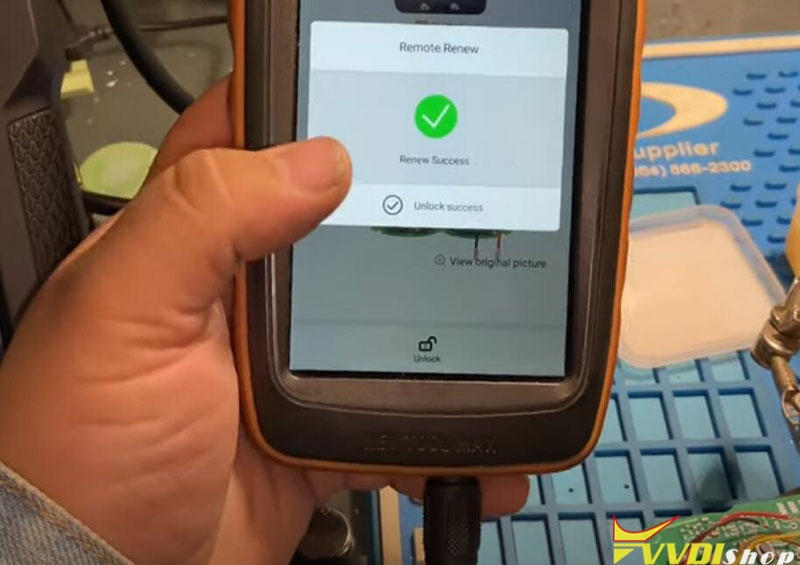
Press UNLOCK

Xhorse VVDI Key Tool Max Unlock BMW Comfort Access 13

Renew smart key success

Xhorse VVDI Key Tool Max Unlock BMW Comfort Access 14

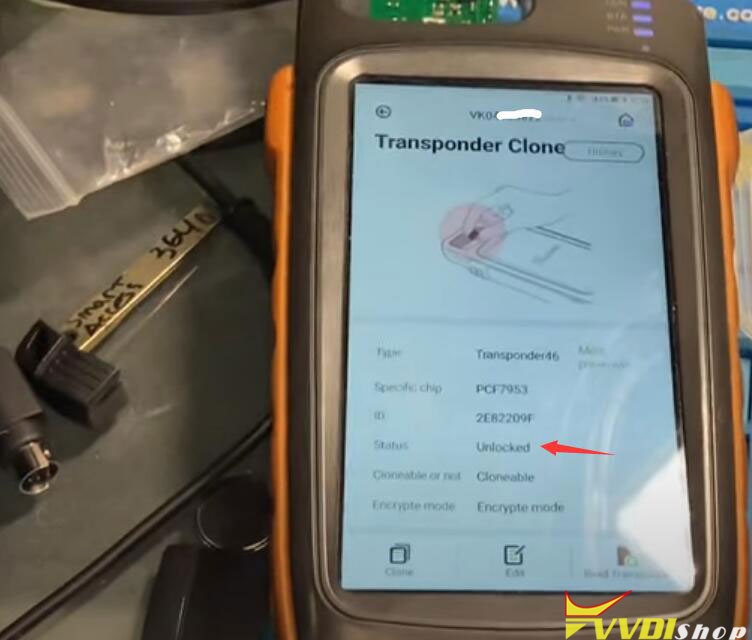
the smart remote has been unlocked successfuly

Xhorse VVDI Key Tool Max Unlock BMW Comfort Access 15

Install key shell. The smart key can be programmed to car with obd programmers.

www.vvdishop.com

9/06/2021

Renew Dodge Fobik with Xhorse Key Tool Max

 Today I’m gonna to use Xhorse VVDI Key Tool Max and the Renew Adapters Set just purchased to unlock an OEM Dodge Fobik key. Once it is unlocked, it’ll be able to learn to another car.


The Renew Adapters Full Set has 12 adapters, with this particular set you can do all kinds of vehicles. Instead of having to solder wires to the board, these adapters actually just line up the board where it needs to be and allows the Fobik to be unlocked.


How to unlock Dodge Fobik key?

Here is the OEM Dodge Fobik key.

The Key Tool Max and Renew Adapter No.10 are connected.


As you can see, the Fobik key is “Already locked”.

Renew Dodge Fobik with Xhorse Key Tool Max 1

Renew Dodge Fobik with Xhorse Key Tool Max 2

Open its outer shell, to put the circuit board properly in Renew Adapter.


Press on Xhorse Key Tool Max,

Special function >> Remote renew >> Chrysler & Jeep & Dodge >> Select correct FCC ID: IYZ-C01C M3N5W783X >> Unlock


Renew in process, wait until 100%…

Renew success.

Renew Dodge Fobik with Xhorse Key Tool Max 3

Renew Dodge Fobik with Xhorse Key Tool Max 4

Renew Dodge Fobik with Xhorse Key Tool Max 5

Let’s get the key out to check info again.

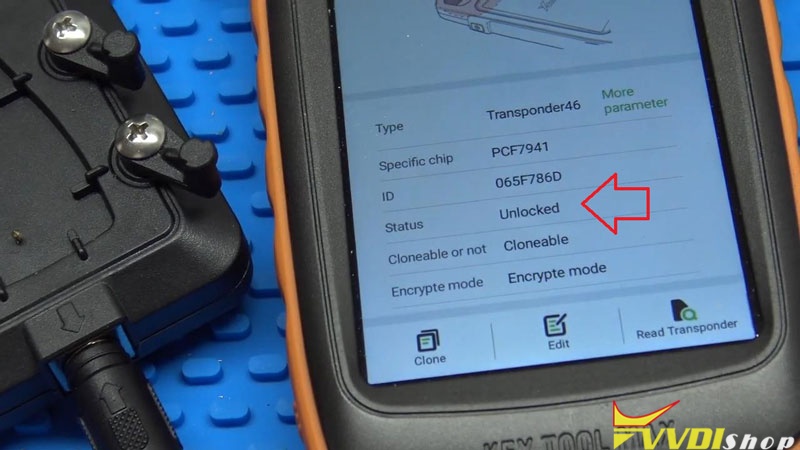
As you can see, it is “Unlocked” now, and still outputting a signal.


All right, it’s all good done!

Renew Dodge Fobik with Xhorse Key Tool Max 6

Renew Dodge Fobik with Xhorse Key Tool Max 7

Renew Dodge Fobik key successfully via Xhorse Renew Adapter & VVDI Key Tool Max.

https://www.vvdishop.com/

11/27/2019

VVDI Mini Key Tool updated Remote Renew Function

Good News!!! Xhorse adds the remote renew function to the VVDI Mini Key Tool in November 2019.

Update your Mini Key Tool software to V1.7.4 and firmware v1.6.1.
vvdi-mini-key-tool-remote-renew-1

vvdi-mini-key-tool-remote-renew-2
Note: Mini key tool does not comes with renew cable. You need to purchase the renew adapter separately.


An example:
Unlock Hyundai 4-button remote
Select Remote Renew->Hyundai & Kia-> SVI_HMFNA04
vvdi-mini-key-tool-remote-renew-3

vvdi-mini-key-tool-remote-renew-4

vvdi-mini-key-tool-remote-renew-5

vvdi-mini-key-tool-remote-renew-6
Check wiring diagram and connect remote with vvdi mini key tool
vvdi-mini-key-tool-remote-renew-7
vvdi-mini-key-tool-remote-renew-8

vvdi-mini-key-tool-remote-renew-9
Press Unlock button
vvdi-mini-key-tool-remote-renew-10
Renew remote success
vvdi-mini-key-tool-remote-renew-11

9/24/2018

VVDI Key Tool Renew Porsche Cayenne PCF7953 Remote

How to: Renew Remote Porche Cayenne 7PP959753BQ 315Mhz Chip PCF7953 with Xhorse Vvdi Key Tool and Renew Adapters.
vvdi-key-tool-renew-porsche-cayenne-1
There are more than 36 remotes that VVDI Key Tool can renew
Renew Porsche Cayenne by renew adapter is much easier than wiring
vvdi-key-tool-renew-porsche-cayenne-2
There are 24 pcs renew adapters
renew adapters #1 through #12 unlock following:
PCB1 8T0959754 433 Remote
PCB1 8T0959754A 315 Remote
PCB1 8T0959754D 868 Remote
PCB1 8T0959754F 433 Smartkey
PCB2 8T0959754 433 Remote
PCB2 8T0959754D 868 Remote
PCB2 8T0959754F 433 Smartkey
PCB2 8T0959754G 315 Smartkey
PCB2 4H0959754G 315 Smartkey
PCB2 4H0959754K 868 Smartkey
PCB2 4G0959754G 315 Smartkey
PCB2 4G0959754K 868 Smartkey
PCB3 4H0959754DA 433 Smartkey
PCB3 4H0959754DB 315 Smartkey
PCB3 4H0959754DD 86 Smartkey
5WK49125 E Series 868MHz Remote
5WK49127 E Series 315MHz Remote
5WK49145 E Series 868MHz Smartkey
5WK49147 E Series 315MHz Smartkey
5WK49661 F Series 868MHz Continental
5WK49663 F Series 315MHz Continental
5WK49662 F Series 434MHz Continental
HUF5661 F Series 868MHz Huf
HUF5662 F Series 315MHz Huf
HUF5663 F Series 434MHz Huf
HUF5667 F Series 434MHz Huf
7PP959753BN 434MHz
7PP959753BS 434MHz
7PP959753BM 315MHz
7PP959753BQ 315MHz
7PP959753AJ 434MHz
E28CI01B
E25CI009
E33CI002
21676652
Type1 2-button 433MHz
Type2 CorsaD-2-button 433MHz
Type3 2-button 434Mhz
Type3 5-button 315Mhz
Type3 4-button 315Mhz
Type4 2-button 433Mhz F41E30
Type4 3-button 433Mhz F41E30
Type5 4-button 315Mhz F7952E
Type5 5-button 315Mhz F7952E
Type5 5-button 433Mhz F7952E
Type5 4-button 433Mhz F7952E
Type5 3-button 433Mhz F7952E
OHT692427A (2005)
OHT692713A to
M3N5WY783X
M3N5WY72XX
KOBOT04 to
IYZ-C01C M3N5W783X
IYZ-C01C Smartkey
GQ4-53T Hitag2
M3M
AK010008 Fluence 3Btn (433MHz)
805673071R (2 BTN 433MHz)
285970036 is (hitag2-433mhz)
285975779R Smartkey 433MHz
285979045R Smartkey 433MHz
285971998R Smartkey (Hitag-AES 433MHz)
285974100 Remote (Hitag-AES 433MHz)
5E0U40247 (434MHz)
YWX000061 (434MHz) Visteon
YWX000071 (315MHz) Visteon
315MHz Hitag2 Smartkey -A2C53188764
315MHz Hitag2 Smartkey -A2C53297341
433MHz Hitag3 Smartkey -A2C53405173
433MHz Hitag3 Smartkey -A2C53408715
433MHz Hitag-AES Smartkey -A2C32801600
G8D-644M-KEY (434MHZ)
5WK49266 (900MHz) Smartkey
5WK49269 (433MHz) Smartkey
SVI_CMFCH02
SVI_CMFEU03
SVI_HMFNA04
SVI_HMFEU04
SVI_HMFKR04
SVI_XMFGE04
SVI_KHFGE04
SVI_KHFNA433
SVI_DMFGE04
SVI_DMFNA04
PCB No.233.423.111-02
PCB No.233.453.111-05 / 06
PCB No.233.453.111-05 / 07
PCB No.233.453.111-05 / 08
PCB No.233.453.111-05 / 09
PCB No.233.453.111-05 / 10
PCB No.233.453.111-05 / 11
PCB No.233.453.111-05 / 12
PCB No.233.453.111-05 / 13
PCB No.233.453.211-01 / 02
Chip silkprint: 567.738.031
Chip silkprint: 567.737.061
Chip silkprint: 61c700
Chip silkprint: F7953MC
PCB No.A2C53188764
PCB No.A2C53297341
PCB No.A2C53405173
PCB No.A2C53408715
PCB No.A2C32801600
After 2009 Most Hyundai / Kia 2-button Smartkey, Chip silkprint: 049620C03
After 2009 Most Hyundai / Kia 4-button Smartkey, Chip silkprint: 049620C03

renew adapters #13 through #24 unlock following:
#13 Honda B002818-3-V0.3 b002818-3
#14 Nissan PBB-21148-00-AA-V0.1
#15 Chrysler FOUR-COPY-TO-TWO-V0.1
#16 Chrysler KA3635-V0.2 KA 3635 316
#17 Peugeot 5-TYPE-20-V0.2
#18 Nissan A2C53297341-01-V0.1 SIEMENS VD0
#19 Nissan DONOTTOUCH-V0.2 A2C 3280 1600 02
#20 Chrysler 011-155201-V0.2
#21 Honda YIXING-V0.2
#22 Mazda JX331BB1002A-V0.1 JX33 1 BB 1002A
#23 Buick 5-TYPE-22-V0.1 325 2.0-02
#24 Buick 5-TYPE-25-V0.1

How to Unlock remote by wiring cable with vvdi keytool?
vvdi-key-tool-renew-porsche-cayenne-3
vvdi-key-tool-renew-porsche-cayenne-4

vvdi-key-tool-renew-porsche-cayenne-5
In VVDI Key tool, select Remote Renew->Porsche->7PP959753BQ 315MHz
vvdi-key-tool-renew-porsche-cayenne-6

vvdi-key-tool-renew-porsche-cayenne-7
Connect the key to vvdi key tool with adapter
vvdi-key-tool-renew-porsche-cayenne-8

Press Write
vvdi-key-tool-renew-porsche-cayenne-9

Renew success
vvdi-key-tool-renew-porsche-cayenne-10
Chip 7953 now is unlocked
vvdi-key-tool-renew-porsche-cayenne-11
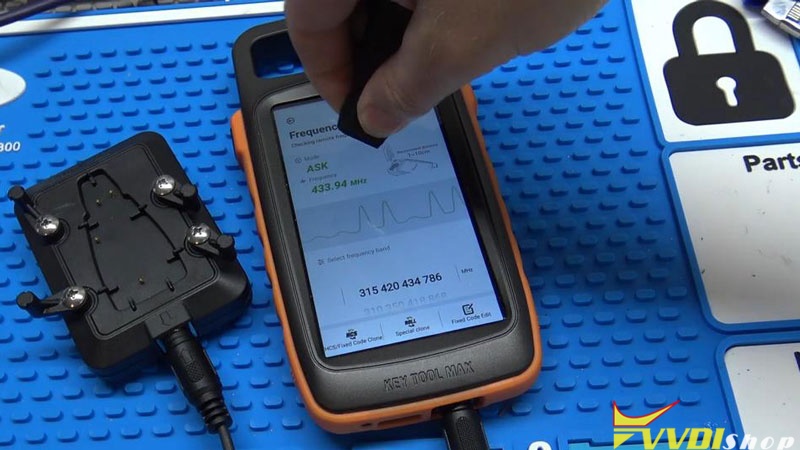
Install PCB into remote shell and test frequency: 315MHz
vvdi-key-tool-renew-porsche-cayenne-12
Check chip unlocked, can be used to program to the car.