2/23/2022

VVDI2 Program Mini Cooper 2012 CAS3++ ISTAP AKL by OBD

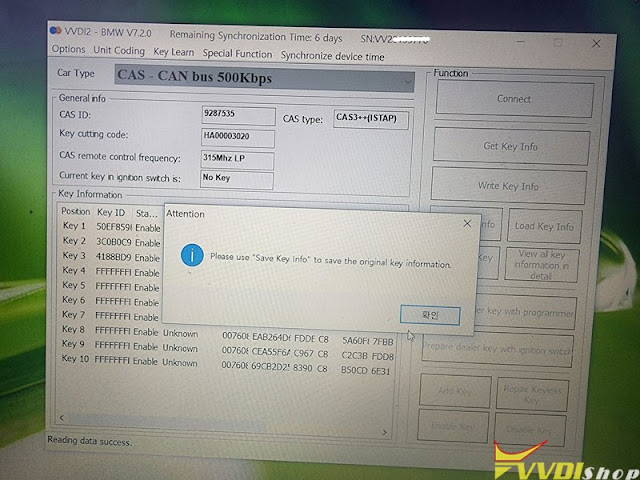
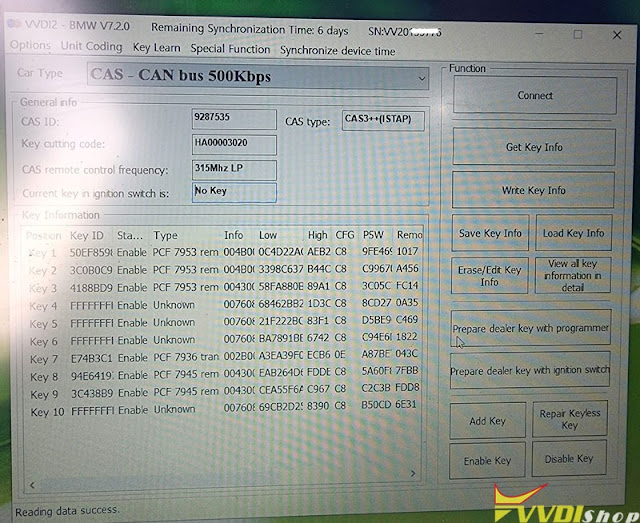
 2012 model year mini cooper cas3++(istap) all key lost is done by xhorse vvdi2 bmw using 64 attempts method via obd2. Get key info – update cas Flash 10 minutes – save key info.


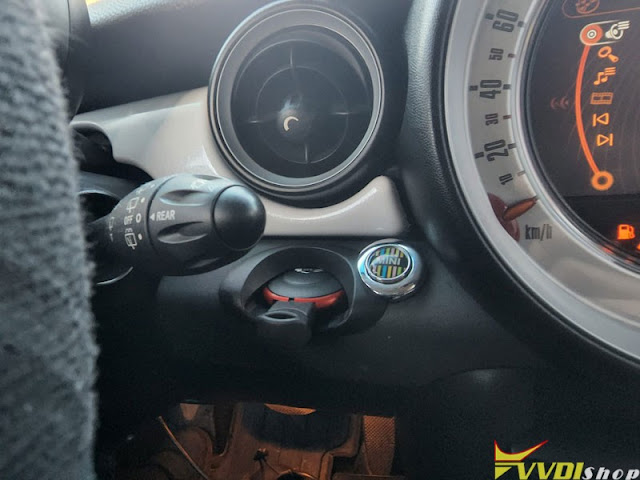
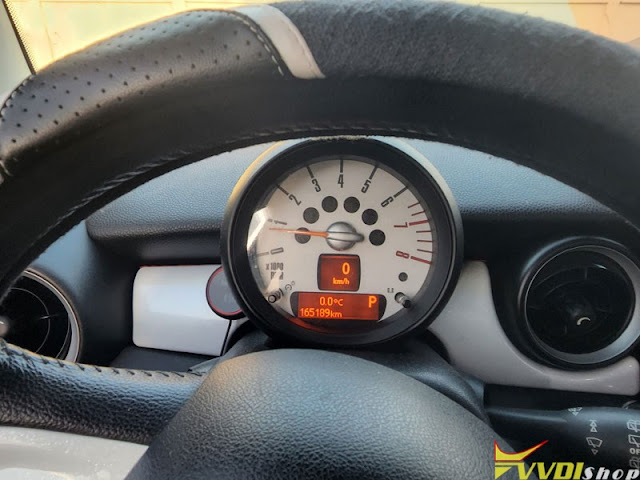
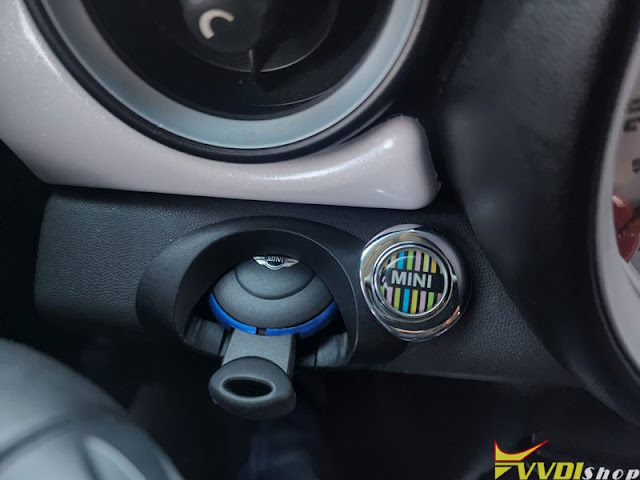
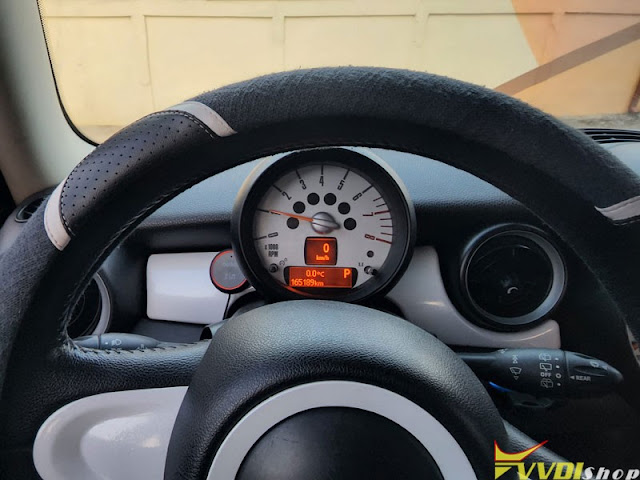
Car model: Mini Cooper 2012
CAS Type: CAS3++ ISTAP
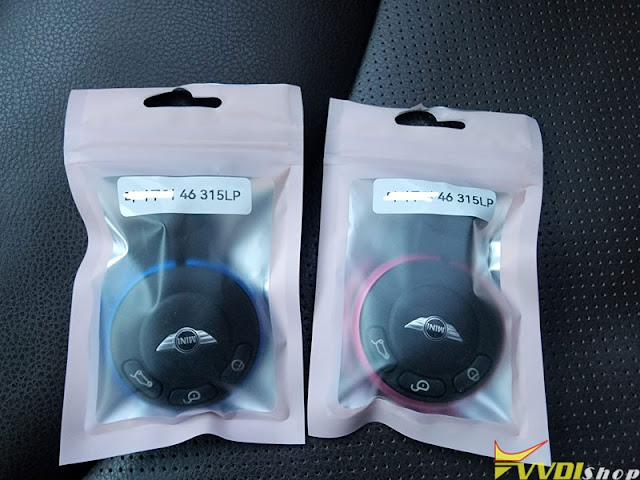
Remote frequency: 315MHZ
Status: all keys lost


Procedure:
Update CAS flash
Read key info
Prepare key success
Make dealer key success


For cas3 istap , it can do by obd2 for some part number of CAS , you can see list on instructions PDF of vvdi2, out of list if you do by obd2 it will fail if you have best tools you can fix it by obd2 too (HEXTAG, AUTEL, VVDI2 etc).

Cas id Versions starting with 92 are obd2. Versions starting with 93 are bench.
 Done BMW 528I 2008, 2009 model year bmw x5 cas3++(istap) akl via OBD as well.

Always make a backup first and have a battery maintainer under the charger. Otherwise will brick car.

The safest way is done on bench.

Always on istap remove CAS and read eeprom and Flash to be save, then with eeprom dump write key on vvdi2. On all keys lost you will need ISN from ECU that many tools can read on bench . Spare key you can get ISN from working key. (You don’t need flash from CAS , but while you read eeprom, you might as well read flash and save save save always. Bench always safer than obd because you can backup and save your data.
CAS 1, 2 and 3 obd save.
CAS 3 istap always on bench.

VVDI2 Program Mini Cooper 2012 CAS3++ ISTAP AKL by OBD 1

VVDI2 Program Mini Cooper 2012 CAS3++ ISTAP AKL by OBD 2

VVDI2 Program Mini Cooper 2012 CAS3++ ISTAP AKL by OBD 3

VVDI2 Program Mini Cooper 2012 CAS3++ ISTAP AKL by OBD 4

VVDI2 Program Mini Cooper 2012 CAS3++ ISTAP AKL by OBD 5

VVDI2 Program Mini Cooper 2012 CAS3++ ISTAP AKL by OBD 6

VVDI2 Program Mini Cooper 2012 CAS3++ ISTAP AKL by OBD 7

VVDI2 Program Mini Cooper 2012 CAS3++ ISTAP AKL by OBD 8

VVDI2 Program Mini Cooper 2012 CAS3++ ISTAP AKL by OBD 9

VVDI2 Program Mini Cooper 2012 CAS3++ ISTAP AKL by OBD 10

VVDI2 Program Mini Cooper 2012 CAS3++ ISTAP AKL by OBD 11

VVDI2 Program Mini Cooper 2012 CAS3++ ISTAP AKL by OBD 12

VVDI2 Program Mini Cooper 2012 CAS3++ ISTAP AKL by OBD 13

VVDI2 Program Mini Cooper 2012 CAS3++ ISTAP AKL by OBD 14

VVDI2 Program Mini Cooper 2012 CAS3++ ISTAP AKL by OBD 15

VVDI2 Program Mini Cooper 2012 CAS3++ ISTAP AKL by OBD 16

VVDI2 Program Mini Cooper 2012 CAS3++ ISTAP AKL by OBD 17

VVDI2 Program Mini Cooper 2012 CAS3++ ISTAP AKL by OBD 18

VVDI2 Program Mini Cooper 2012 CAS3++ ISTAP AKL by OBD 19

See also:

VVDI Key Tool Plus Pad Program BMW CAS3++ ISTAP All Keys Lost via OBD

2/21/2022

Write Toyota Aygo 2008 Key with VVDI2 & VVDI Prog

 First attempt:

Reading Toyota Aygo 2008 24c04 eeprom with xhorse vvdi prog. Numbers on box 89780-OHO11. Trying to make chip with vvdi2 but saying ‘This file is not supported by current model’.
Tried with Zed full use file from vvdiprog bust says file to big.
Im508 read chip but can’t find agyo on chip write via dump.
Abrites no joy.
Tmpro no joy.
Im508, Xtoolpad 2, Vvdi prog All read file the same.
Write Toyota Aygo 2008 Key with VVDI2 & VVDI Prog 1

Write Toyota Aygo 2008 Key with VVDI2 & VVDI Prog 2

Second attempt: Success!!

It was caused by bad reading. Took off board and got a better read.

vvdi-prog works fine
Vvdi 2 and xhorse super chip
No need to write back if you generate a used slot.
Chip will start vehicle.

2/20/2022

Transfer Files from Xhorse Key Tool Max to PC

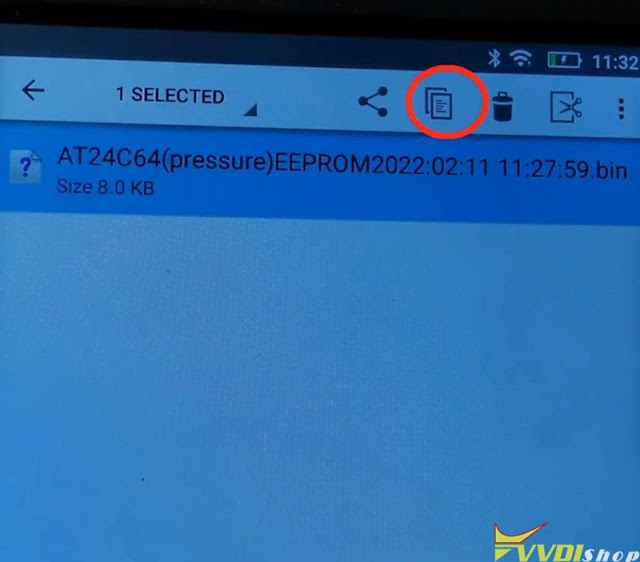
 Xhorse VVDI Key Tool Max is supported to transfer files to PC via USB. Generally, all files are acquiescently saved in the internal memory path: Xhorse/share/Mini_prog/year/memory type. Example may as below:

  1. Xhorse/share/Mini_prog/2022/AT24C64C(pressure) eeprom


But this path is not available from Windows file manager.

Transfer Files from Xhorse Key Tool Max to PC 1


4 steps to move Xhorse Key Tool Max files to PC

  1. Hold on HOME button on VVDI Key Tool Max for 10-15s to get access to system settings;

Transfer Files from Xhorse Key Tool Max to PC 2


  1. Open file manager and create your own folder in root drive;

Transfer Files from Xhorse Key Tool Max to PC 3


  1. Go to folder Xhorse/share/miniprog, mark file you want to copy(press and hold);
  2. Go back to root drive and paste the file in your own folder;

Transfer Files from Xhorse Key Tool Max to PC 4

Transfer Files from Xhorse Key Tool Max to PC 5

Now your file is in folder, you can easy access from Windows.

Transfer Files from Xhorse Key Tool Max to PC 6

www.vvdishop.com

2/17/2022

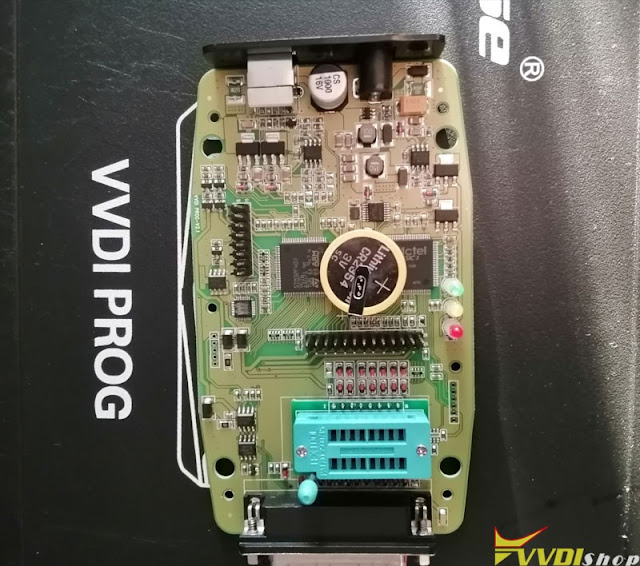
How to Repair Xhorse VVDI Prog Internal Battery?

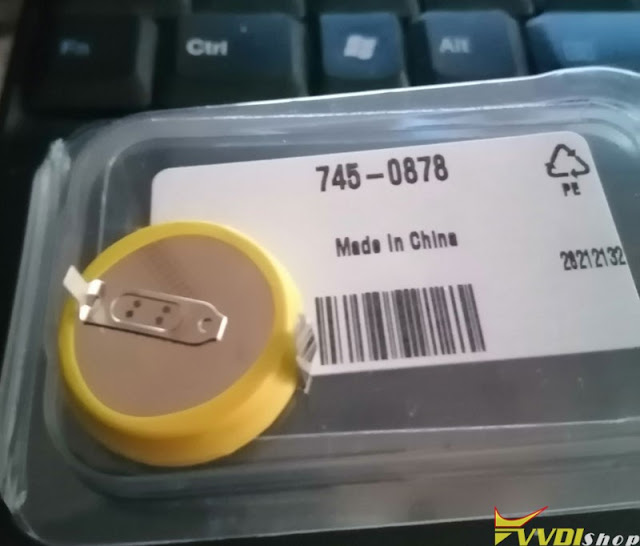
 As a preventive measure, some customers will replace the internal battery once a year so that the xhorse vvdi prog does not get stuck.  Here is the tip to replace the battery.


Do this at your own risk! We will take no responsibility for any damage to your device by following the below described procedure. 

Do contact xhorse technical if need removes mainboard.


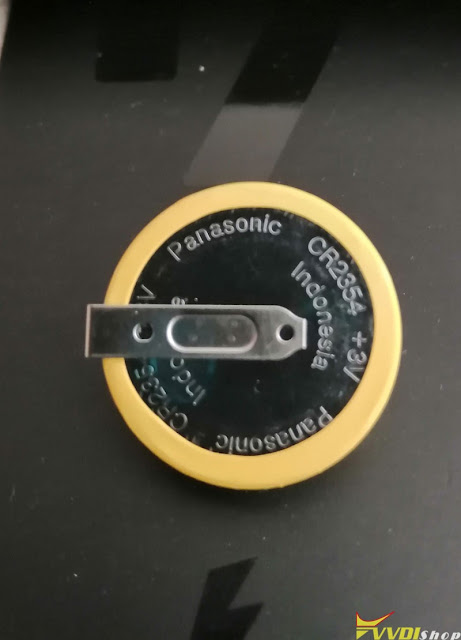
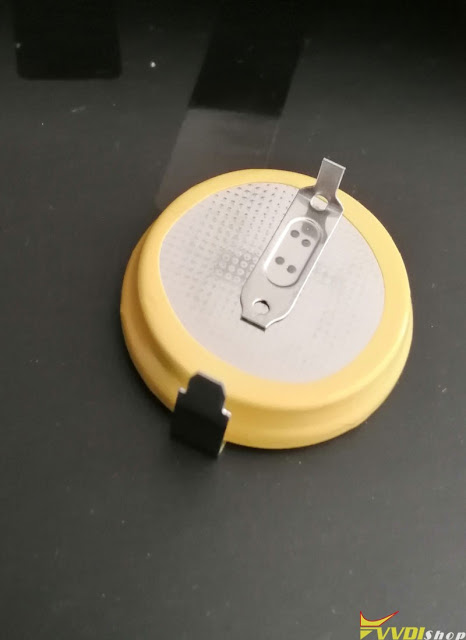
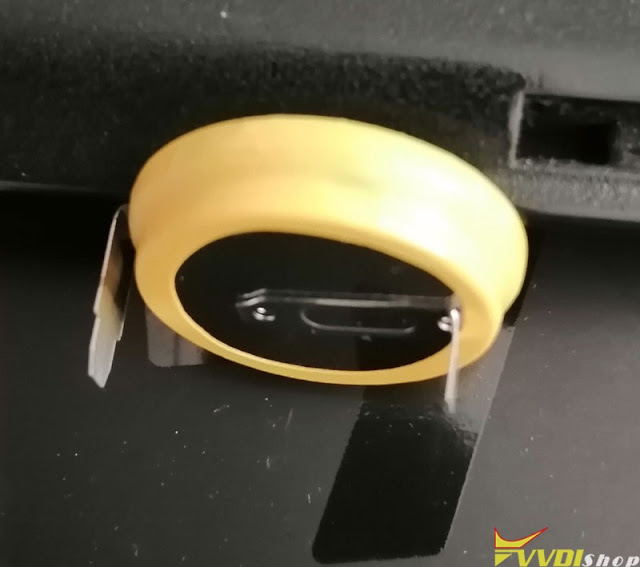
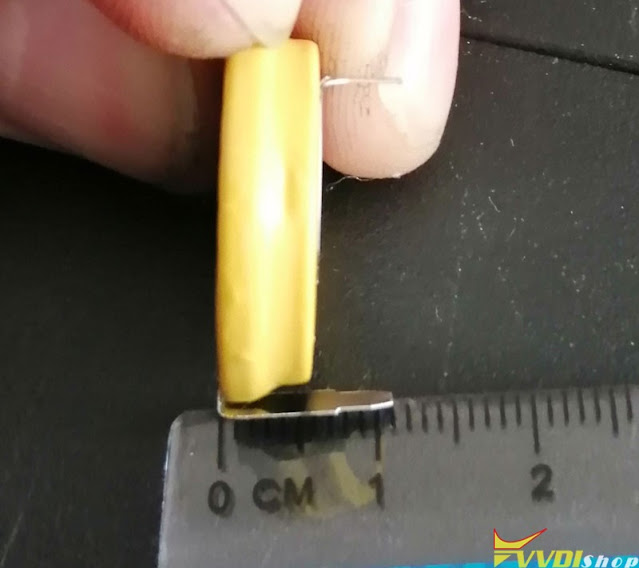
Internal battery Parameter:
CR2354 3V.
560 nAh.
Nothing complicated.
The programmer should be connected to the power supply.

replace xhorse vvdi prog internal battery 1

replace xhorse vvdi prog internal battery 2

replace xhorse vvdi prog internal battery 3

replace xhorse vvdi prog internal battery 4

replace xhorse vvdi prog internal battery 5

The disassembled battery was still 3V.

vvdi prog battery detail view

replace xhorse vvdi prog internal battery 6

replace xhorse vvdi prog internal battery 7

replace xhorse vvdi prog internal battery 8

replace xhorse vvdi prog internal battery9

replace xhorse vvdi prog internal battery 10

replace xhorse vvdi prog internal battery 11
https://www.vvdishop.com/service/xhorse-vvdi-prog-internal-battery-parameter.html

2/15/2022

Which Key Version to Prepare Key File with VVDI MB?

 Question:

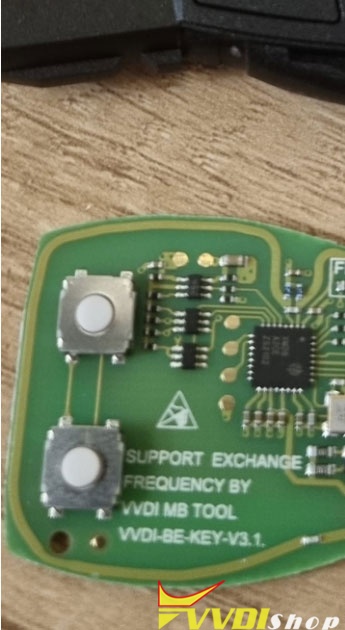
I got several vvdi BE key v3.1 version. Every time i prepare key file in xhorse vvdi mb tool, it asks me to select a key file version. V051/V41/V11, which version should I select?

vvdi be key version 1

Solution:

Xhorse VVDI MB allows users to load EEPROM dump file to make dealer key in in “Prepare Key File” function,

How to choose key version V51 V41 V11?

  • To program VVDI BE key, V51 is recommended.
  • V41 and V11 are selected when you write original NEC keys. 
  • For old Motorolla 2MHZ, select v41
    For old Motorolla 4MHZ, select v11
     

vvdi be key version 2

2/14/2022

Opel Id40 7935 can be done by super vvdi chip?

 Problem: Opel Id40 7935 can be done by super vvdi chip?  Xhorse VVDI Mini key tool does not clone t16 id40 via super chip XT27 today. The cloned chip fails to start the car.

Opel Id40 7935 can be done by super vvdi chip 1

Opel Id40 7935 can be done by super vvdi chip 2

Opel Id40 7935 can be done by super vvdi chip 3

Opel Id40 7935 can be done by super vvdi chip 44

Solution:

It also happens when cloning some alarm controls, the procedure is successful but it doesn’t work. In the case of kdx2, it says right away that id40 is not cloneable.

Xhorse Super chip xt27 works as ID40 (7935 Opel/chevy chip), but program via OBD, not as clone. Generate id40 and program the key. When programming is successful keep starting engine for about 5 seconds.  

Done corsa C with superchip worked. Agila did not. We would prefer using pcf7935 as id40 not better results.

You can only program super chip via obd not cloning.

It can work for an Opel Corsa B which uses a 40 chip and doesn’t lock. It won’t work for an Opel Corsa C which also uses a 40 chip as that chip locks and can’t be cloned.

Not a clone, but if you generate the same chip about 5 times you can program via obd.

I have tried from 2000 to 2007, sometimes you have to do the procedure several times, it works when there is no pincode or when OBD does not have communication, it works fast.

The vvdi it generates the id40 t16 in the super chip of the vvdi but it does not clone, then you generate the t16 you have to finish with another machine I did it with the sbb, it worked


It can be programmed with ck100 to extract programming code.

If not, you have to read the memory that the antenna carries to extract the pin code and carry out the programming with any programming equipment or Scanner (SBB, CK100).

 www.vvdishop.com

2/10/2022

Audi S4 2011 BCM2 All Keys Lost by Xhorse VVDI2

 I hooked up the im608 to 2011 S4 with all keys lost and the BCM2 went dead. I have a replacement BCM2 coming but I like to find a way how to bring those bricked modules back to life.

I think on the bottom of all that is the fact that the battery was at 11 volts when doing it. Before I went there I asked and the owner said the battery was charged so I didn’t get jumper cables and was definitely a mistake I made.
Audi S4 2011 BCM2 All Keys Lost by Xhorse VVDI2 1

Update:
I lost communication with the BCM2 in a 2011 S4 B8 from what I think was caused by a weak and undersized car battery. So first of all you make sure the voltage is good, in my case was 11.4 V.
Audi S4 2011 BCM2 All Keys Lost by Xhorse VVDI2 2
It looks like the BCM2 was stuck in boot mode and no communication was possible with ODIS or vcds or Autel.
However, the mighty xhorse vvdi2 did the job.
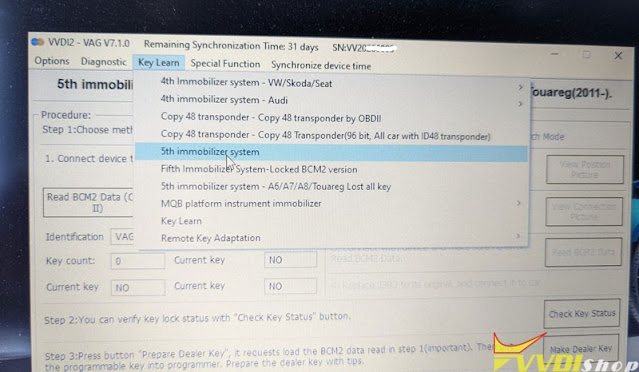
I used abrites “vag force tool” and started the process of learning a key under 5th immo system AKL.
After that just followed the instructions on the screen and that was it. Everything went smoothly and I have adapted 2 keys.
Audi S4 2011 BCM2 All Keys Lost by Xhorse VVDI2 3

Audi S4 2011 BCM2 All Keys Lost by Xhorse VVDI2 4

Audi S4 2011 BCM2 All Keys Lost by Xhorse VVDI2 5

Audi S4 2011 BCM2 All Keys Lost by Xhorse VVDI2 6

 This time was too easy, I hope this will help you if happens to you in the future.

2/09/2022

VVDI2 VVDI Prog Program 2012 Audi Q5 All keys lost

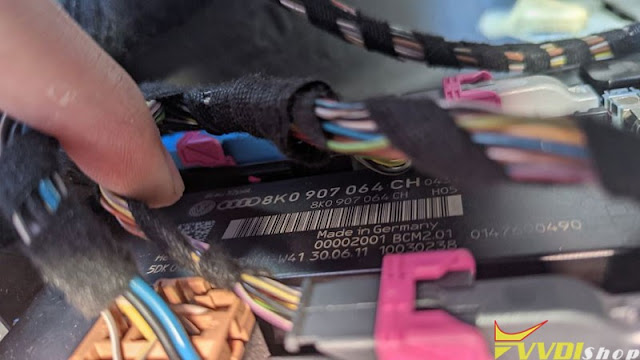
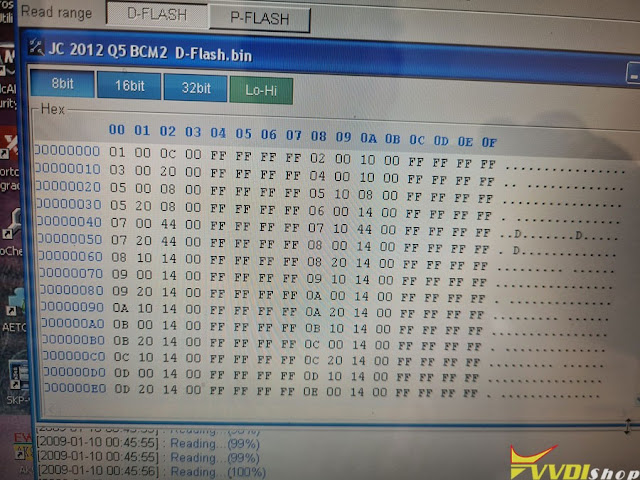
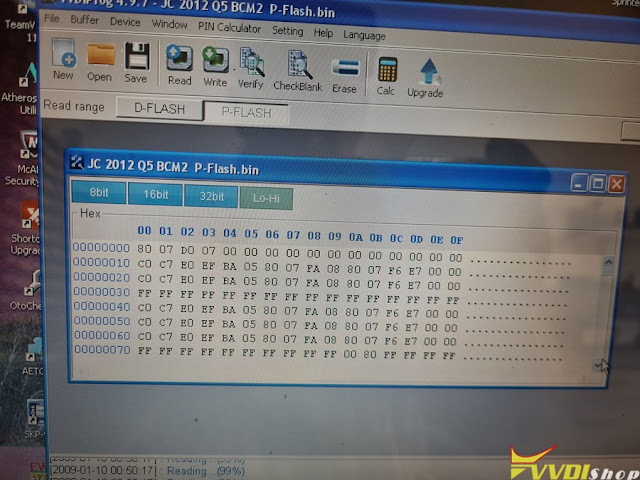
2012 Audi Q5 All keys lost is done today. Vvdi prog reads P-Flash and D-Flash perfect on BCM2 .
Vvdi2 prepare dealer key perfect with new immo data file to learn keys by OBD .
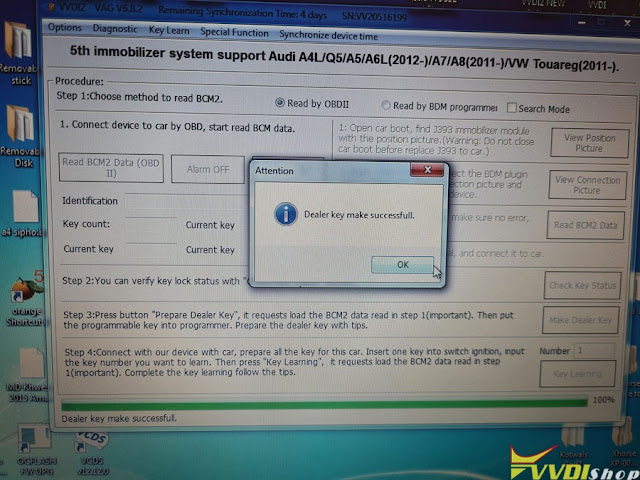
Connect Vvdi2 by obd , loaded new immo data file and learned dealer key to vehicle successfully .
Didn't disconnect the battery, just unplug BCM2 and went bench. Took 15min max on bench to make dealer key.
VVDI2 VVDI Prog Program 2012 Audi Q5  All keys lost  1

VVDI2 VVDI Prog Program 2012 Audi Q5  All keys lost  2

VVDI2 VVDI Prog Program 2012 Audi Q5  All keys lost 3

VVDI2 VVDI Prog Program 2012 Audi Q5  All keys lost 4

VVDI2 VVDI Prog Program 2012 Audi Q5  All keys lost 5

Porsche Cayenne 2M25J Key Programming with VVDI Prog and VVDI2

 Porsche Cayenne BCM mask 2M25J add key and all keys lost shares the same procedure using Xhorse VVDI Prog and VVDI2.


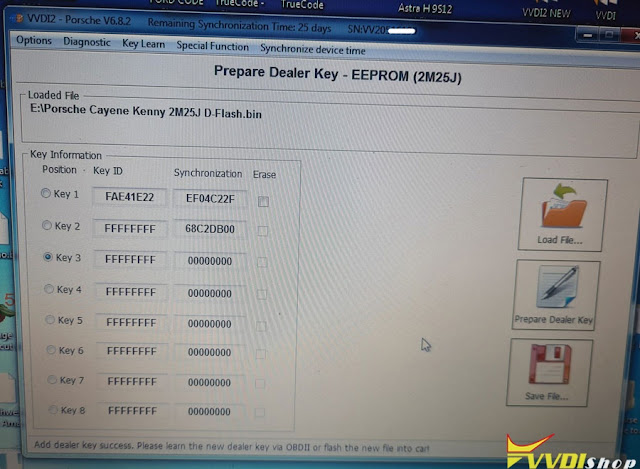
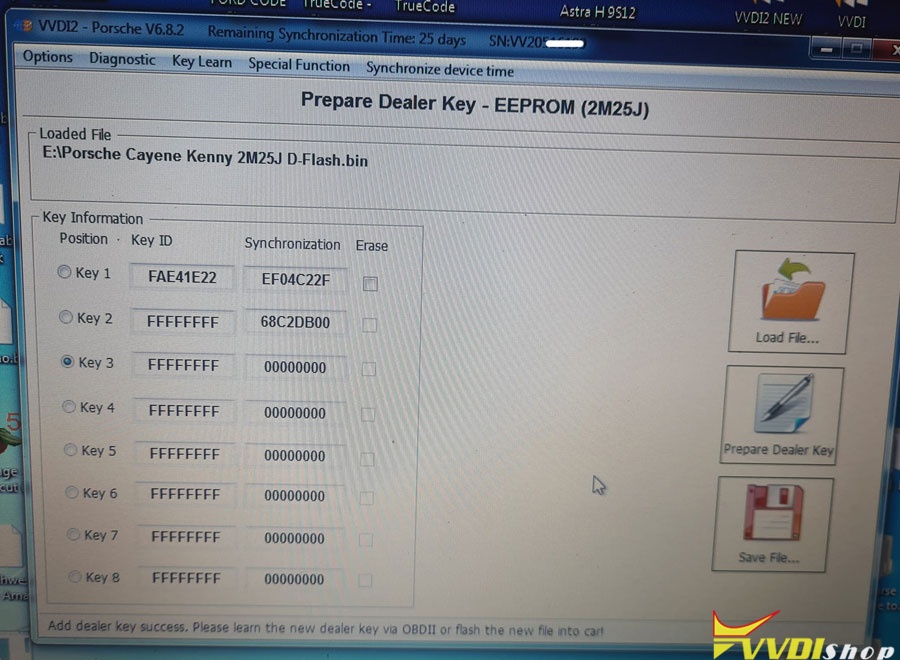
Read D-Flash, make dealer key with VVDI2.

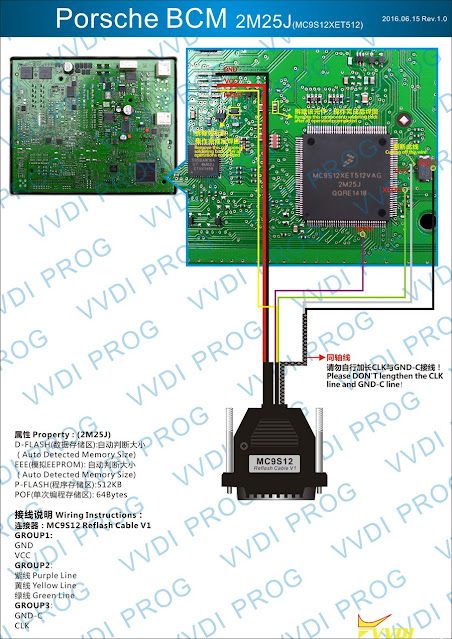
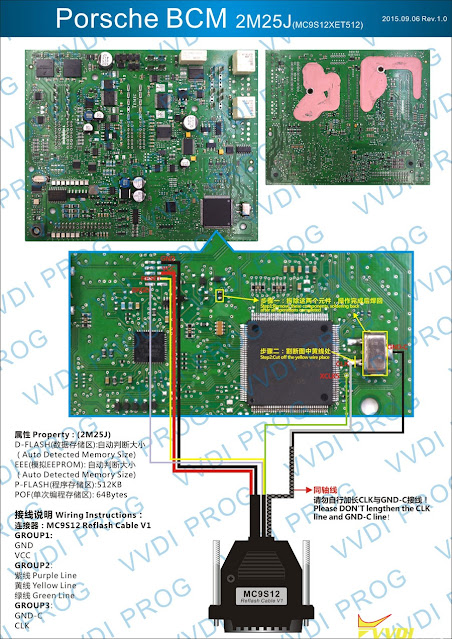
Pinouts on vvdi prog diagram. just follow the diagram and instructions. It’s all there.

Porsche Cayenne 2M25J Key Programming vvdi2 1

Porsche Cayenne 2M25J Key Programming vvdi2 2

Porsche Cayenne 2M25J Key Programming vvdi2 3

Must remove 0 ohm resistor, Chrystal and cut one pcb track. No big deal.

Soldering must be done very carefully and in high quality – these motorola’s are extremely sensitive. Also 12V must be attached.

Porsche Cayenne 2M25J Key Programming vvdi2 4

Porsche Cayenne 2M25J Key Programming vvdi2 5

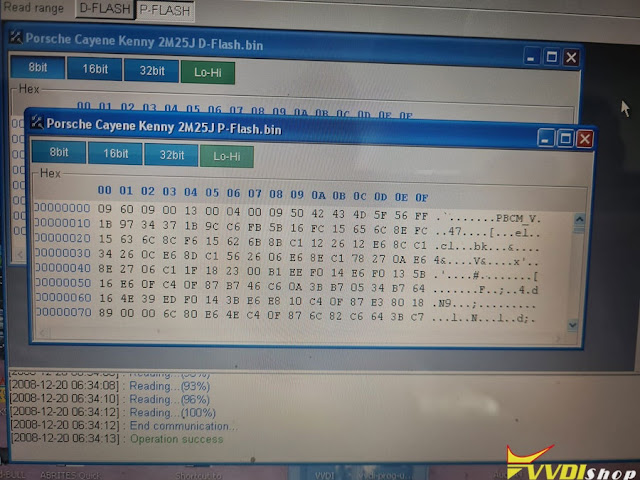
Read and save D-flash.

Better read both D and P flash just to be saved.

Then connect xhorse vvdi2. Open Porsche in main window. Load D-Flash and learn keys to vehicle.

Porsche Cayenne 2M25J Key Programming vvdi2 6

Many prefer to prepare dealer key and learn to vehicle. Then only read MCU and no write back to MCU. Read only and learn by OBD. OBD works perfectly to learn on vehicle.
If you prefer write mcu approach, check Step 3 here,

http://blog.vvdishop.com/vvdi-prog-vvdi2-add-porsche-boxster-gts-2016-smart-key/