10/16/2023

Xhorse MVCI Pro Tested Working with ODIS V23

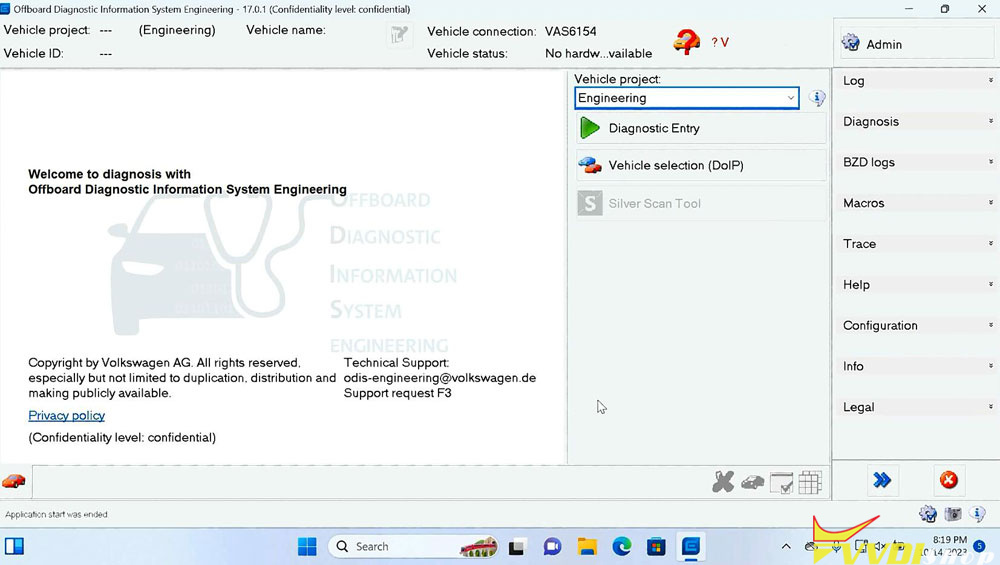
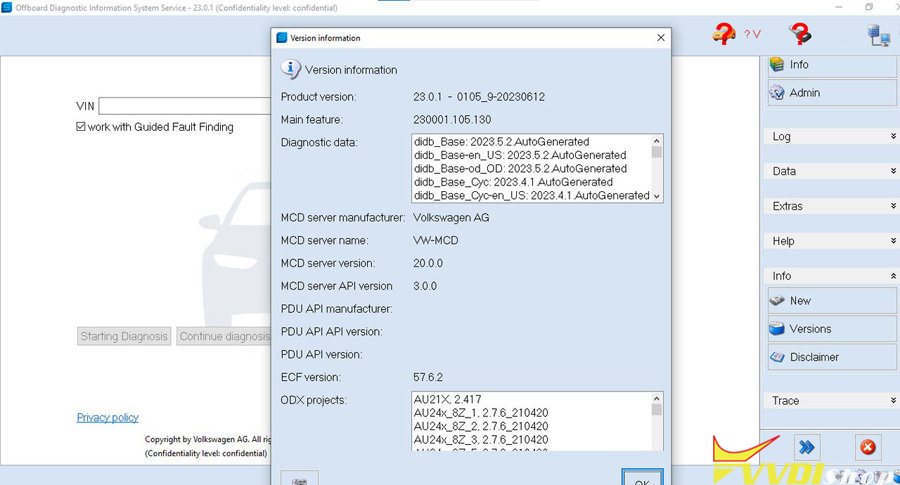
 Xhorse MVCI Pro J2534 was tested working with VW Audi Skoda Seat ODIS-S service software V23 and ODIS-E Engineer software V17.

xhorse mvci pro

Software version: ODIS-S V23.0.1/ ODIS-E V17.01

odis-e v17

odis s v23

License: Included License Standalone and License for all brand

Compatible device: Xhorse MVCI Pro (and other passthru devices VXDIAG VCX SE 6154, openport 2, vnci 6154a, godiag j2534 etc)

Operating system: Win10 or later O/S, RAM>4G. Win7 is not supported since this version.

Language: Multi-language


Both software can be downloaded for free. But not include keygen.


If need activation, contact

Skype:VVDIfactory.com
Email:sales@VVDIShop.com
WHATSAPP:+86?13559259147

We will send software in U disk format which contains 1 time free activation for both ODIS-S and ODIS-E software.


Tested models by far:

ModelVINECU TypeProtocolODIS S 11ODIS S 23.0.1ODIS E 17.01
2007 AUDI A6LFV3A24F273054910MED9.1KWP2000√√√
2005 VWCaddyLFVBC32K053000112EDC16U1KWP2000√√√
2007 VW PassatWVWVU73CX7E001193CAN BUS√√√
2017 VW PassatLFV3A23C5H3071340SIMOS 18.3CAN BUS√√√
2008 Audi A6WAUDH74F98N068455SIMOS 6.22ACAN BUS√√√
2008 VW PassatLFV3A23C583003748MED17.5CAN BUS√MVCI Pro supports full system diagnostics (other J2534 only OBD scan)√
2008 AUDI A6LFV5A24F783014364SIMOS 8.10CAN BUSXX√


Steps to Install ODIS-S/ODIS-E

1.Install Setup

2.Activate software

3. Install PostSetup

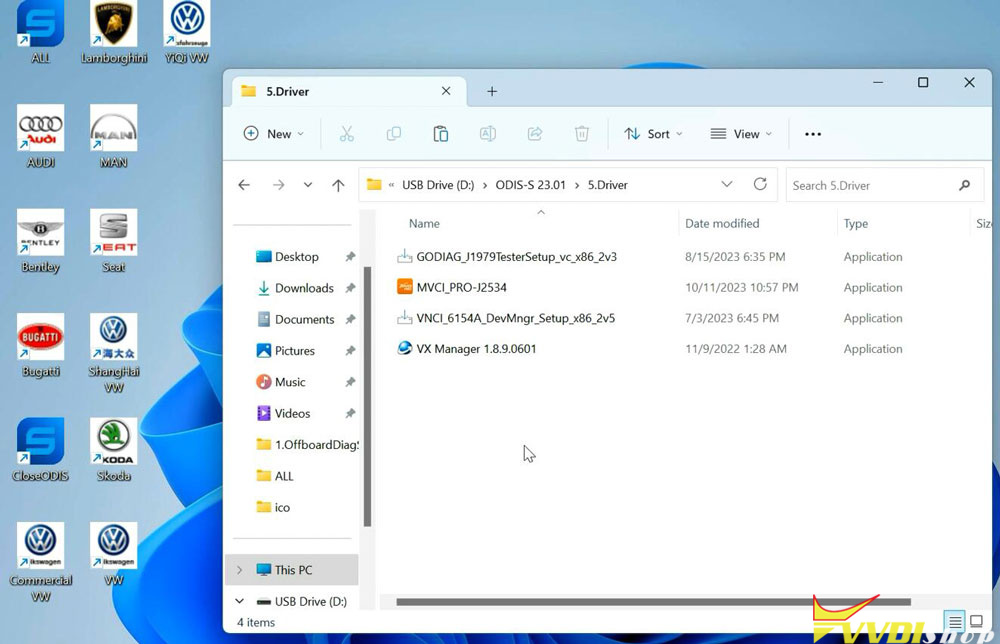
4. Install driver

5. Run software


MVCI Pro J2534 driver is included in the U disk.

mvci pro j2534 driver

www.vvdishop.com

10/08/2023

Xhorse Key Tool Max Generate Honda ID13 Transponder

 Problem:

Programming a Honda ID13 transponder key with xhorse vvdi key tool max and this message came up. Does anyone know how to get the information for “search header info” ? Thank you

xhorse id13 search header info

Solution:

After you generate the chip is empty without ID.

Xhorse Key Tool Max Generate Honda ID13 Transponder `

Xhorse Key Tool Max Generate Honda ID13 Transponder 2

Xhorse Key Tool Max Generate Honda ID13 Transponder 3

Xhorse Key Tool Max Generate Honda ID13 Transponder 4

Xhorse Key Tool Max Generate Honda ID13 Transponder 5

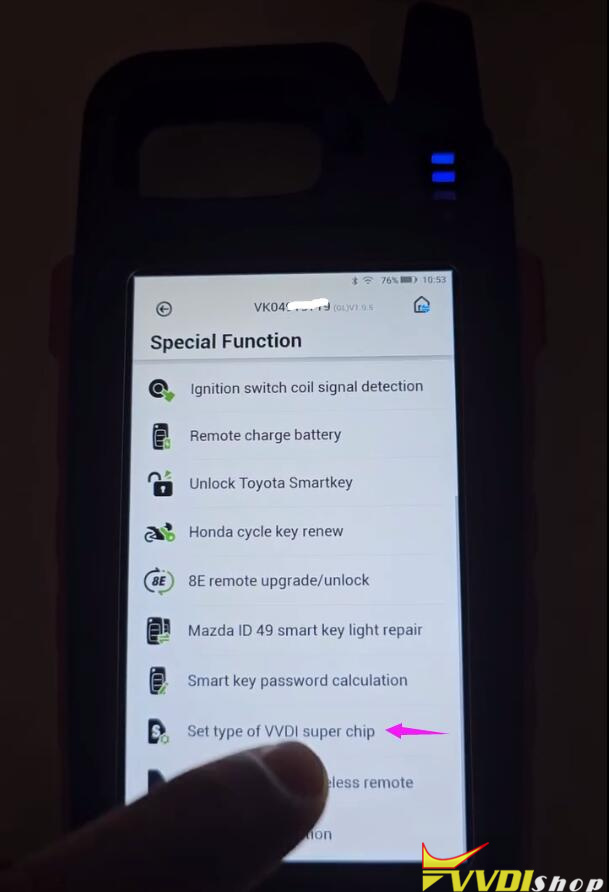
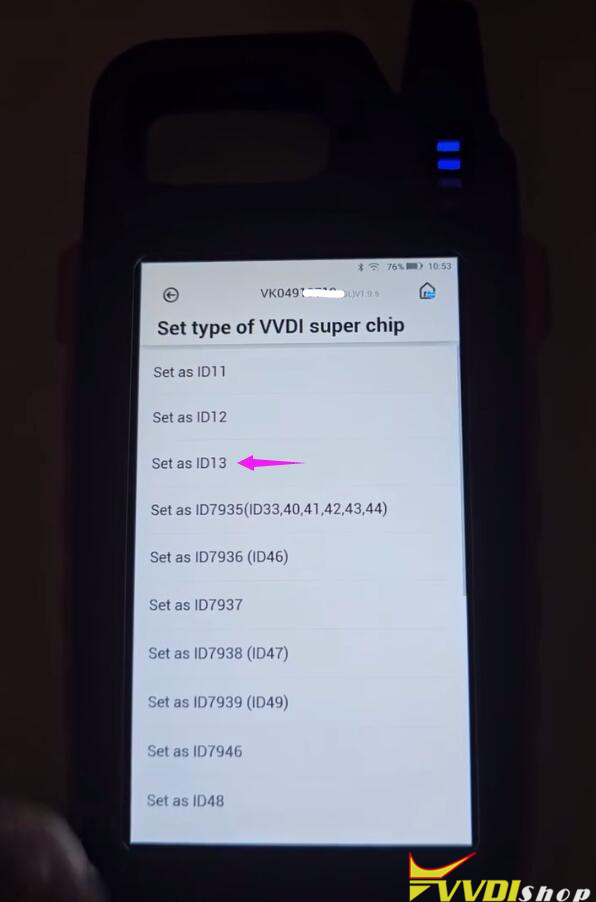
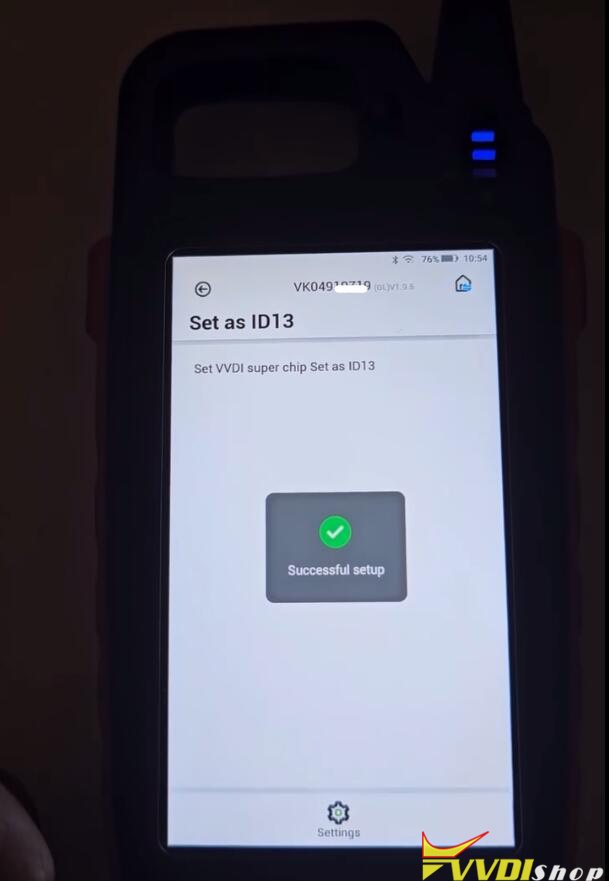
Go to special funtions >set type of vvdi super chip>set as id13 >settings.

Xhorse Key Tool Max Generate Honda ID13 Transponder 6

Xhorse Key Tool Max Generate Honda ID13 Transponder 7

Xhorse Key Tool Max Generate Honda ID13 Transponder 8

Xhorse Key Tool Max Generate Honda ID13 Transponder 9

Xhorse Key Tool Max Generate Honda ID13 Transponder 10

Or use cloning function.

www.vvdishop.com

9/27/2023

Read VW Vento 2018 PIN & CS by Xhorse iScanCar MM007

 How to read CS and PIN code of a VW Vento 2018 with Xhorse iscancar MM007?


It is easy.

Menu path:

Go to Special Function->Read PIN Code->17 Dashboard->NEC+24C64 (2014- VW/Skoda/Seat)

Read VW Vento 2018 PIN & CS by Xhorse iScanCar MM007  1

Read VW Vento 2018 PIN & CS by Xhorse iScanCar MM007  2

Read VW Vento 2018 PIN & CS by Xhorse iScanCar MM007  3

Read VW Vento 2018 PIN & CS by Xhorse iScanCar MM007  4

Read VW Vento 2018 PIN & CS by Xhorse iScanCar MM007  5

Read VW Vento 2018 PIN & CS by Xhorse iScanCar MM007  6

Read CS and PIN successfully.

Read VW Vento 2018 PIN & CS by Xhorse iScanCar MM007  7

Read VW Vento 2018 PIN & CS by Xhorse iScanCar MM007  8


9/26/2023

Xhorse VVDI Prog V5.3.1 Adds Beetle D70F3524 MQB

 Xhorse VVDI Prog programmer software was released to V5.3.0 on Sept. 27th, 2023.

v5.3.1 (2023-09-27)

* This version DON’t need update firmware
+ Add M68HC805P18(H44H), M68HC805P18(K05Y), MC68HC05P18(1F52W), MC68HC805P18(0G64R),
MC68HC805P18(G64R), XC68HC805P18(G04R) options in <2-MCU>-><MOTOROLA-MC68HC(8)05>
+ Add RENEGADE BCM(2017)(R7F701034), RENEGADE BCM(R7F701056) options in <4-IMMOBILIZER>-><JEEP>
+ Add Beetle (D70F3524)-READ(WELD), Beetle (D70F3524)-WRITE(WELD) options in <5-DASHBOARD>-><VOLKSWAGEN>
+ Add VIAGGIO SMARTBOX option in <8-OTHER>-><FIAT>
+ Add HA_MA S7 option in <8-OTHER>-><FAW>


Free download VVDI Prog V5.3.1 software

https://mega.nz/file/BEkkWKZY#JOmbN4MOy7D0UOnR8h4RsaBcyh_9NAV_sUU5P7CnZoA

How to Solve VVDI MB Failed Error 3 Product is Incorrect?

 Problem:

When trying to program key with xhorse vvdi mb tool, it failed me and said error 3 product status is incorrect. Any clue?

VVDI MB Failed Error 3 Product is Incorrect

Solution:

The error indicated the vvdi mb is locked. This machine was sold in China during the promotion period.

Don’t buy used vvdi mb from unknown resources. In this case, need to contact Chinese owner to buy points from xhorse to unlock device.

Users abroad don’t use points system.


www.vvdishop.com

9/24/2023

How to Clone Garage Remote by VVDI Key Tool Max?

 Today we’re going to use the Xhorse VVDI Key Tool Max to clone a garage remote control. This garage remote to be cloned is brought from the client, which has 4 buttons. So next we’ll use a new Xhorse Masker Garage Remote to finish the cloning. I’ve separated its circuit board and battery on the table.

Clone Garage Remote by VVDI Key Tool Max 1

Clone Garage Remote by VVDI Key Tool Max 2

Click “Remote Clone” to check frequency, it shows 433.80Mhz.

HCS/Fixed Code Clone >> Garage key >> Start clone

Follow the prompts to press the original remote buttons in turn.

Once completed, it will show with confirm screen.


Connect Xhorse Garage Remote to Key Tool Max via cable.

Press “Clone”.

It will start cloning automatically…

Remote clone success.

Clone Garage Remote by VVDI Key Tool Max 3

Clone Garage Remote by VVDI Key Tool Max 4

Clone Garage Remote by VVDI Key Tool Max 5

Clone Garage Remote by VVDI Key Tool Max 6

Put a battery into the new garage remote to detect frequency.

As you can see, it’s same as the original one 433.80Mhz.

Let’s take out near the garage door, it can work and open the door.

Perfectly done!

Clone Garage Remote by VVDI Key Tool Max 7

Clone Garage Remote by VVDI Key Tool Max 8

www.vvdishop.com

9/06/2023

Unlock BMW X1 2019 BDC with Xhorse VVDI2 by OBD

 Xhorse VVDI2 V7.3.5 software update BMW BDC unlock via OBD.

Report today:

BMW X1 12/2019  BDC SWFL unlock success via OBD with VVDI2 and key programmed fast and easy.
VVDI tools using a lot and never was failed, at least damaged something!
In this type of job you need to be ready for some background solution if something going wrong, if you not ready need going away from this field!
VVDI tools very good tool for that money.

Unlock BMW X1 2019 BDC with Xhorse VVDI2 by OBD 1

Unlock BMW X1 2019 BDC with Xhorse VVDI2 by OBD 2

NOTE:

SWFL_00002419.085.xxx.xxx version cannot be unlocked by OBD.

9/04/2023

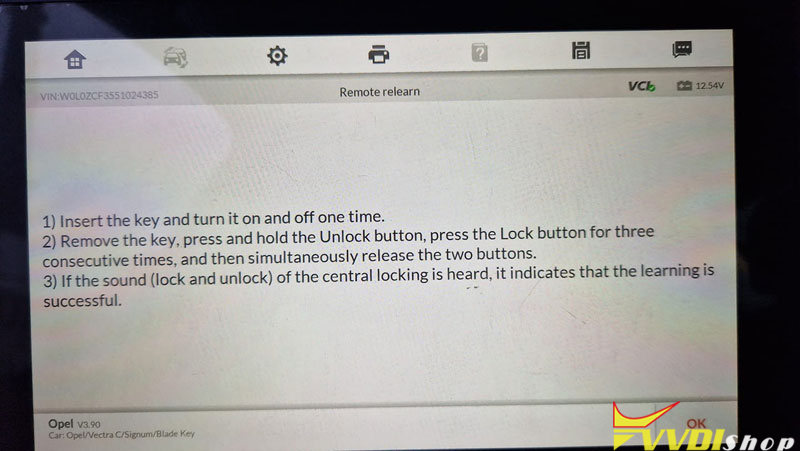
What Option to Generate Opel Vectra C ID46 Key by Xhorse?

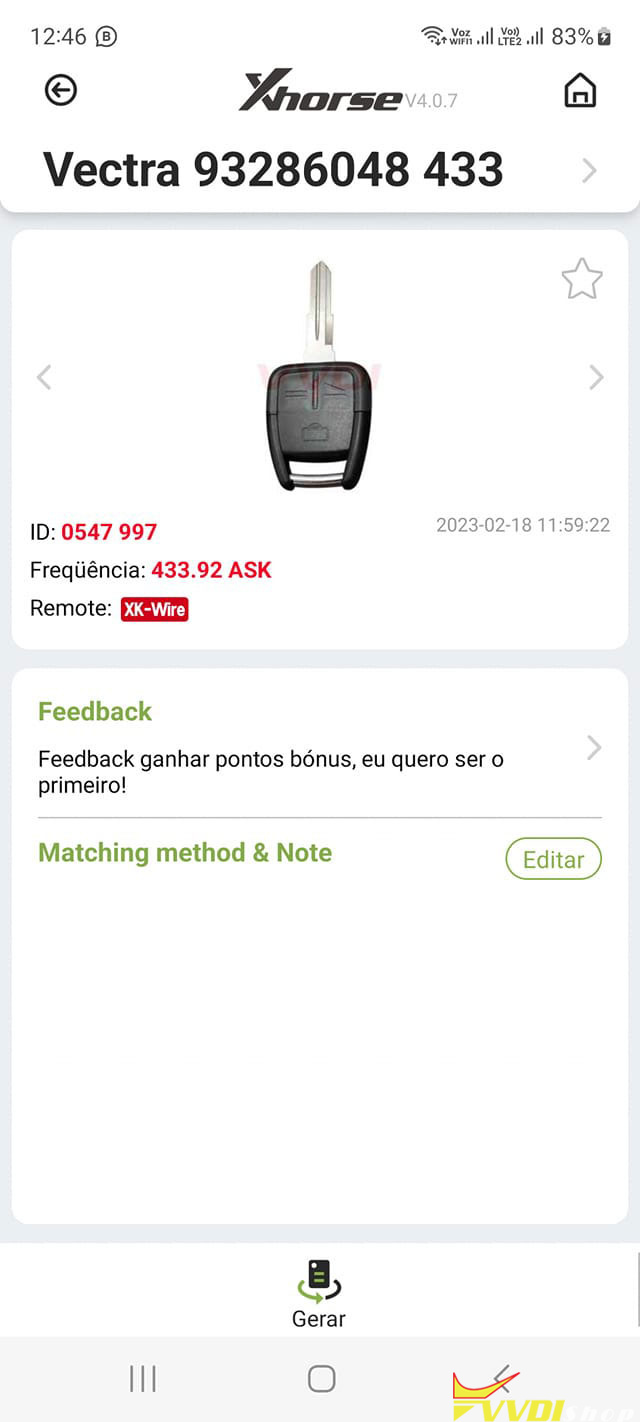
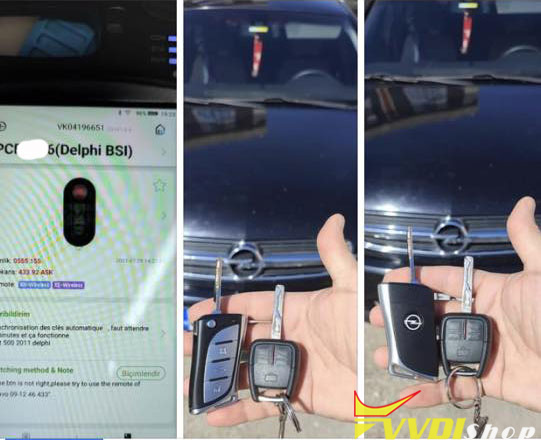
 Question: I need to program a universal Xhorse key for European Opel Vectra C 2005, original key ID 46 as in the photo. There is no vectra C in the vvdi mini key tool selection.

Generate Opel Vectra C ID46 Key by Xhorse 1

If generate remote under this option, remote not work after programming with im608.

Generate Opel Vectra C ID46 Key by Xhorse 2

Generate Opel Vectra C ID46 Key by Xhorse 3

Solution:

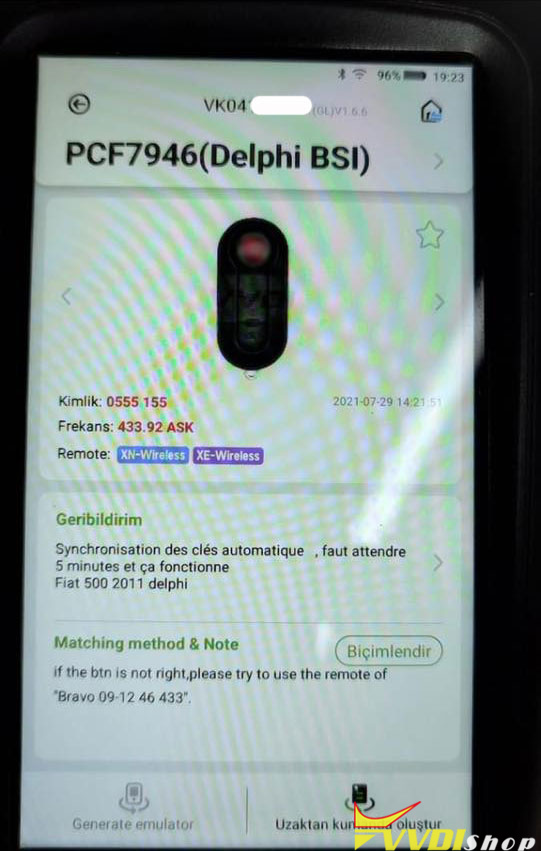
Some managed to generate remote under this key option: PCF7946 Delphi BSI

Generate Opel Vectra C ID46 Key by Xhorse 4

Review:

2005 Opel Vectra C Fiat Delphi BSI software was applied to the xhorse super XE remote, the pin code was received by autel, the coding was done with xtool x100 pad3.
Note: The communication with the vehicle computer could not be established for a long time, the car was left running for 15 minutes, then the coding was successful.

Generate Opel Vectra C ID46 Key by Xhorse 5

If you fail to use this option, use aftermarket Pcf7946 or original key. Then program with key programmers T300, CK100 etc.


www.vvdishop.com

8/31/2023

Xhorse VVDI Prog Reset Hyundai i20 Airbag 96910-C7000

 Xhorse VVDI PROG is able to reset Hyundai i20 Elite 96910-C7000 airbag by reading/writing DFLASH & CFLASH data on Bench. Easy jobs in minutes, next we’re gonna to show the steps.

Xhorse VVDI Prog Reset Hyundai i20 Airbag 96910-C7000 1

Xhorse VVDI Prog Reset Hyundai i20 Airbag 96910-C7000 2

Xhorse VVDI Prog Reset Hyundai i20 Airbag 96910-C7000 3

Open VVDI PROG software to select model:

Type: 2-MCU

Brand: ST-SPC560XXXX

Chip: SPC560P50L3


Follow the connection diagram to connect VVDI PROG& airbag module by MCU Reflash Cable. Need to solder VCC, GND, RESET, TD0, TCK, TMS, TDI pins.

Xhorse VVDI Prog Reset Hyundai i20 Airbag 96910-C7000 4

Xhorse VVDI Prog Reset Hyundai i20 Airbag 96910-C7000 5

Xhorse VVDI Prog Reset Hyundai i20 Airbag 96910-C7000 6

After successful connection, we can start reading.

DFLASH >> Read

Read success.


CFLASH >> Read

Reading…(100%)

Read success.


Now we can continue to perform writing as needed.

Xhorse VVDI Prog Reset Hyundai i20 Airbag 96910-C7000 7

Xhorse VVDI Prog Reset Hyundai i20 Airbag 96910-C7000 8

Xhorse VVDI Prog Reset Hyundai i20 Airbag 96910-C7000 9

Xhorse VVDI Prog Reset Hyundai i20 Airbag 96910-C7000 10

www.vvdishop.com

How to Solve VVDI Mini Key Tool “Erase Internal Chip1 Failed”

 Problem:

I started the download the latest vvdi mini key tool firmware update (V1.8.3), but the process is ended all the time about 80% and my mini key tool stay in USB and PC mode. I can’t quit so, I can not use my device. The error message: Erase internal chip1 is failed. I tried several options and several operating systems (android, ios) but not working. Any solution?

VVDI Mini Key Tool “Erase Internal Chip1 Failed” 1

VVDI Mini Key Tool “Erase Internal Chip1 Failed” 2

Solution:

When you xhorse Mini key tool stops, and freeze in USB–PC screen, you can connect xhorse to PC and download the software about that and pick the model after that, it will update himself.


Feedback:

We solved the problem! So firstly we tried to turn off with the reset button ( on the back of the device), but it didnt work. So we turn off the device normally and we turn on the reset button and the device did not indicate safe1 mode. So we connected to the pc with usb and restarting the upgrade. And it worked! So now we can work.


www.vvdishop.com