1/18/2022

Xhorse VVDI2 Cannot Read MQB VC Immo Data?

 Problem:

Hi i try add key to Tiguan 2019, MQB with  xhorse vvdi2 vag. But it’s something wrong. Not reading immobilizer data (virtual cockpit). VVDI device message ‘this dashboard is not compatible with the one you selected’.

Xhorse VVDI2 Cannot Read MQB VC Immo Data 1

Xhorse VVDI2 Cannot Read MQB VC Immo Data 2

Solution:

Impossible to read Virtual Cockpit with xhorse, autel and all other tools!

All keys lost not possible, just add key by sync data from third party.

You only can’t do the job without someone offering a sync file service if it’s JC or virtual cockpit. If you have vvdi2, you can obtain data with working key.

All keys lost only by Odis online.

Dealer key – ODIS – Service Immobiliser
Now you can read immo data and make additional keys with the exception of JC and VC.

Related reading:  Xhorse VAG IMMO Data Online Calculation Server is Blocked

1/17/2022

Clone Smart 450 SAM with Xhorse VVDI Prog

 How-to: clone Smart 450 SAM module Motorola 9s12dg256 Mask 2k79X by xhorse vvdi prog programmer.

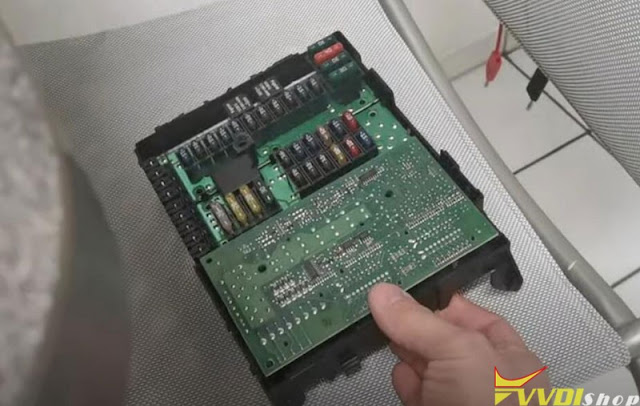
Clone Smart 450 SAM with Xhorse VVDI Prog 1

Donor SAM

Clone Smart 450 SAM with Xhorse VVDI Prog 2

New SAM

Clone Smart 450 SAM with Xhorse VVDI Prog 3

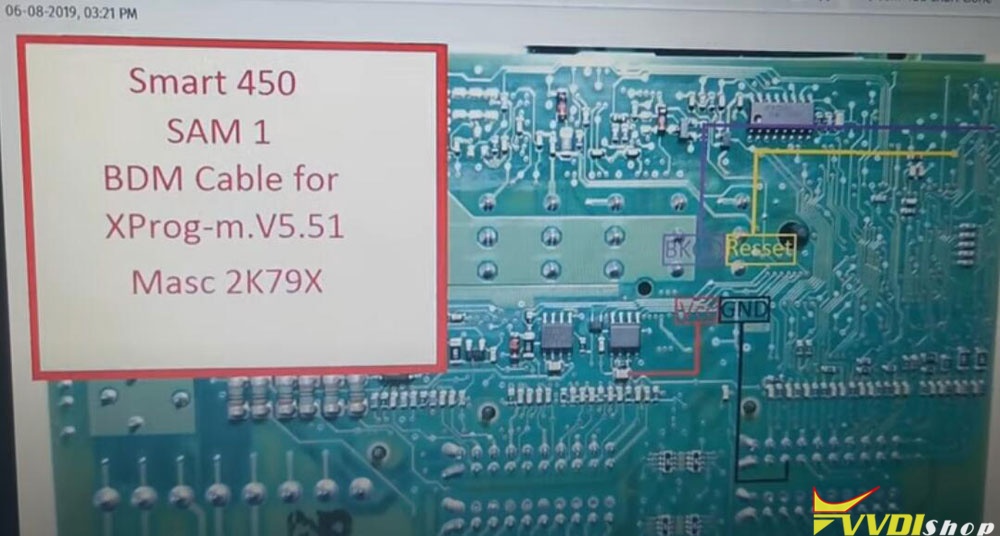
using 2K79X wiring diagram from xprog

Step 1: Read donor SAM EEPROM and Flash

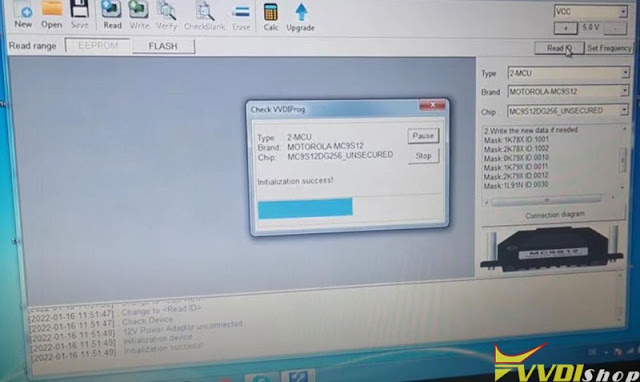
Clone Smart 450 SAM with Xhorse VVDI Prog 4

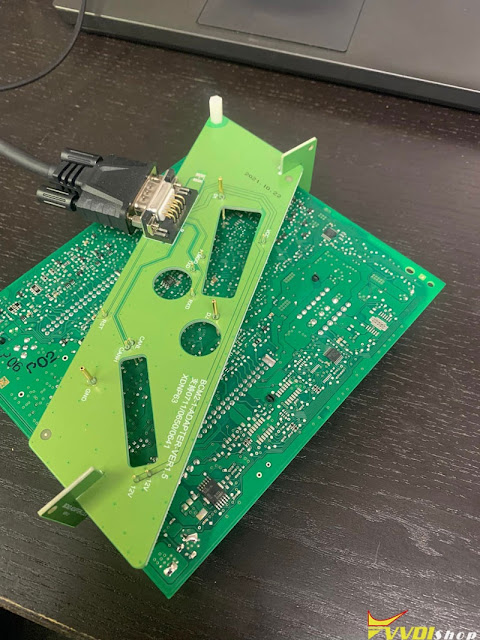
Follow wiring to connect vvdi prog with donor SAM

In vvdiprog software, select Motorola 9s12dg256 2k79X unsecured

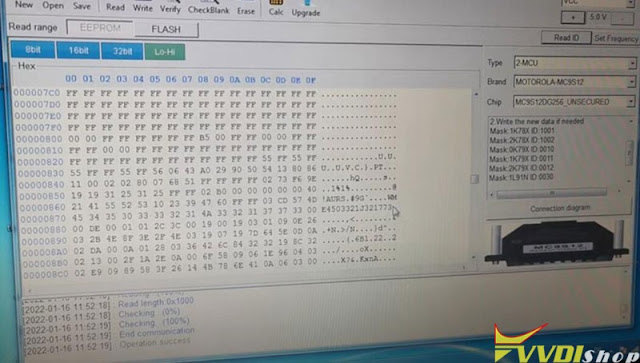
Read EEPROM and save data

Clone Smart 450 SAM with Xhorse VVDI Prog 5

Clone Smart 450 SAM with Xhorse VVDI Prog 6

Clone Smart 450 SAM with Xhorse VVDI Prog 7

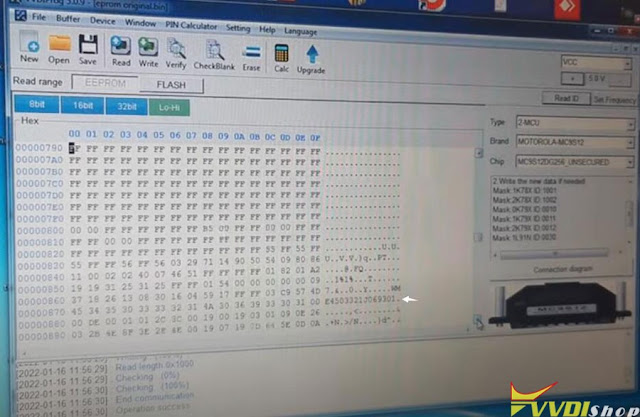
Read donor SAM Flash data and save

Clone Smart 450 SAM with Xhorse VVDI Prog 8

Clone Smart 450 SAM with Xhorse VVDI Prog 9

Step 2: Write EEPROM and FLASH to a new SAM

Connect vvdi prog with new SAM module

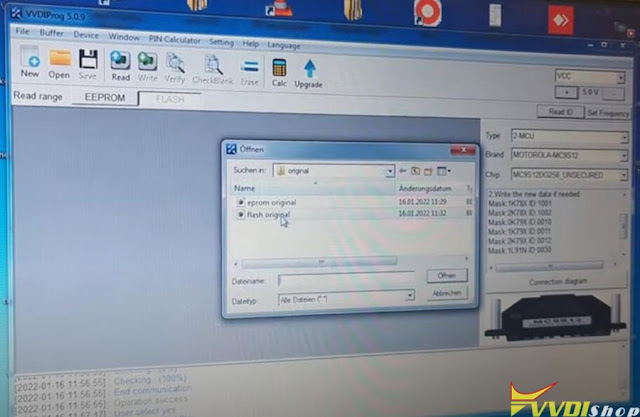
Open original eeprom read in step 1, and write EEPROM

Clone Smart 450 SAM with Xhorse VVDI Prog 10

Clone Smart 450 SAM with Xhorse VVDI Prog 11

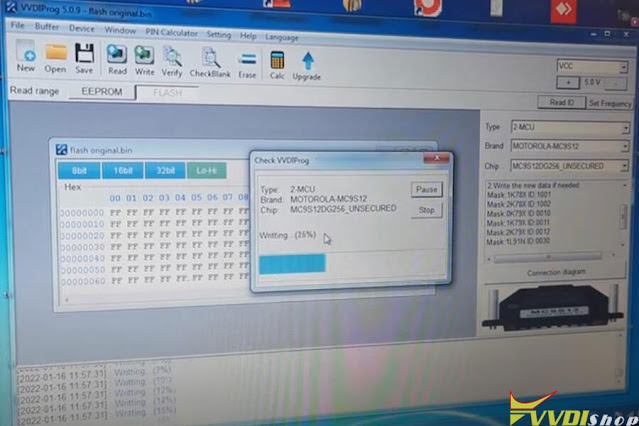
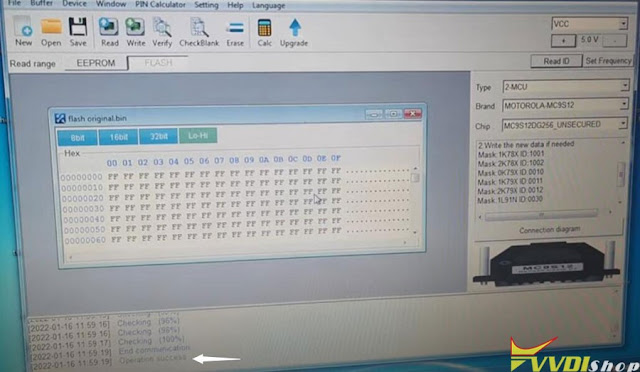
Open original FLASH data and write to new SAM

Clone Smart 450 SAM with Xhorse VVDI Prog 12

Clone Smart 450 SAM with Xhorse VVDI Prog 13

Clone Smart 450 SAM with Xhorse VVDI Prog 14

Install new SAM back to vehicle and test.

www.vvdishop.com

1/14/2022

Can Xhorse VVDI2 Clone Audi BCM2 Encrypted?

 As titled, we have a customer asking is it possible to clone Audi BCM2 Encrypted with Xhorse VVDI?

Can Xhorse VVDI2 Clone Audi BCM2 Encrypted

We have customers successfully cloned it.

Tools required:
original key
The process is posted below.
Read Original data1
Enter ORI vvdi2
Read ORI data2
Process with vvdi 2
Save Original immo data file.
Save Original service file.
Read USED data1
Read USED data2
Write Original service file.
Car runs, but remote doesn’t function with original key. Made a new key with original immo data. All good.

Then relearned original key. All function ok.

1/13/2022

Xhorse VVDI2 V7.2.0 Software Update Feature

 Xhorse VVDI2 key programmer software update to V7.2.0 on Jan. 13th, 2022.

***        2022-01-14
***        Require firmware V7.1.9
=====        VAG V7.2.0                        =====
1. Improvement autodetect for VAG immobilizer system
2. Bugfix

=====        BMW V7.2.0                        =====
1. Bugfix

=====        Porsche V7.2.0                        =====
1. Bugfix

=====        PSA V7.2.0                        =====
1. Bugfix

=====        Transponder Programmer V7.2.0        =====
1. Improvement prepare remote function
2. Bugfix

=====        Copy 48 (96 bits) V7.2.0                =====
1. Bugfix

=====        J2534 V7.2.0                        =====
1. Bugfix

=====        Online Upate Tool V7.2.0                =====
1. Bugfix

=====        Quick Start V7.2.0                        =====
1. Bugfix


Free download Xhorse VVDI2 V7.2.0 software

https://public-ap-southeast-1-1251058331.s3.ap-southeast-1.amazonaws.com/download/product/vvdi2/software/VVDI2-InstallerV720.exe

1/12/2022

Xhorse VVDI MINI OBD Tool Reliable for Newbies

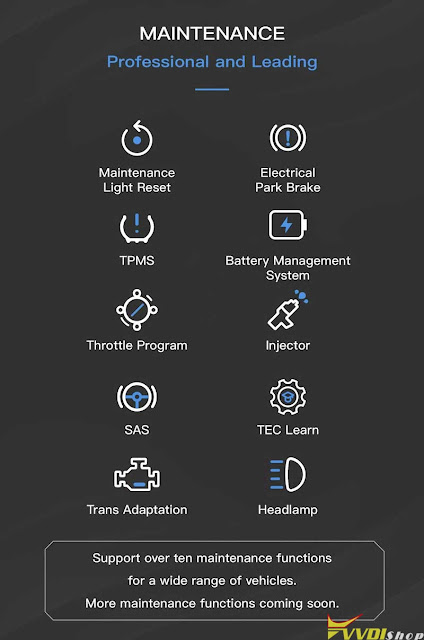
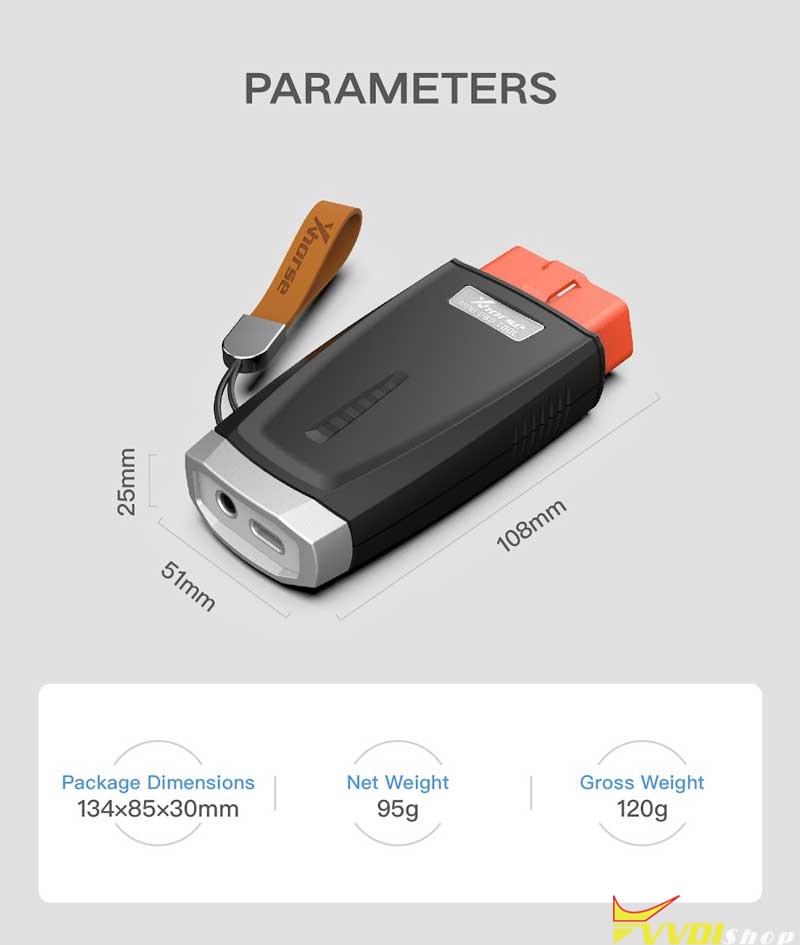
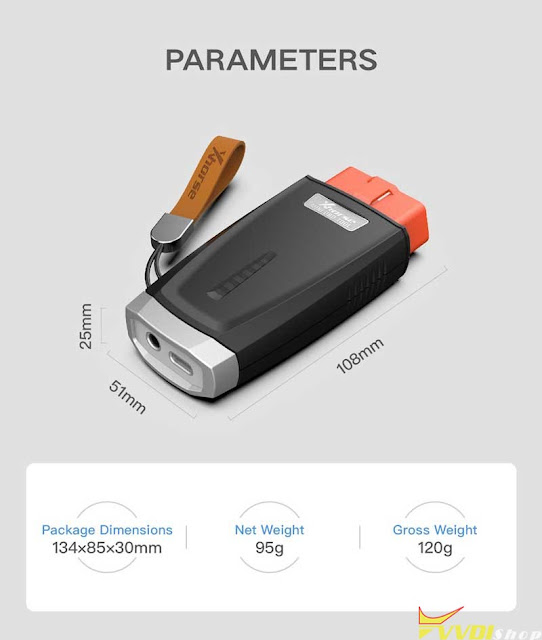
 Since Xhorse VVDI MINI OBD Tool launched new maintenance functions last year, it has received great attention from many beginners in industry. It’s better known as a good partner of VVDI Key Tool Max to perform immo programming for vehicles. Actually, use MINI OBD Tool alone can also realize many functions as below.

xhorse vvdi mini obd tool review 1

MINI OBD Tool supports to connect with Xhorse APP on a smart phone via Bluetooth or WiFi. VVDI Key Tool Max is not a must have option. Users can finish various works on mobile terminals, which provides greater convenience when working outside.


Main Functions

  1. Immo programming
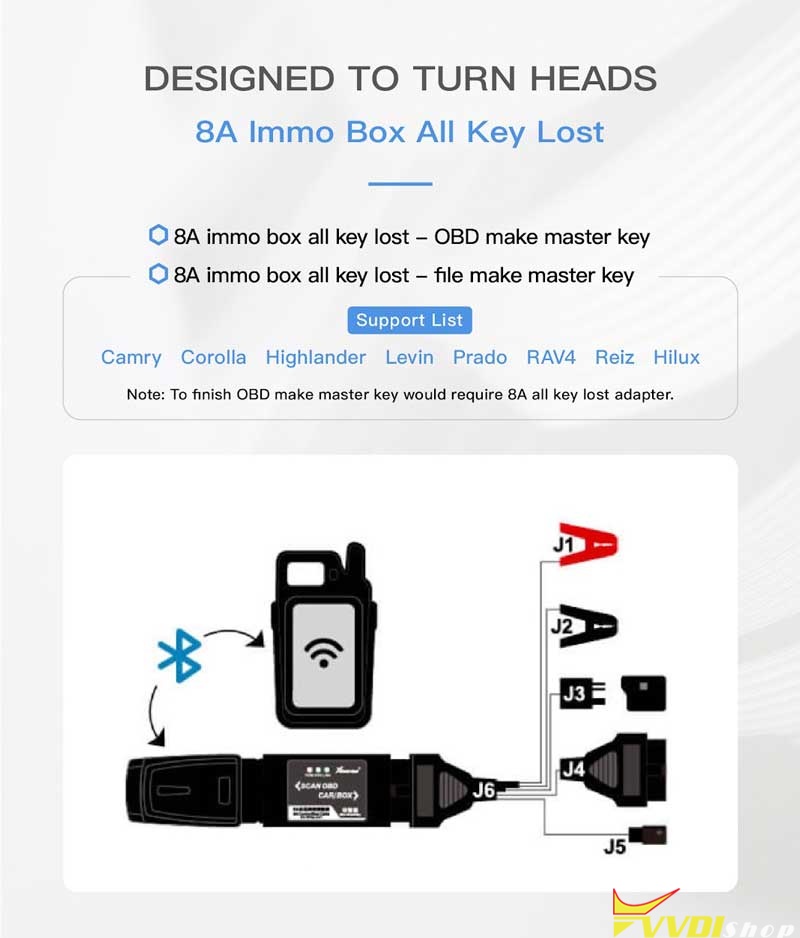
  2. 8A Immo box all key lost
  3. Self-query password
  4. Over 10 maintenance services


Maintenance

  1. Maintenance light reset
  2. Electrical park brake
  3. TPMS
  4. Battery management system
  5. Throttle program
  6. Injector
  7. SAS
  8. TEC Learn
  9. Trans Adaptation
  10. Headlamp

Xhorse MINI OBD supports a wide range of vehicles. Specific car model can consult Vvdishop online service. More functions are coming soon.

xhorse vvdi mini obd tool review 2

xhorse vvdi mini obd tool review 3

xhorse vvdi mini obd tool review 4

  • IMMO Programming
  1. Xhorse MINI OBD Tool is able to finish immo programming for thousands for car models;
  2. Support immo programming via OBD port;
  3. Equipped with rich data base covers over 95% of common cars on the market.

Support car list:

Toyota, Cadillac, Buick, Landrover, Honda, Jeep, Fiat, Ford, Peugeot, Dodge, Mazda, Chevrolet, Chrysler, Nissan, Renault, Renault, Jaguar…

(Please upgrade to latest version for the complete list.)


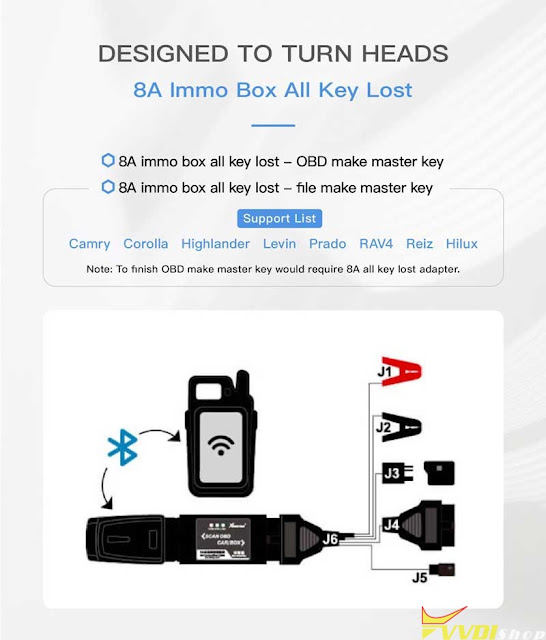
  • 8A IMMO Box All Key Lost
  1. OBD make master key (Xhorse Toyota 8A AKL Adapter is required);
  2. File make master key.

Support car list: Camry, Corolla, Highlander, Levin, Prado, RAV4, Hilux.
xhorse vvdi mini obd tool review 5


  • Self-Query Password

VVDI MINI OBD comes with a third-party service, self-query password, which allows users to acquire password directly.

Support car list: Buick, Peugeot, Chevrolet, Citroen, Kia, Porsche, Nissan, Hyundai…

(Please upgrade to latest version for the complete list.)


In addition, just like other Xhorse tools, MINI OBD Tool also enjoys 1 year warranty & lifelong free online technical support.


MINI OBD is mini in structure but powerful in functions. It’s not only the unanimous recommendation from most senior locksmiths, but also a top choice for newcomers.
xhorse vvdi mini obd tool review 6

www.vvdishop.com

1/11/2022

Mazda CX-5 Xhorse Key 'Keyless Entry Malfunction’

 Problem:

I have this error after programming a new key with xhorse vvdi mini key tool on mazda cx-5, the keys work without error and keyless system also.

all keys working original and xhorse smart key all functions work but i have this error in the dash.

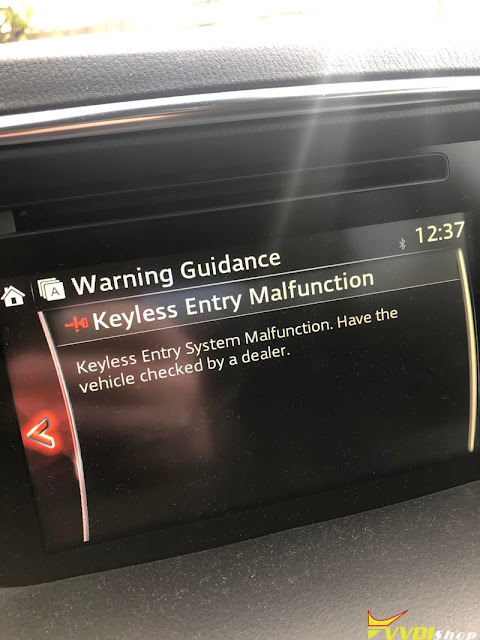
‘Keyless Entry Malfunction’

Mazda CX-5 Xhorse Key 'Keyless Entry Malfunction’ 1

Mazda CX-5 Xhorse Key 'Keyless Entry Malfunction’ 2

Solution:

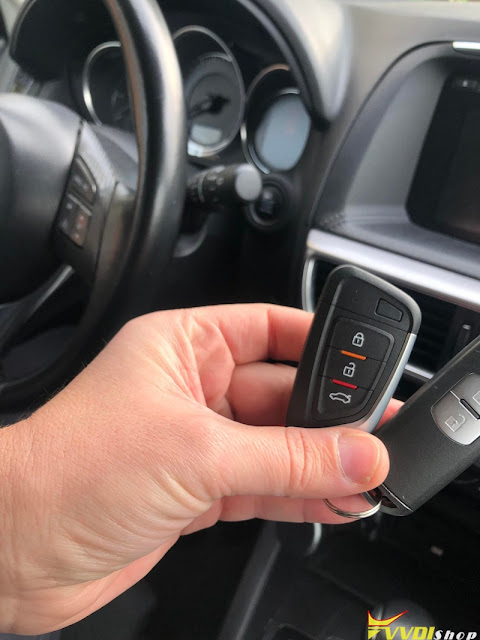
Mazda needs the original key ONLY. Sometimes if you want to add not original key (like vvdi and keydiy) this error will be on computer or dashboard.
Need two original Mazda remotes, done by all key lost.  Delete keys and program 2x genuine remotes and the errors will go by itself the error.
Do always use OEM keys for Mazda push start vehicles.

1/10/2022

Xhorse VVDI Mini OBD Tool Adds Toyota Vitz 2017 Xhorse 4D Smart key

 Xhorse VVDI Key Tool Max + MINI OBD Tool can add Toyota Vitz 2017 3rd GEN 4D+ CAN smart key easily in 2 mins. The operation procedure also works for Toyota Vitz 2010+, Axio 2014+, Prius 2009+, Aqua 2011+, Prado 2010+ vehicles.


Prepare

A working key & a new Toyota 4D 8A Smart Key are required.

Plug MINI OBD Tool into OBD2 interface.

Connect to VVDI Key Tool Max via Bluetooth.


Procedure

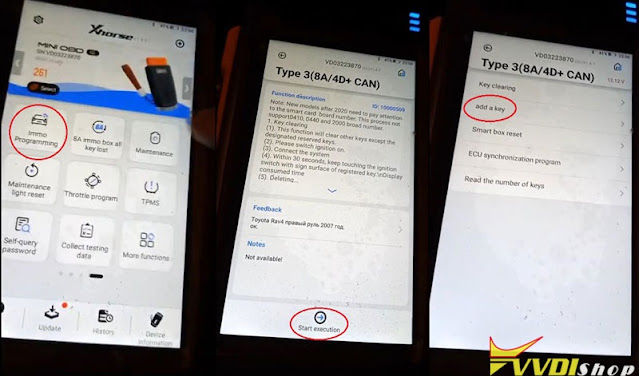
Go to MINI OBD Tool page,

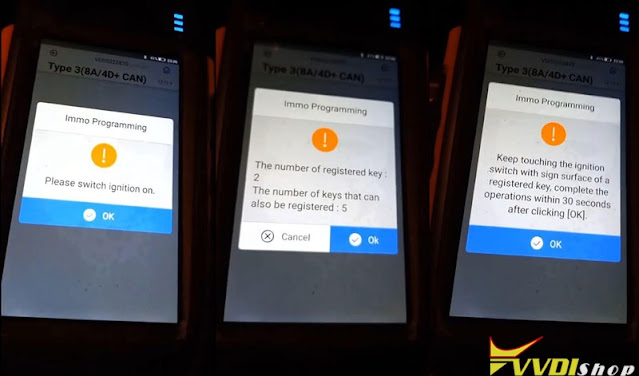
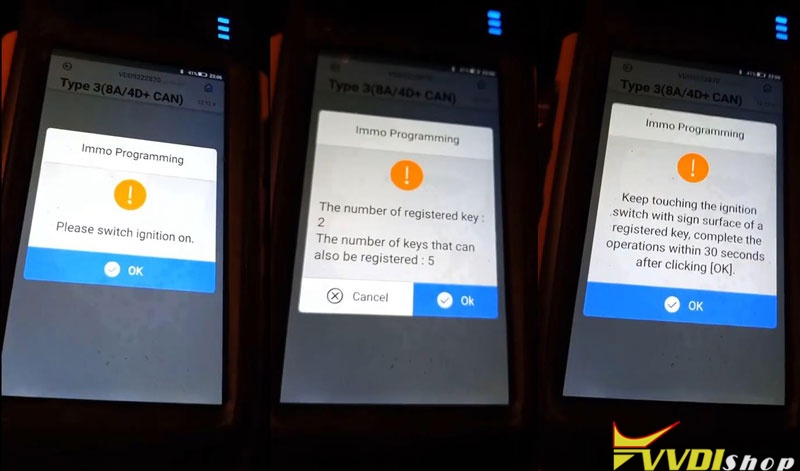
Immo programming >> Toyota >> Select by type >> Smart key system >> Type 3(8A/4D+ CAN) >> Start execution >> Add a key

xhorse vvdi mini obd add toyota vitz 2017 key 1

Please switch ignition on.

The number of registered key: 2

The number of keys that can also be registered: 5


Keep touching the ignition switch with sign surface of a working key, completed within 30s after clicking “OK”.

xhorse vvdi mini obd add toyota vitz 2017 key 2

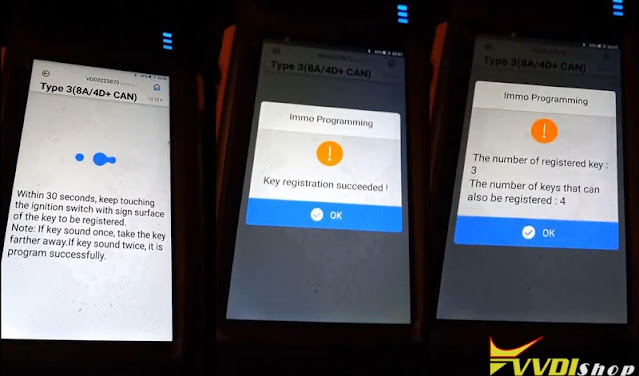
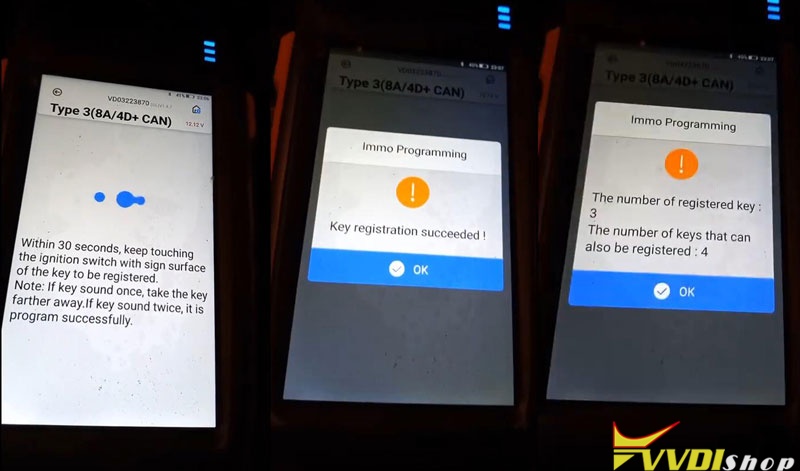
Keep touching the ignition switch with sign surface of a new key within 30s.

Note:

If key sound once, take the key farther away;

If key sound twice, it’s programmed successfully.


Key detected, programming…

Please keep the key touching the ignition switch.

Make sure all steps are completed.

Wait for registration to complete.


Key registration succeeded!

The number of registered key: 3

The number of keys that can also be registered: 4


Remember to check the functions of smart key, all are normal.

Done!

xhorse vvdi mini obd add toyota vitz 2017 key 3

This is how to use VVDI Key Tool Max with MINI OBD Tool to add a Toyota 4D+ CAN key.

www.vvdishop.com

1/09/2022

Xhorse Key Tool Max Program Volvo FH12 Truck All Keys Lost

 How-to: programming the transponder chip on Volvo FH12 2010 Euro5 truck under all keys lost situation using xhorse vvdi key tool max.

Step 1: Read EEPROM
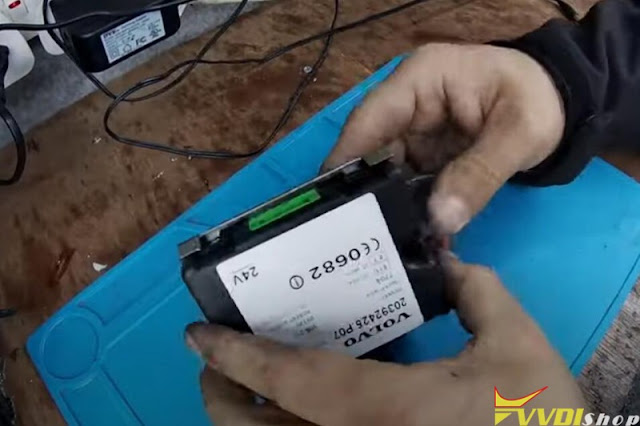
Remove the dashboard and take out the immobilizer box
 
Xhorse Key Tool Max Program Volvo FH12 Truck All Keys Lost 1

Xhorse Key Tool Max Program Volvo FH12 Truck All Keys Lost 2

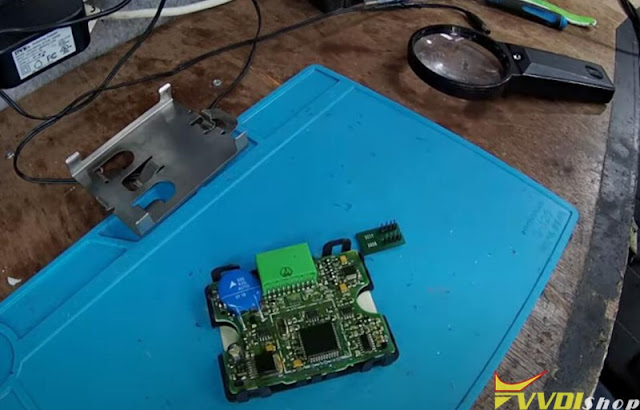
Remove immo box and locate eeprom mic 93C66
Xhorse Key Tool Max Program Volvo FH12 Truck All Keys Lost 3
Xhorse Key Tool Max Program Volvo FH12 Truck All Keys Lost 4

Xhorse Key Tool Max Program Volvo FH12 Truck All Keys Lost 5

Xhorse Key Tool Max Program Volvo FH12 Truck All Keys Lost 6

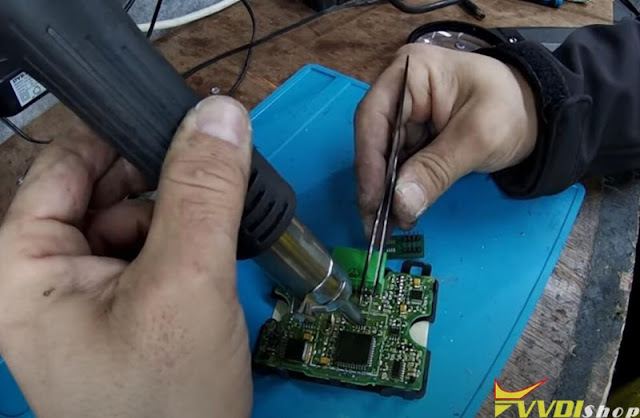
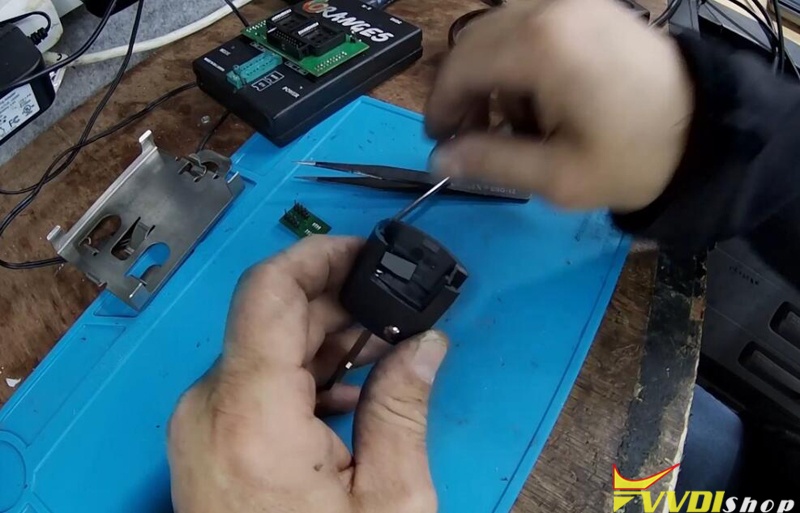
Desolder eeprom ic 93c66 and solder it onto eeprom adapter of a programmer, i.e Orange5
Xhorse Key Tool Max Program Volvo FH12 Truck All Keys Lost 7

Xhorse Key Tool Max Program Volvo FH12 Truck All Keys Lost 8

Read and save eeprom data
Load the orange5 file from pc to key tool max via USB.
Reinstall immo box to vehicle.
Step 2: Write Key
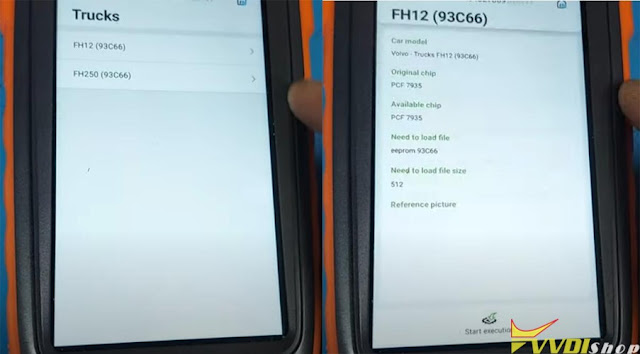
In Xhorse Key Tool Max, go to Special Function -Immo Data Tool- Europe- Volvo- Trucks- FH12 93C66 -Start execution
Xhorse Key Tool Max Program Volvo FH12 Truck All Keys Lost 9

Xhorse Key Tool Max Program Volvo FH12 Truck All Keys Lost 10

Xhorse Key Tool Max Program Volvo FH12 Truck All Keys Lost 11
Xhorse Key Tool Max Program Volvo FH12 Truck All Keys Lost 12

Select 93c66 eeprom bin file saved in Step 1
Insert a PCF7935 transponder into coil
Select an unused key position to write key
Press Prepare dealer key
Xhorse Key Tool Max Program Volvo FH12 Truck All Keys Lost 13
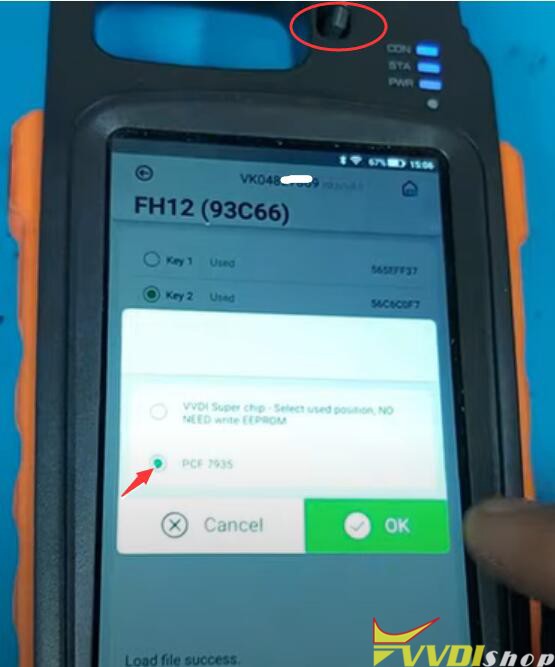
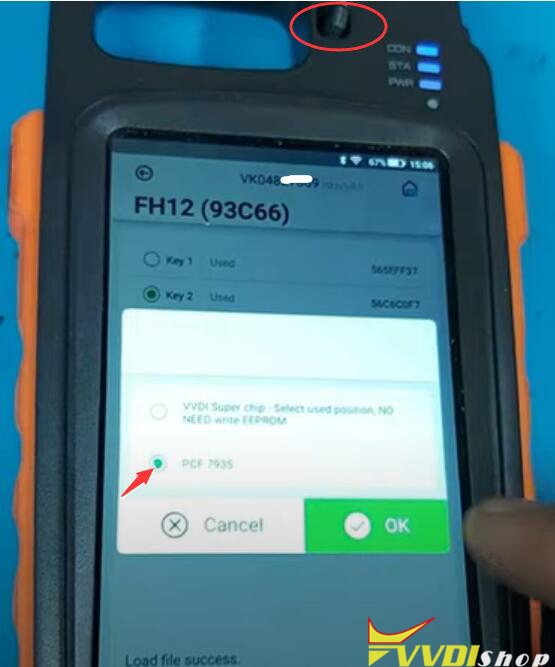
Select transponder type as PCF7935 and press OK to continue
Xhorse Key Tool Max Program Volvo FH12 Truck All Keys Lost 14

Prepare dealer key success. The key can start the engine now.
Xhorse Key Tool Max Program Volvo FH12 Truck All Keys Lost 15
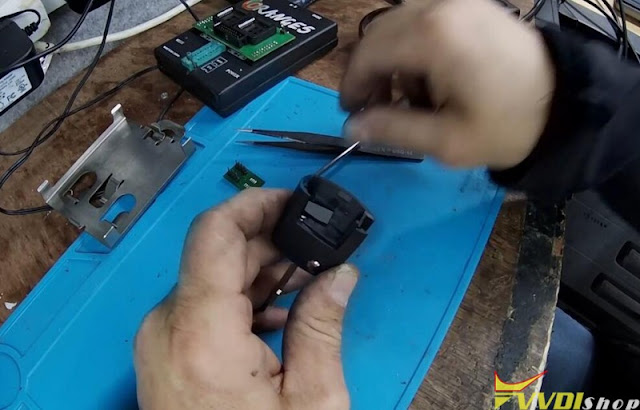
Install the transponder key.
Xhorse Key Tool Max Program Volvo FH12 Truck All Keys Lost 16
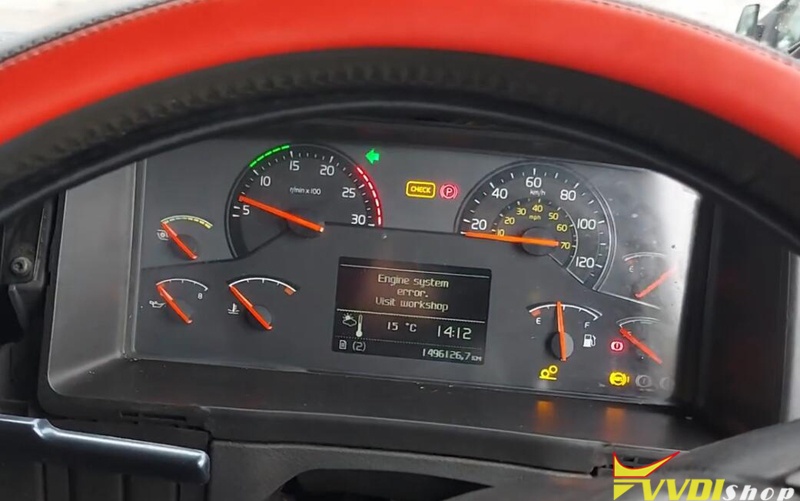
Test the new key. It is working.
Done.
http://blog.vvdishop.com/volvo-fh12-2010-all-keys-lost-with-xhorse-key-tool-max/