2/05/2021

Xhorse VVDI Mini Prog Quick Setting

 Here comes the user manual of Xhorse MINI VVDI Prog hand-held ecu, mcu, eeprom programmer.


  1. Overview

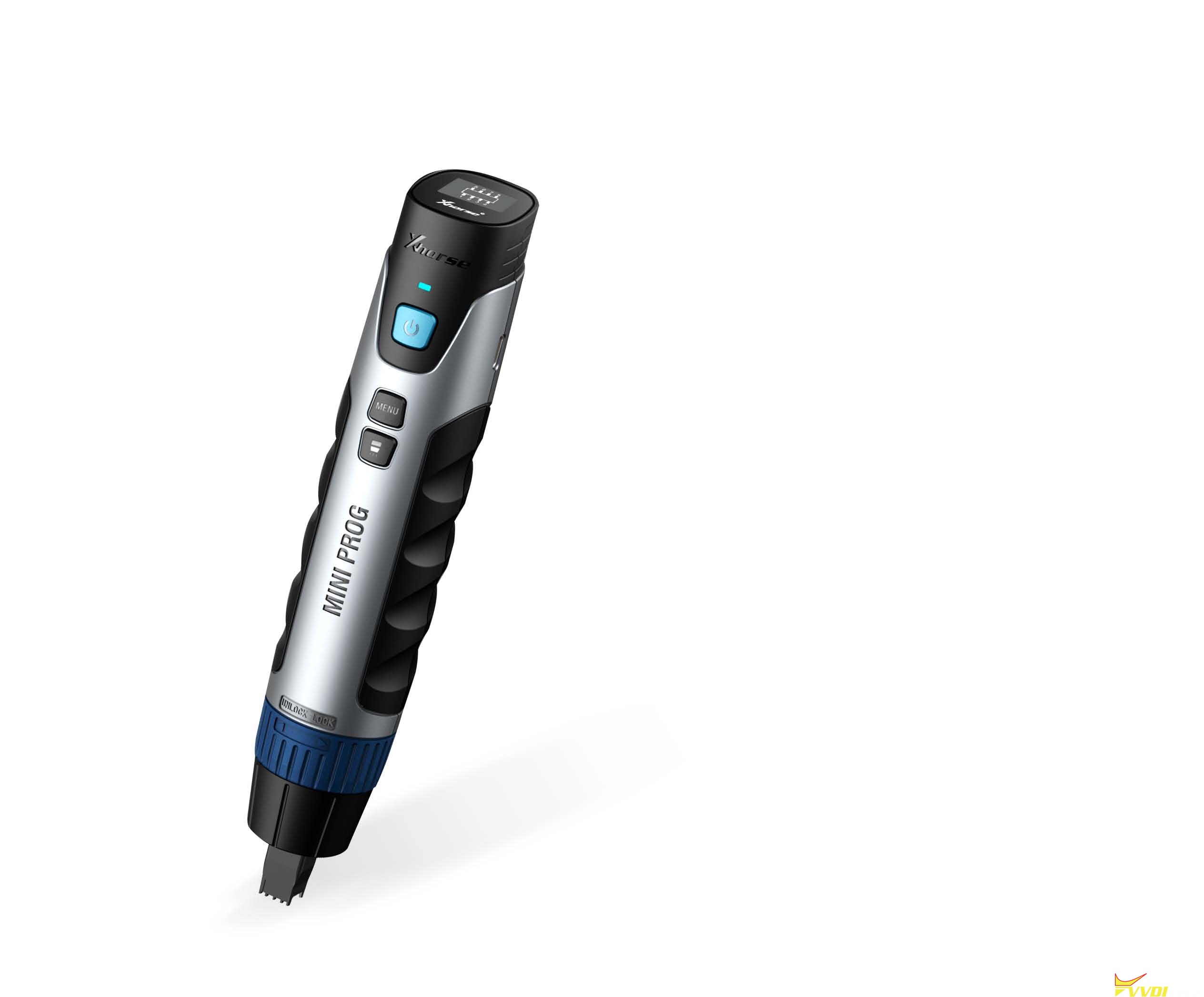
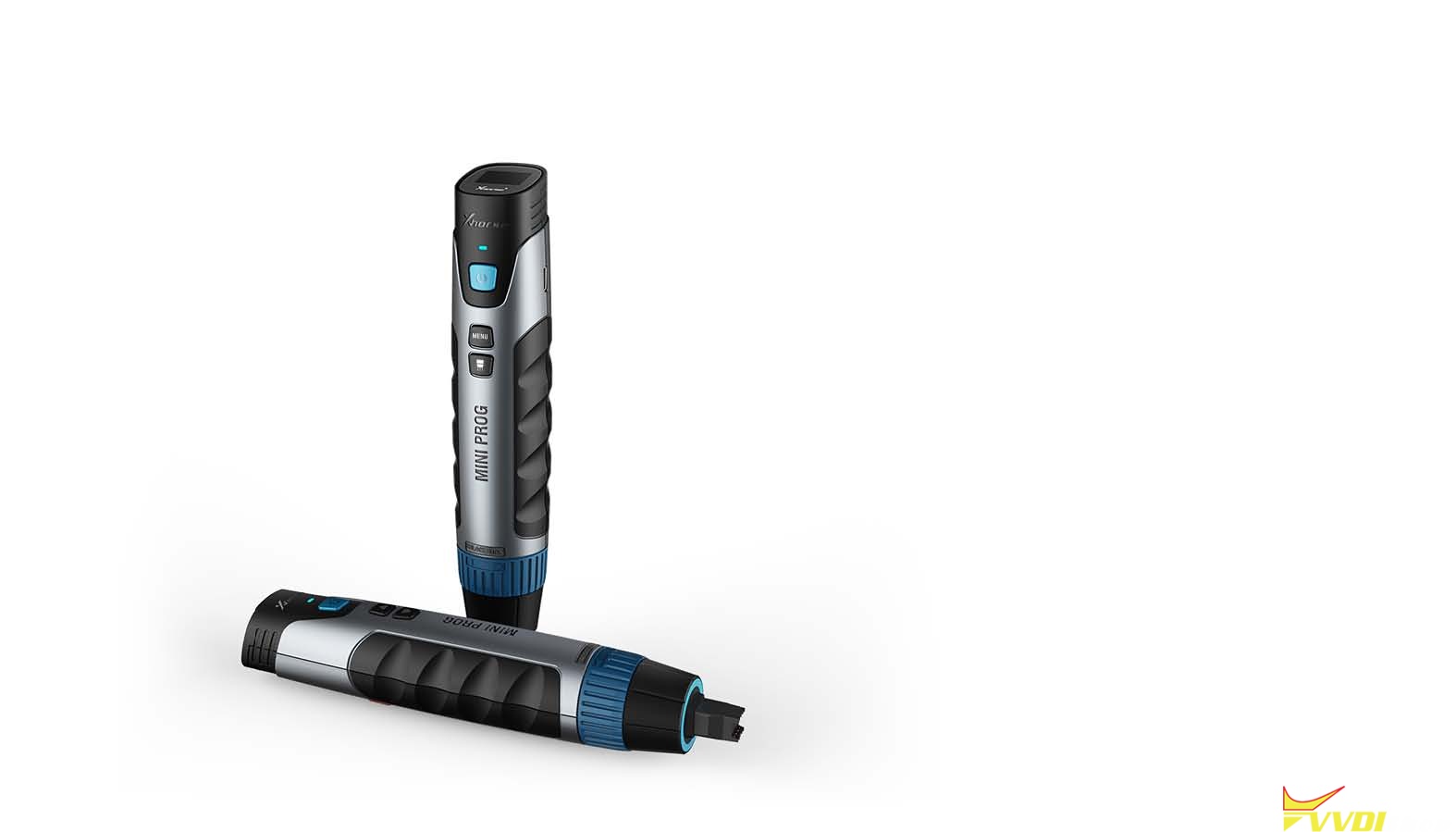
MINI PROG is a professional and stable, multifunction, intelligent, flexible programming device for many different chips, support connection by smart phone, easy to use!

xhorse-vvdi-mini-prog-user-manual-1


  1. Main Functions

Read and write EEPROM data

Read and write Module

Edit data

Read and write MCU data

Data storage


  1. Performance:

Capacity: 2550mAh

Normal Working Hour:  >5H

Standby T:  >5D

Recharging Current: 1500mAh


  1. Package List:
TypeQuantity
MINI PROG1
Push-type SOP8 1# test connector1
Push SOP8 wide body 2# test connector1
Push SOP8 3# test connector1
DB15 cable1
EEPROM Adaptor


1
USB convert TYPE-C cable1
Needle Set


1 set
Instructions1


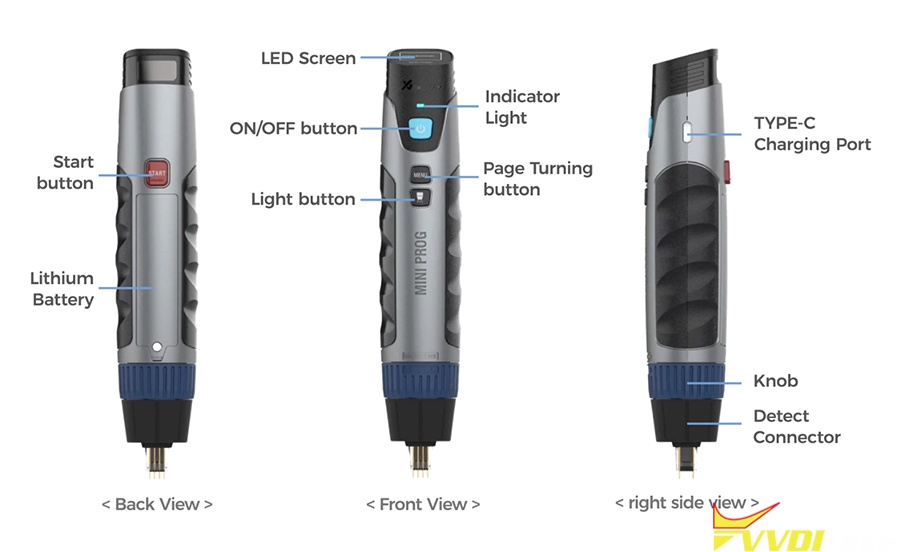
  1. Appearance:

xhorse-vvdi-mini-prog-user-manual-2


Ready to use:

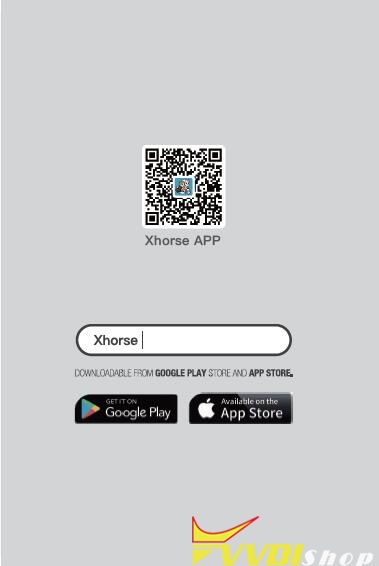
Scan the QR code of Xhorse APP below, or search “Xhorse” in Google Play or APP Store.

xhorse-vvdi-mini-prog-user-manual-3


  1. Quick Setting:

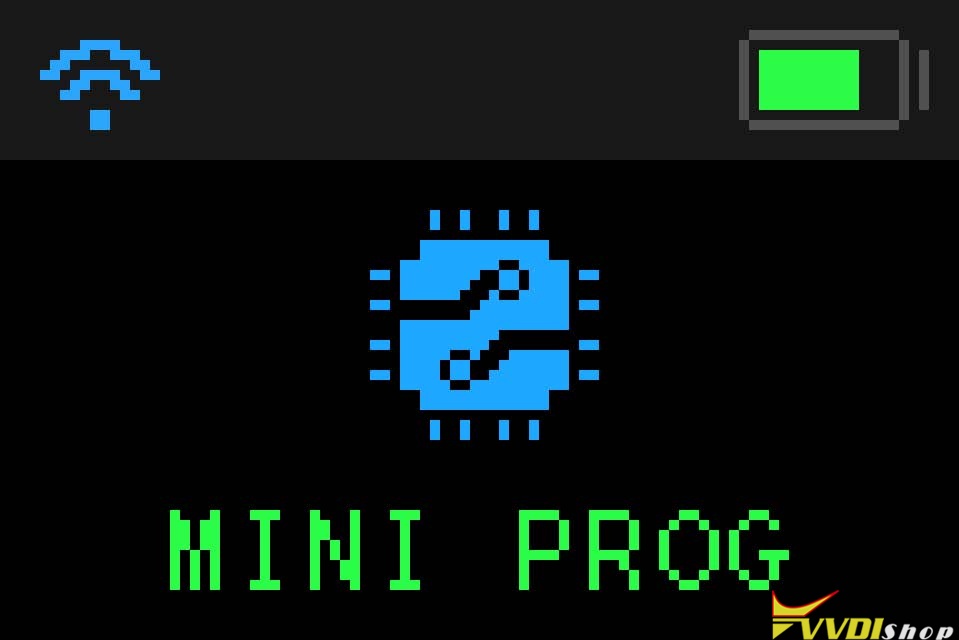
6.1. Press the ON/OFF button to display the boot screen

xhorse-vvdi-mini-prog-user-manual-4

Image 4: Mini Prog boot screen.


6.2. Power off

Press and hold ON/OFF button for 4 seconds, MINI PROG will be shut down.


6.3. Button explanation

① ON/OFF button: Press ON/OFF button for 1-2 seconds to turn on MINI PROG, press and hold for 4 seconds to turn off MINI PROG.

② Start button: When MINI PROG is on and preparation is ready, press ‘Start’ to work.

③ Page Turning button: When the screen cannot display all content, click to ‘Page Turning’ to view related information.

④ Light button: After MINI PROG is connected to one of the test connectors 1, 2, and 3, if nened light press the ‘Light’ button, the corresponding test connector light on, press again to turn it off.

xhorse-vvdi-mini-prog-user-manual-5


6.4. Connect to smartphone

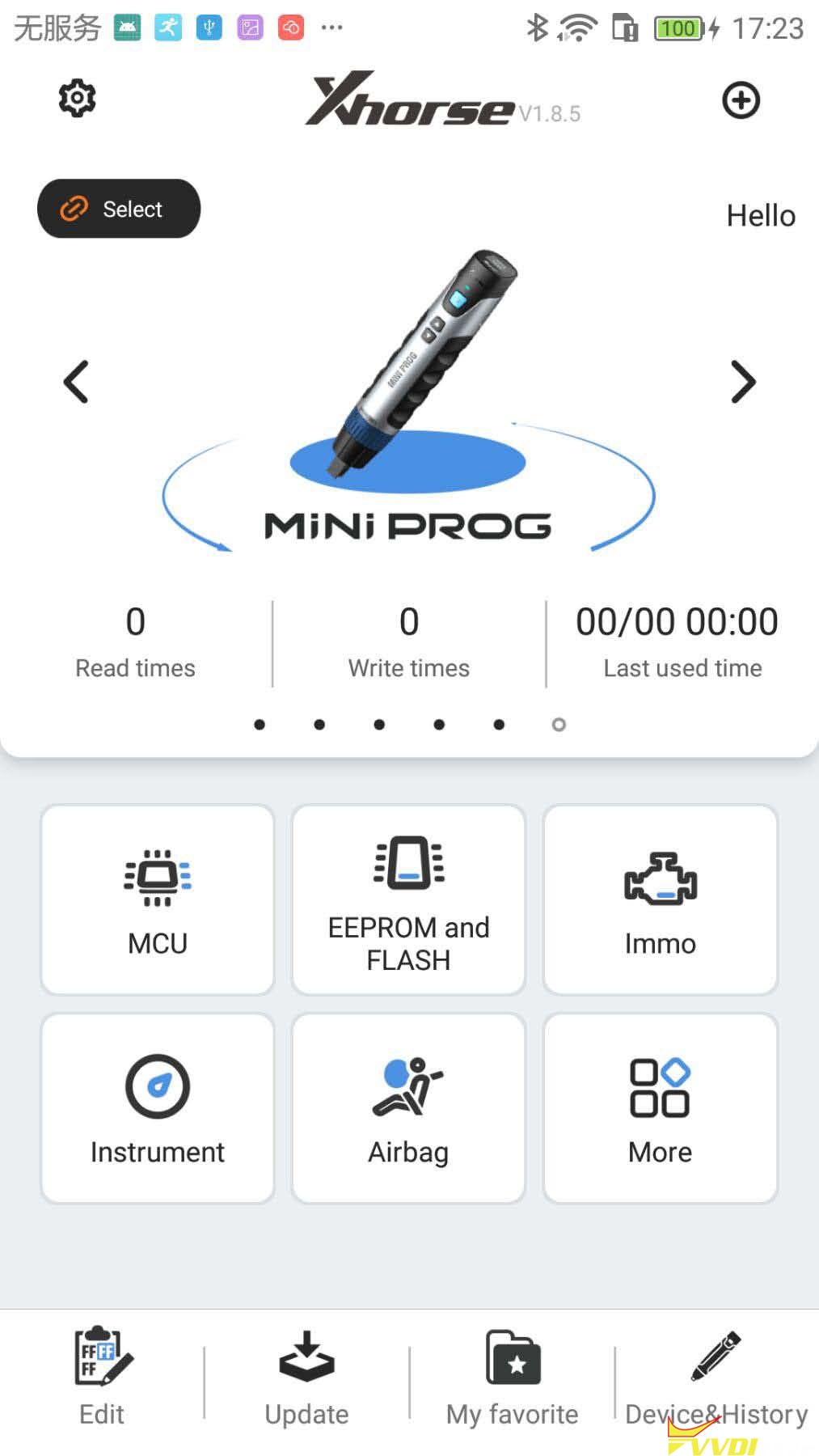
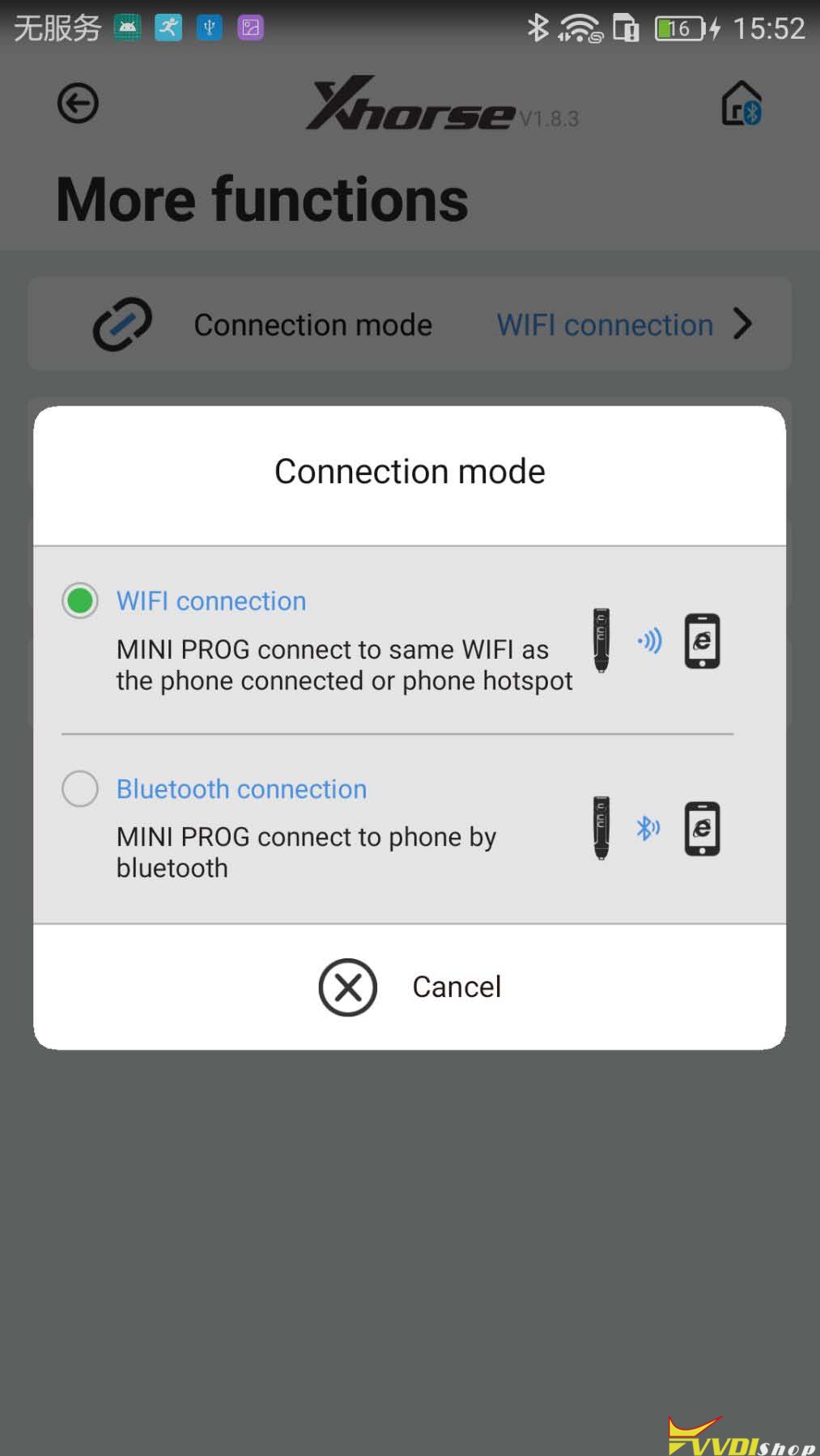
MINI PROG support connect to smartphone by Bluetooth or WIFI.

① Click 【Connect to device】from HOME page, available device serial number will be shown, according to SN, select proper device to connect.

② There are 2 connection ways for user selection: Bluetooth or

WIFI, according to the connection way, device will be connected automatically.

xhorse-vvdi-mini-prog-user-manual-6

xhorse-vvdi-mini-prog-user-manual-7


6.5. Recharging

Please use a 1.5A charger connect to the USB port for recharging MINI PROG. When charging in power-on status, the battery icon in device status information will be shown recharging status, indicator light on. When charging in power-off status, the indicator light on; after battery

fully charged, device will be stopped charging automatically for protecting battery.


  1. Maintenance
  • Do not hit it violently, shake or throw it.
  • Do not wash main body and other parts with water or other liquid directly, and do not clean MINI PROG with wet cloth.
  • Do not place MINI PROG on high temperature, high humidity or dusty places.
  • Do not take MINI PROG apart or retrofit it in private otherwise mainboard will be damaged or battery will on fire and etc.
  • Please keep screen, test connectors and other main parts well and prevent sharp objects to do damage to them.

xhorse-vvdi-mini-prog-user-manual-8

  1. Warranty and after-sale instructions

MINI PROG has one year warranty, and it is based on the date on the transaction voucher; If do not have transaction voucher or lost it, the factory date recorded by the manufacturer will prevail.


※ Situations on the below cannot get free repair

  • Damage caused by not following the use instructions.
  • Damage caused by repairing or retrofitting in private.
  • Damage caused by fall, crash or inappropriate voltage.
  • Damage caused by inevitable force.
  • Damage caused by using in harsh environment or on the

vehicle and ship for a long time;

Get main body dirty and worn due to use.


Please get in contact with dealer or scan the QR code behind the instruction, download Xhorse official APP to get after-sale and technical support.


All rights reserved. Any individual or organization is forbidden to copy or spread

in any form from this manual without permission.

Due to product improvements, the contents of this manual may change without

notice.

www.vvdishop.com

http://blog.vvdishop.com/xhorse-vvdi-mini-prog-programmer-user-manual/

2/03/2021

Xhorse VVDI Prog BMW B48 B58 Pinout

 Xhorse VVDI Prog V4.9.9 adds BMW B48 ISN reading on bench. Bosch ecu adapter is required.


+ Add B48 (ADAPTER) option in
<10-BOSH-ECU-ADAPTER>-><BMW>


VVDIProg B48 B58 wiring diagram

*B58 is not yet supported. B58 will be added in the feature update.

vvdi-prog-b48-b58-wiring

VVDI-Prog now can read ISN from BMW N20/N55/B38/B48 and lots of other ECUs with adapter.

Check bosch ECU adapter available list here:

https://www.vvdishop.com/wholesale/vvdi-prog-bosch-ecu-adapter-read-isn-without-opening.html

Xhorse VVDI Prog Big Update V4.9.9

Xhorse VVDI Prog programmer released big software update V4.9.9 on Feb. 3rd, 2021. This update adds lots of RENESAS RL78 M16C M32C R32C RL78 RH850 series MCUs.


VVDIProg v4.9.9 (2021-02-03)
* This version DON’t need update firmware
+ Add VVDI PROG USER MANUAL 4.9.9
version in Doc folder
+ Add EPCS1,
EPCS16,
EPCS128,
EPCS4,
EPCS64 options in
<1-EEPROM&FLASH>-><ALTERA>
+ Add AT59C11,
AT17C128,
AT17C256,
AT26DF081 options in
<1-EEPROM&FLASH>-><ATMEL>
+ Add EN25x05,
EN25x10,
EN25x16,
EN25x20,
EN25x32,
EN25x40,
EN25x64,
EN25x80 options in
<1-EEPROM&FLASH>-><EON>
+ Add BR9010,
BR9020,
BR9040 options in
<1-EEPROM&FLASH>-><ROHM>
+ Add S-29255,
S-29355 options in
<1-EEPROM&FLASH>-><SEIKO>
+ Add R5F10ExAx_Flash_16KB_Write,
R5F10ExCx_Flash_32KB_Write,
R5F10ExDx_Flash_48KB_Write,
R5F10ExEx_Flash_64KB_Write,
R5F10E_Data_4KB_Write
options in
<2-MCU>-><RENESAS-RL78-G1A>
+ Add M30622F8,
M30623F8,
M3062CF8,
M30620FC,
M3062LFG,
M30626FH,
M30626FJ,
M30621FC,
M3062AFC,
M3062BFC,
M306N4FG,
M30625FG,
M30627FH,
M3062JFH,
M30627FJ,
M306N4FC
options in
<2-MCU>-><RENESAS-M16C>
+ Add M30843FW,
M30843FH,
M30833FJ,
M30835FJ,
M30843FJ,
M30845FJ,
M30853FJ,
M30855FJ,
M30845FW,
M30853FW,
M30855FW,
M30845FH,
M30853FH,
M30855FH,
M30880FW,
M30882FW,
M30880FH,
M30882FH,
M30880FJ,
M30882FJ
options in
<2-MCU>-><RENESAS-M32C>
+ Add R5F64525_UART,
R5F64524_UART
R5F6452M_UART,
R5F6452N_UART
options in
<2-MCU>-><RENESAS-R32C>
+ Add R5F11N/11PxFx_Flash_96KB_Write,
R5F11N/11T/11RxGx_Flash_128KB_Write,
R5F11NxEx_Flash_64KB_Write,
R5F11N_Data_4KB__Write
options in
<2-MCU>-><RENESAS-RL78-H1D>
+ Add R5F107xCx_Flash_32KB_Write,
R5F107xEx_Flash_64KB_Write,
R5F107_Data_4KB_Write
options in
<2-MCU>-><RENESAS-RL78-I1A>
+ Add R5F10MxEx_Flash_64KB_Write,
R5F10MxGx_Flash_128KB__Write
options in
<2-MCU>-><RENESAS-RL78-I1B>
+ Add R5F10Rx8x_Flash_8KB_Write,
R5F10RxAx_Flash_16KB_Write,
R5F10RxCx_Flash_32KB_Write,
R5F10R_Data_2KB__Write
options in
<2-MCU>-><RENESAS-RL78-L12>
+ Add R7F701201,
R7F701205,R7F701501,
R7F701502,R7F701503,
R7F701506,R7F701507,
R7F701508,R7F701511,
R7F701512,R7F701513,
R7F701521,R7F701522,
R7F701524,R7F701525,
R7F701526,R7F701527,
R7F701528,R7F701529,
R7F701530,R7F701531,
R7F701534,R7F701708,
R7F701709,R7F701710,
R7F701711,R7F701714,
R7F701715,R7F701644,
R7F701645,R7F701646,
R7F701647,R7F701648,
R7F701649,R7F701650,
R7F701651,R7F701652,
R7F701653,R7F701684,
R7F701685,R7F701686,
R7F701687,R7F701688,
R7F701689,R7F701690,
R7F701691,R7F701692,
R7F701693,R7F701694,
R7F701695,R7F701032,
R7F701371,R7F701372,
R7F701396,R7F701373,
R7F701374,R7F701397,
R7F701A22 options in
<2-MCU>-><RENESAS-RH850>
+ Add D70F3461 option in
<2-MCU>-><RENESAS0-V850>
+ Add CEM(R5F64524),
CEM(R5F64525)
options in
<4-IMMOBILIZER>-><VOLVO>
+ Add LEXUS(R7F701A22) option in
<7-AIRBAG>-><TOYOTA>
+ Add B48(ADAPTER) option in
<10-BOSH-ECU-ADAPTER>-><BMW>
* Fix some RH850 options
* Fix some STM8 options


Free download xhorse vvdi prog v4.9.9 software

https://mega.nz/file/Zd0VGa6Y#uZWG0vllblnbCir5nSE5q_FoVZlRYpbi6RQr-XoZCUA


www.vvdishop.com

1/31/2021

Xhorse Error Only Support Wire Key Solution

 Problem:

I am new using the Xhorse vvdi mini key tool, why every time am getting this message? remote clone vw passat cc 2009?

Error: “SN2 model detected, special clone only support wire key, please change key module.”


xhorse-only support wire key,

Solution:

Wrong remote type.

For others who had the same error, please use XHORSE WIRE REMOTE for Remote Clone, you can’t use wireless remote.
The remotes are not copied but generated for the specific car model and then programmed with a tester or manually. Only some is copied for garage doors, barriers and aftermarket alarms.
For vw passat cc 2009, better program with xhorse vvdi2.
Example:
http://blog.vvdishop.com/adapt-passat-cc-key-with-vvdi2-on-bench/

1/28/2021

How to Download Dump File from PC to Xhorse Key Tool Max?

 Here’s an easy guide to download a dump file from Xhorse website on Windows PC to your xhorse vvdi key tool max or key tool plus device.

Turn on key tool max

Go to Setting on the top right corner

download-dump-to-xhorse-key-tool-max-1

Select Scan function

download-dump-to-xhorse-key-tool-max-2

Browse Xhorse website  i.xhorse.com on Windows PC which will give you a QR Code to login

Scan the QR code

download-dump-to-xhorse-key-tool-max-3

Scan successful

You need to read the dump data and upload dump to Xhorse data center


Then go to Key tool max, select Special Function->Immo Data Tool->Select region->Car brand and model, i.e European BMW EWS4

download-dump-to-xhorse-key-tool-max-4

download-dump-to-xhorse-key-tool-max-5

Go to File Management->My data

download-dump-to-xhorse-key-tool-max-6

Now you can choose correct bin file from File management

download-dump-to-xhorse-key-tool-max-7

You are allowed to download dump file to the new Xhorse VVDI Key Tool Plus Pad as well.

Select “Programmer” function of the key tool plus, and choose “Data edit”>>“Scan code & login”, then scan the QR code on the xhorse website and login.


File make key examples by downloading dump to key tool max:

VVDI Key Tool File Makes Key Renault Duster 2010- 95040

Program Skoda Octavia 2001- Key with VVDI Key Tool Max?

VVDI Key Tool Max File Makes BMW X1 CAS3+ Key via IMMO Data Tool

1/27/2021

Xhorse VVDI BMW Tool Update to V1.6.6

 Xhorse VVDI BMW Tool software released to V1.6.6 on Jan. 28th, 2021.

VVDI BIMTool pro same update will be released new week.


VVDI BMW V1.6.6:

*** 2021-01-28
*** Require firmware V1.4.7
************************************************************************
===== BMW V1.6.6 =====
1. Support read MSV90 ISN from OBDII
2. Support disable/enable keys for G-series
3. Improvement for E/F/G series programming and coding
4. Bugfix

1/24/2021

Xhorse VVDI Mini Prog Read BMW CAS4+ D-Flash

 How to use Xhorse VVDI Mini Prog Programmer to read BMW CAS4+ 5M48H eeprom D-flash? Today I’m gonna show how easy to read the solder free adapter that Xhorse released.


Preparation

A Mini Prog Programmer,  Mini Prog solder free adapter and a BMW CAS4+ adapter.

vvdi-mini-prog-read-bmw-cas4-5m48h-1

Procedure

Step 1. Connection

Insert the cable into Mini VVDI Prog Programmer, rotate the head for fixation. Insert the other side of cable to BMW CAS4+ adapter, and fix it.

vvdi-mini-prog-read-bmw-cas4-5m48h-2

vvdi-mini-prog-read-bmw-cas4-5m48h-3

vvdi-mini-prog-read-bmw-cas4-5m48h-4

Step 2. Go to Xhorse App

Start up Xhorse app on smart phone, connect it with Mini Prog via Bluetooth.


Step 3. Read D-Flash

Press IMMO >> BMW >> BMW >> CAS4+(5M48H)-Backup (Adapter) >> Read >> D-Flash


Press “Continue” or START button on Mini Prog to start reading.


It may take some time for reading…

vvdi-mini-prog-read-bmw-cas4-5m48h-5

vvdi-mini-prog-read-bmw-cas4-5m48h-6

Step 4. Load D-Flash data file.

Rename the file, press “OK” to save.


Reading complete, it will display the saved path of file. We can load the data to Xhorse VVDI2, which will help to program the key.

vvdi-mini-prog-read-bmw-cas4-5m48h-7

Step 5. Find data file for programming.

Exit back to main page, find out the file data as saved path.

File Management >> Local File >> Mini_Prog >> 202101 >> CAS4 df.bin

vvdi-mini-prog-read-bmw-cas4-5m48h-8

Check full video for reading Land Rover RFA adapter:


VVDI Mini Prog solder-free adapters bring users easy and fast for daily work.

https://www.vvdishop.com/