12/22/2021

How to Add Nissan Navara 2018 Xhorse Smart Key?

 Xhorse VVDI Key Tool Max + MINI OBD Tool can be used to read password & program a new key for Nissan Navara 2018 via OBD. Following I’ll be using the XSKF01EN Universal Smart Key as a demo.


The original smart key: 46 chip, 433Mhz FSK frequency.

vvdi mini obd tool Add Nissan Navara 2018 Xhorse Smart Key 1

Generate Remote

Put VVDI XS smart key into VVDI Key Tool Max coil.

Vehicle remote >> Nissan >> Juke >> Juke(2010-2017) KeylessGo ID46 433M >> Generate remote

Generate smart remote success.
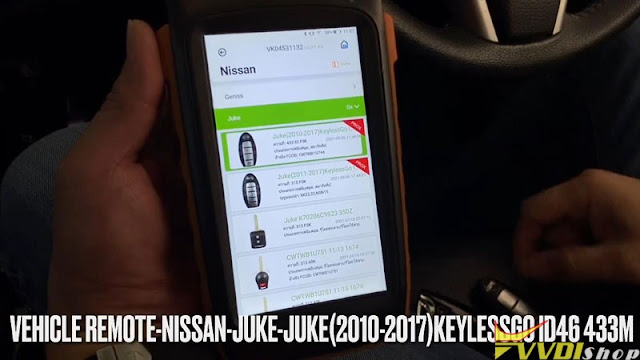
vvdi mini obd tool Add Nissan Navara 2018 Xhorse Smart Key 2

vvdi mini obd tool Add Nissan Navara 2018 Xhorse Smart Key 3

Read BCM Code & Password

Plug Xhorse MINI OBD Tool into OBDII port, connect it with Key Tool Max via Bluetooth.

Before programming, check whether ELV is locked.


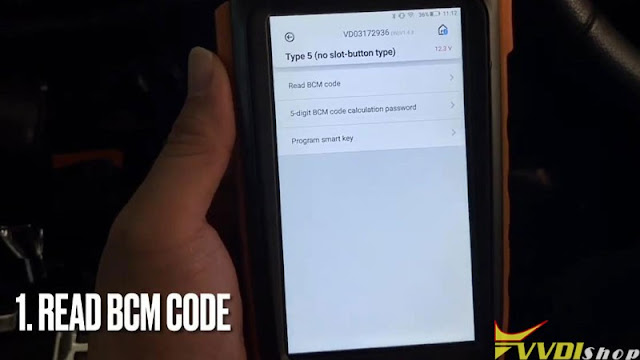
Immo programming >> Nissan >> Select from system >> Smart >> 4 digits PIN >> Type 5(No slot – button type) >> Start execution >> Read BCM code


Switch ignition on.

BCM code has been read out.


Press “5-digit BCM code calculation password”.

It’ll will calculate 2 passwords:

New password is for the vehicle after 2009;

Old password is for the vehicle before 2009.


This function requires online, press “OK” to continue.

Fill in BCM code

vvdi mini obd tool Add Nissan Navara 2018 Xhorse Smart Key 4

vvdi mini obd tool Add Nissan Navara 2018 Xhorse Smart Key 5

vvdi mini obd tool Add Nissan Navara 2018 Xhorse Smart Key 6

vvdi mini obd tool Add Nissan Navara 2018 Xhorse Smart Key 7

Password have been read out.

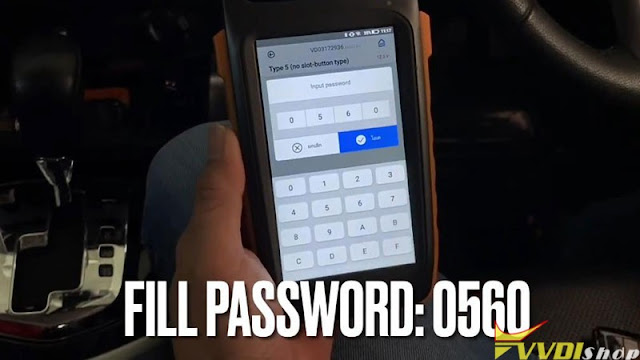
This is a 2018 Nissan, so use new password: 0560.


Before programming, turn switch off, open and close driver door to make ELV locked.

Turn on Hazard light.

Program smart key >> Fill in password: 0560
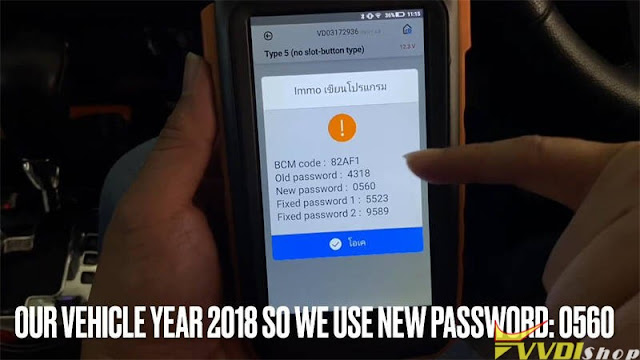
vvdi mini obd tool Add Nissan Navara 2018 Xhorse Smart Key 8

vvdi mini obd tool Add Nissan Navara 2018 Xhorse Smart Key 9

Take all smart keys out of the car, click START button once, turn the security light.

Whether the direction lock has been released? No

You can hear steering lock now release unlocked(steering wheel can move).


Add Smart Remote

Now this vehicle is ready to add smart remotes.

Please follow the steps to complete the match:

  1. Take all smart keys to be programmed into the vehicle, close & press start button once ,wait for IMMO light to go out(blink 5 times), then turn off ignition switch.
  2. If add multiple keys, please repeat step 1.
  3. Place the programmed smart key close to start button, start the car(wait for 10s) then turn off the ignition.
  4. If the direction lock does not reset, try pressing start button a few more times, open then close the driver door until steering lock registration completed.

vvdi mini obd tool Add Nissan Navara 2018 Xhorse Smart Key 10

vvdi mini obd tool Add Nissan Navara 2018 Xhorse Smart Key 11

Turn Hazard light off to test the remotes.

All work well, and can start engine OK.

Done!

vvdi mini obd tool Add Nissan Navara 2018 Xhorse Smart Key 12

This is how to use VVDI Key Tool Max & MINI OBD Tool to add a key for Nissan Navara 2018 successfully.

www.vvdishop.com

12/20/2021

Tips to Update Xhorse VVDI Mini OBD WiFi Firmware

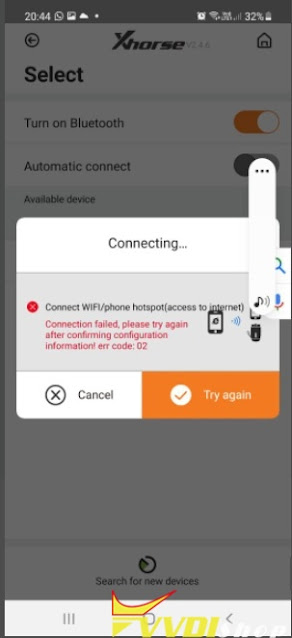
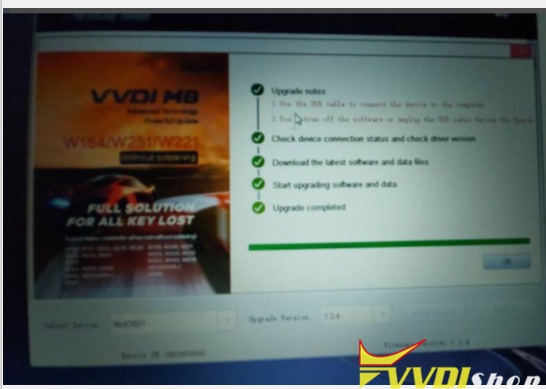
 Need to update Xhorse VVDI Mini OBD Tool firmware to v1.0.2 via WiFi, it failed me.  Error:  ‘Connection failed, try again after confirming configuration information error code:02’. Also tried updating via Upgrade kit, no luck.

Any idea?
Update Xhorse VVDI Mini OBD WiFi Firmware 1

Update Xhorse VVDI Mini OBD WiFi Firmware 2

Update Xhorse VVDI Mini OBD WiFi Firmware 3

Solution:
WiFi firmware update requires WiFi connection thru mobile phone.
Set phone Hotspot to 2.4GHZ, reconnect device and try again.


12/19/2021

Program Toyota Corolla 2015 Key with VVDI Key Tool Max + Mini OBD Tool

 Xhorse VVDI Key Tool Max + MINI OBD Tool can program Toyota Corolla Altis 2015 via OBD successfully. Following is the operation procedure with a working key.
 

Generate remote via VVDI Key Tool Max

This is XK Universal Remote without chip.

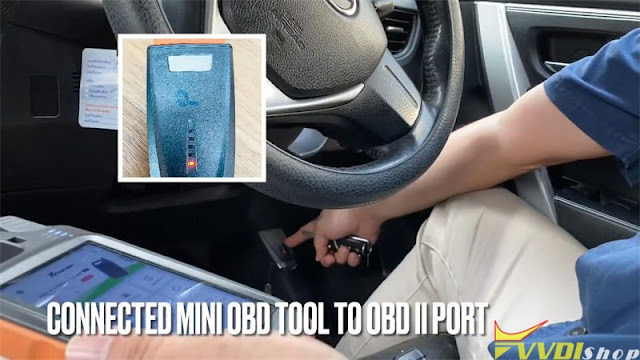
Connect MINI OBD Tool to OBDII port, press

Generate remote >> Vehicle remote >> Toyota >> Corolla Thailand >> Corolla Altis 2014+ 1404


Connect XK Remote with VVDI Key Tool Max,

press “Generate remote”.

Burn success.


Insert battery and install into remote shell.

Program Toyota Corolla 2015 Key with VVDI Key Tool Max + Mini OBD Tool  1

Program Toyota Corolla 2015 Key with VVDI Key Tool Max + Mini OBD Tool  2

Program Toyota Corolla 2015 Key with VVDI Key Tool Max + Mini OBD Tool 3

Program Toyota Corolla 2015 Key with VVDI Key Tool Max + Mini OBD Tool 4

Program remote via VVDI Mini OBD Tool

Make sure MINI OBD Tool is connected to Key Tool Max via Bluetooth, recommend to choose “Extended connection”. When indicator flashing with blue that means successful.


Turn on ignition with working remote. Press

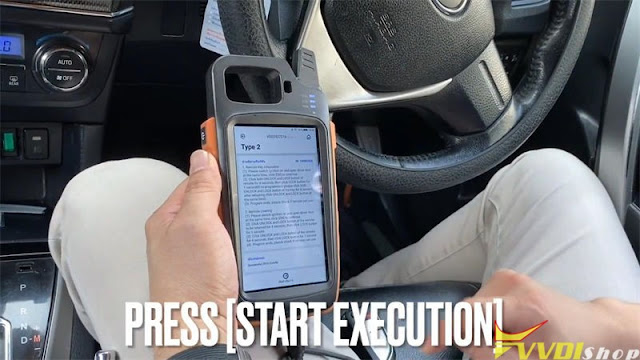
IMMO programming >> Toyota >> Select by type >> Remote system >> Type2 >> Start execution >> Remote adding


Switch ignition on and open driver door at same time, press”OK”.


Complete the following operations within 30s:

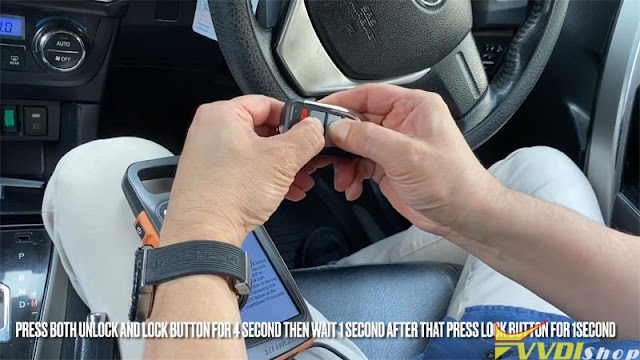
Press both UNLOCK & LOCK button for 4s, then press LOCK button for 1s.

(If no programmed, press both LOCK & UNLOCK button for 4s, after releasing, press both at the same time.)


Match ends, check if remote can use.

Pull key out of ignition switch and test remotes.

All can work, done!

Program Toyota Corolla 2015 Key with VVDI Key Tool Max + Mini OBD Tool 5

Program Toyota Corolla 2015 Key with VVDI Key Tool Max + Mini OBD Tool 6

Program Toyota Corolla 2015 Key with VVDI Key Tool Max + Mini OBD Tool 7

Program Toyota Corolla 2015 Key with VVDI Key Tool Max + Mini OBD Tool 8

www.vvdishop.com

12/16/2021

Program Citroen C3 2010 Key with Xhorse VVDI Mini OBD Tool

 How-to: generate remote, read pin code and program a spare remote key on a Citroen C3 2010 with xhorse vvdi key tool max and mini obd tool.

Program Citroen C3 2010 Key with Xhorse VVDI Mini OBD Tool 1

Original remote

Program Citroen C3 2010 Key with Xhorse VVDI Mini OBD Tool 2

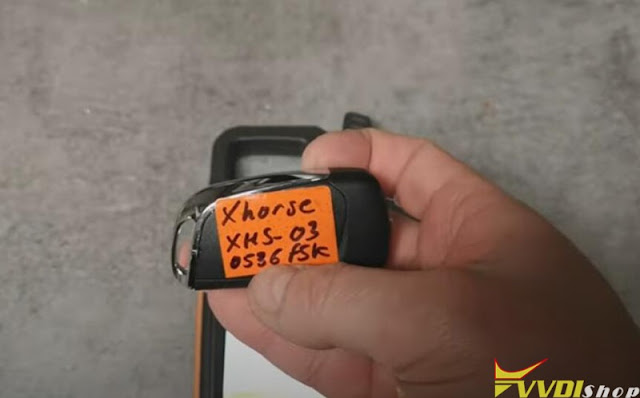
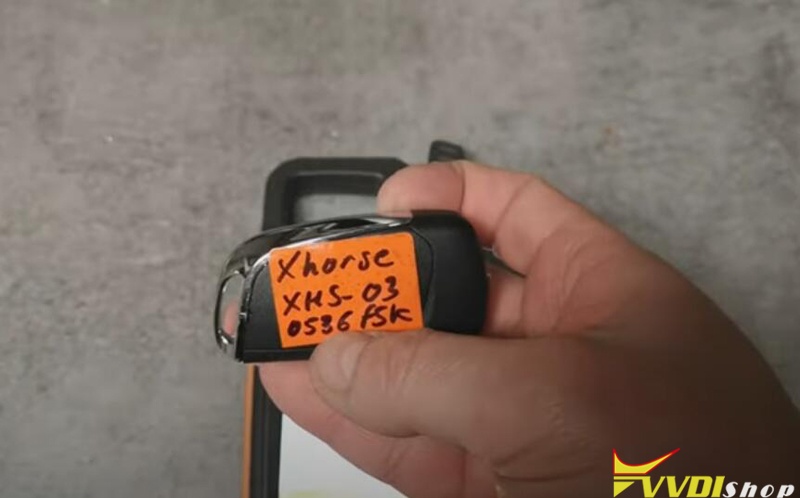
Xhorse universal wireless remote DS style


Step 1: Generate remote

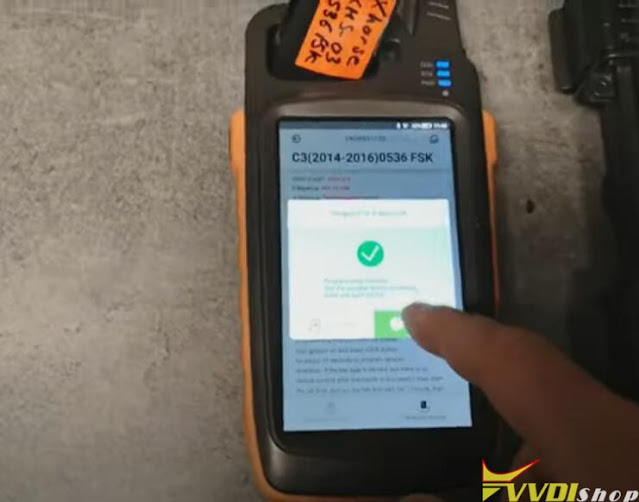
Got o Generate remotoe- Citroen- C3 (2014-2016) 0356 FSK

Program Citroen C3 2010 Key with Xhorse VVDI Mini OBD Tool 3

Program Citroen C3 2010 Key with Xhorse VVDI Mini OBD Tool 4

Generate xhorse wireless remote succeeded


Step 2: Read PIN code

Connect vvdi mini obd tool with the vehicle and go to Xhorse App
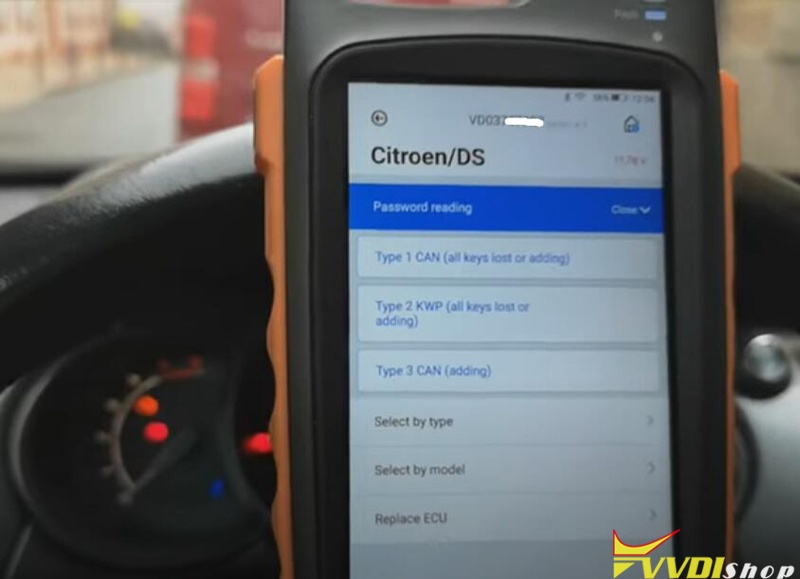
Go to Immo- Citroen/DS- Password reading- Type 3 CAN (add key)

Program Citroen C3 2010 Key with Xhorse VVDI Mini OBD Tool 5

Program Citroen C3 2010 Key with Xhorse VVDI Mini OBD Tool 6

Program Citroen C3 2010 Key with Xhorse VVDI Mini OBD Tool 7


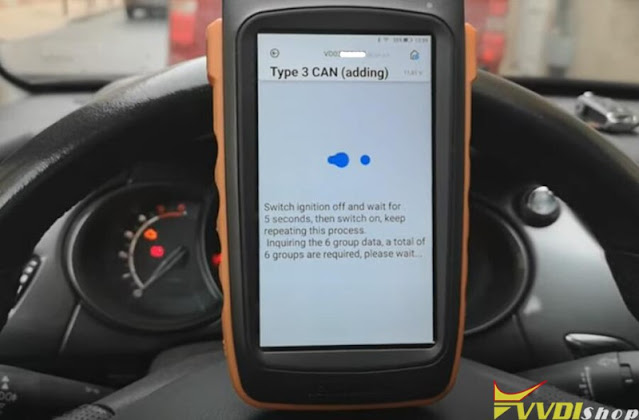
Turn ignition off
switch ignition off and wait for 5s, then switch on, repeat these precess

Program Citroen C3 2010 Key with Xhorse VVDI Mini OBD Tool 8

Program Citroen C3 2010 Key with Xhorse VVDI Mini OBD Tool 9

Program Citroen C3 2010 Key with Xhorse VVDI Mini OBD Tool 10

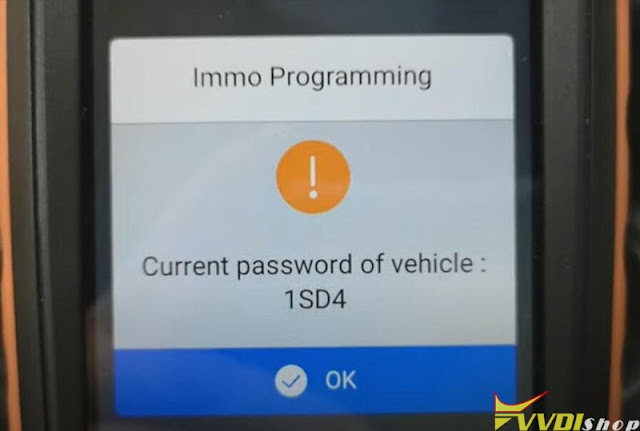
Read 4-digit password success


Step 3: Program remote

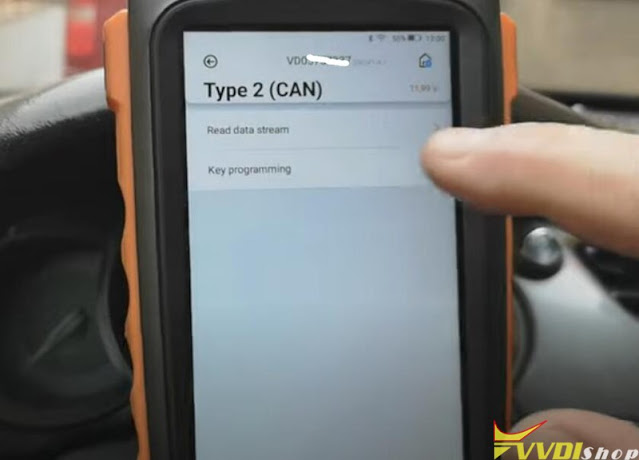
Go back to Citroen/DS- Select by model- C3- Type 2 (CAN)- Key programming

Program Citroen C3 2010 Key with Xhorse VVDI Mini OBD Tool 11

Program Citroen C3 2010 Key with Xhorse VVDI Mini OBD Tool 12

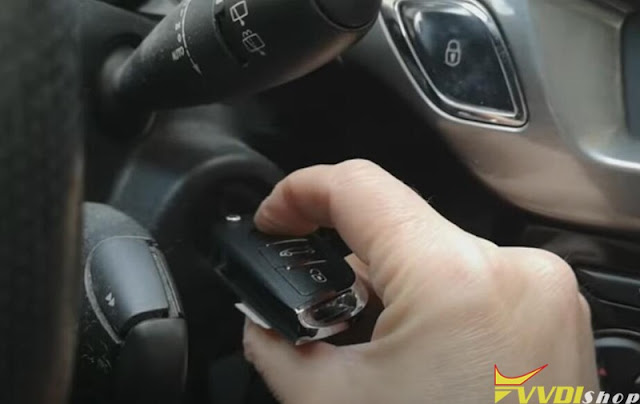
Switch ignition ON with original key

Program Citroen C3 2010 Key with Xhorse VVDI Mini OBD Tool 13

vvdi mini obd tool ask to enter PIN to access

Program Citroen C3 2010 Key with Xhorse VVDI Mini OBD Tool 14

Delete key info.
Switch ignition off
insert original key into ignition and turn on

Program Citroen C3 2010 Key with Xhorse VVDI Mini OBD Tool 15

Program 1st key success
Switch ignition off
Insert xhorse key to be programmed into ignition

Program Citroen C3 2010 Key with Xhorse VVDI Mini OBD Tool 16

Program Citroen C3 2010 Key with Xhorse VVDI Mini OBD Tool 17

Program 2nd key success
Exit if don’t want to another key

Program Citroen C3 2010 Key with Xhorse VVDI Mini OBD Tool 18
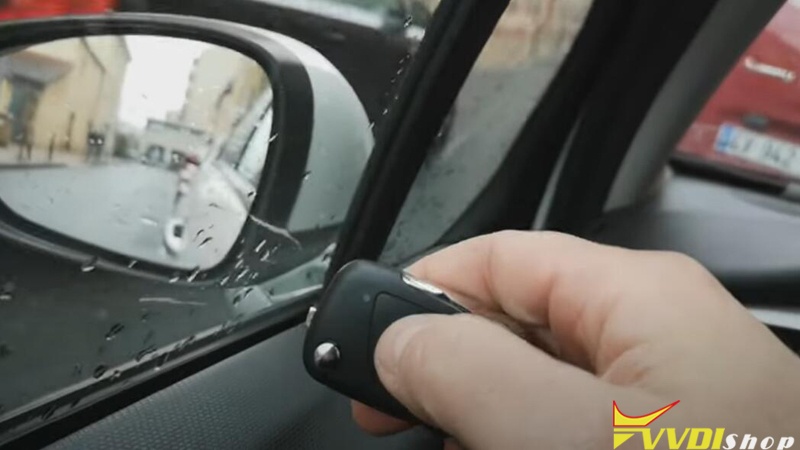
Test remote control and stat vehicle

Done.

www.vvdishop.com

12/08/2021

Toyota RAV4 2015 XM Smart Remote Not Working?

 I tried to use the Xhorse Toyota XM smart key for a Rav4 2015 (8A transponder) 312.10-313.10 MHz but just work start engine touching start button with the key, remote functions do not work, is any option for this dual frequency?  Is not in xhorse key tool max any option for xm key 312.1-313.1 frequency.  xm key is 8A transponder and is possible learn it to the car, remote do not work.

Toyota RAV4 2015 XM Smart Remote Not Working

Tips & Solution:
You can customize Xhorse XM proximity frequency in this path:
Special function/VVDI remote function/XM smart key customization 


Tips to generate Xhorse XM smart remote:

  1. Read original key chip, make sure it is the same type as XM transponder
  2. Read original key frequency, make sure it is the same as XM smart key
  3. Remove the battery from original key during the programming process
  4. Put the original key to the Start button, once beep, change XM smart key (with battery) to Start button within 5s
  5. Remove XM key, if XM key indicator flashes, programming succeeded, otherwise program XM smart key again.


Related post:

Xhorse VVDI Key Tool Plus Customize Toyota 4D 8A XM Smart Key

How to Generate Xhorse Toyota XM Smart Remote via VVDI Key Tool Plus?

12/06/2021

Xhorse VVDI Key Tool Max Unlock BMW Comfort Access

 Here’s the tutorial on unlocking/renewing BMW smart key comfort access (non OEM) remote with xhorse vvdi key tool max remote maker.

OEM come sealed so you have to have aftermarket shell to replace OEM. Old shell is trash after cutting open!


BMW 2004-2010
Smart key/Comfort Access
FCC KR55WK49147
Aftermarket
Remote (None OEM)
Chip PCF7953

Xhorse VVDI Key Tool Max Unlock BMW Comfort Access 1

Xhorse VVDI Key Tool Max Unlock BMW Comfort Access 2

Xhorse VVDI Key Tool Max Unlock BMW Comfort Access 3

Xhorse VVDI Key Tool Max Unlock BMW Comfort Access 4

Status: already locked.

In key tool max, go to Special function- Remote Renew- BMW- 5WK49147 E series 315MHz Smart Key

Xhorse VVDI Key Tool Max Unlock BMW Comfort Access 5

You have two options to unlock smart key, by xhorse renew adapter or soldering
key tool max will show you wiring diagam

Xhorse VVDI Key Tool Max Unlock BMW Comfort Access 6

Xhorse VVDI Key Tool Max Unlock BMW Comfort Access 7

Xhorse VVDI Key Tool Max Unlock BMW Comfort Access 8

We don’t have renew adapter so we have to solder

A renew cable is required. You can make your own renew cable or buy additionally

Xhorse VVDI Key Tool Max Unlock BMW Comfort Access 9

Follow key tool max wiring to connect key board with renew adapter

Xhorse VVDI Key Tool Max Unlock BMW Comfort Access 10

Xhorse VVDI Key Tool Max Unlock BMW Comfort Access 11

Xhorse VVDI Key Tool Max Unlock BMW Comfort Access 12

Press UNLOCK

Xhorse VVDI Key Tool Max Unlock BMW Comfort Access 13

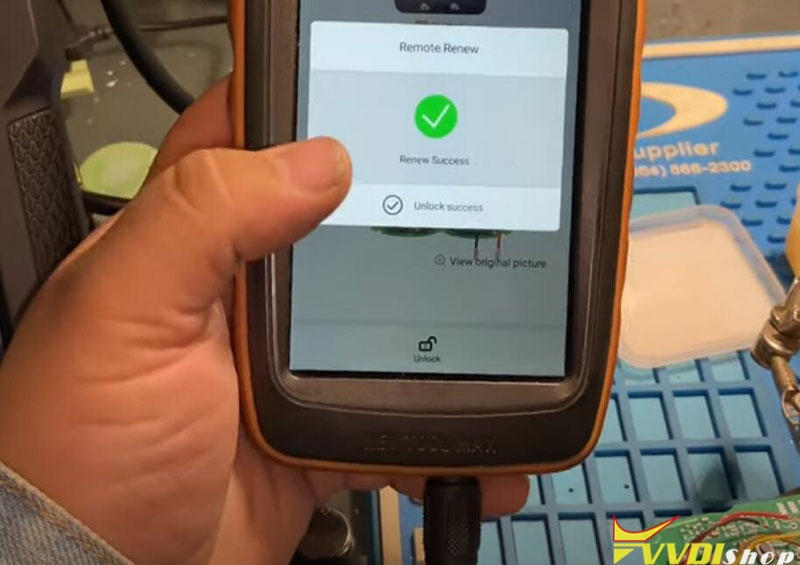
Renew smart key success

Xhorse VVDI Key Tool Max Unlock BMW Comfort Access 14

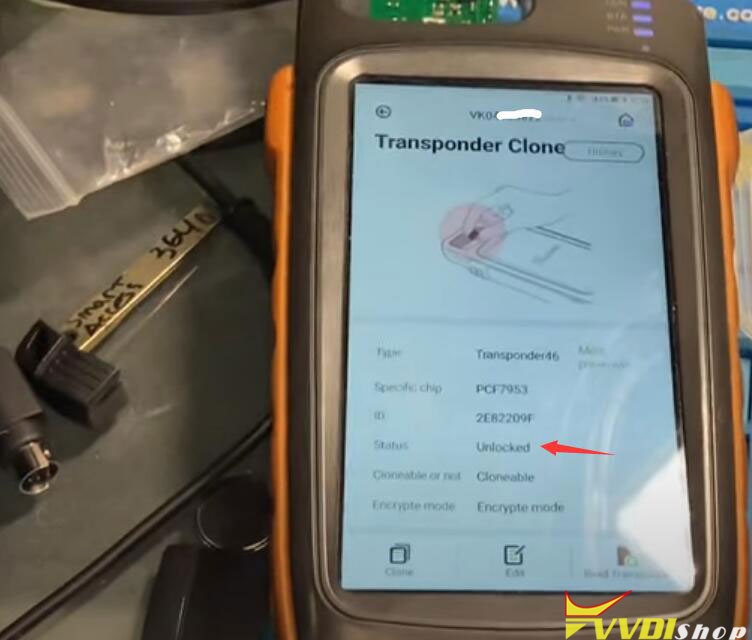
the smart remote has been unlocked successfuly

Xhorse VVDI Key Tool Max Unlock BMW Comfort Access 15

Install key shell. The smart key can be programmed to car with obd programmers.

www.vvdishop.com

12/05/2021

Xhorse VVDI Prog V5.0.9 Software Update Feature

 Xhorse VVDI Prog programmer released new software V5.0.9 upgrade on Dec, 1st, 2021.

VVDIPROG v5.0.9 (2021-12-01)
* This version DON’t need update firmware

* Modify LOCK_BCM2-1(ADAPTER), LOCK_BCM2-1(WELD), LOCK_BCM2-2(ADAPTER), LOCK_BCM2-2(WELD),options in<4-IMMOBILIZER>-><AUDI>:
* Modify DASHBORAD(2013–)(SPC5604S), DASHBORAD(2013–)(SPC5606S), options in <5-DASHBORAD>-><FORD> VCC default voltage changed to 3.7V
+ ADD MA82G5A64, MA82G5B16, MA82G5B32, MA82G5C32, MA82G5C64, MA82G5D16, MG82F6D16,
MG82F6D17, MG82F6D32, MG82F6D64, MG82G5E32, options in <2-MCU>-><MEGAWIN-82>
+ Add R5F21386, R5F21387, R5F21388,
R5F2138A, R5F2138C, options in <2-MCU>-><RENESAS-R8C>
+ Add R7F701202, R7F701204, R7F701215, R7F701216,
R7F701270, R7F701271, R7F701275, R7F701278, options in <2-MCU>-><RENESAS-RH850>
+ Add D70F3441, D70F3447, D70F3483, options in <2-MCU>-><RENESAS-V850>
+ Add J518(2010)(0L01Y)(ADAPTER), J518(1L59W/3L40K)(ADAPTER) options in <4-IMMOBILIZER>-><AUDI>
+ Add CAS3+-0L15Y(ADAPTER), CAS3+-0M23S(ADAPTER), CAS3-0L01Y(ADAPTER), CAS3-2K79X(ADAPTER),
CAS4-1L15Y(ADAPTER), CAS4-1N35H-BACKUP(ADAPTER), CAS4-1N35H-FORCE-UL(ADAPTER),
CAS4-1N35H-R/W/UL(ADAPTER), CAS4-5M48H-BACKUP(ADAPTER), CAS4-5M48H-FORCE-UL(ADAPTER),
CAS4-5M48H-R/W/UL(ADAPTER), options in <4-IMMOBILIZER>-><BMW>
+Add 48-IMMO(ADAPTER)
option in <4-IMMOBILIZER>-><DELPHI>
+ Add NATS5-IMMO option in <4-IMMOBILIZER>-><NISSAN>
+ Add BCM-1L15Y(ADAPTER), BCM-1N35H-BACKUP(ADAPTER),
BCM-1N35H-FORCE-UL(ADAPTER), BCM-1N35H-R/W/UL(ADAPTER), BCM-2M25J-BACKUP(ADAPTER), BCM-2M25J-FORCE-UL(ADAPTER),
BCM-2M25J-R/W/UL(ADAPTER), BCM-5M48H-BACKUP(ADAPTER), BCM-5M48H-FORCE-UL(ADAPTER), BCM-5M48H-R/W/UL(ADAPTER),
options in <4-IMMOBILIZER>-><Porsche>
+ Add CEM V50(2008)(MC9S12XDT512), CEM(R5F64524)((ADAPTER), CEM(R5F64525)(ADAPTER),
CEM1(R5F64524)((ADAPTER), CEM1(R5F64525)(ADAPTER), KVM(ADAPTER), options in <4-IMMOBILIZER>-><VOLVO>
+ Add LACROSSE(2009-2013) option in <5-DASHBOARD>-><BUICK>
+ Add EADO-DT(2018) option in <5-DASHBOARD>-><CHANGAN>
+Add FIT_H(MB91F061BS)(ADAPTER), FIT_L(MB91F061BS)(ADAPTER) options in <5-DASHBOARD>-><HONDA>
+Add SONATA(MB91F062BS)(ADAPTER) option in <5-DASHBOARD>-><HYUNDAI>
+Add K3(MB91F067BS)(ADAPTER), K5(MB91F061BS)(ADAPTER) options in <5-DASHBOARD>-><KIA>
+ Add 523-AIRBAG option in <7-AIRBAG>-><BMW>
+ Add SONG-MAX option in <7-AIRBAG>-><BYD>
+ Add 3658110XPW01A option in <7-AIRBAG>-><GWM>
+ Add FRM-E-SERIES(ADAPTER), FRM-E-SERIES_REPAIR(ADAPTER) options in <8-OTHER>-><BMW>
+ Add MaLiba XL EPS(2020)) option in <8-OHTER>-><CHEVROLET>
+ Add RFA_SEC(9S12XEQ384)(ADAPTER), RFA_SEC(9S12XET256)(ADAPTER) options in <8-OTHER>-><LandRover>


Free download Xhorse VVDI Prog V5.0.9 software

https://mega.nz/file/EM1QgIrY#q9G-xeTnfI5pnouYkqFVC1pkIlkkrGVixnHv6Q1axbY/

Xhorse VVDI2 Software V7.1.6 Update Feature

 Xhorse VVDI2 full software update to V7.1.6 on Dec 6th. 2021.

***        2021-12-06
***        Require firmware V7.1.6

!!!This version require update firmware V7.1.6!!!

=====        VAG V7.1.6                        =====
1. Improvement autodetect for VAG immobilizer system
2. Bugfix

=====        BMW V7.1.6                        =====
1. Bugfix

=====        Porsche V7.1.6                        =====
1. Bugfix

=====        PSA V7.1.6                        =====
1. Bugfix

=====        Transponder Programmer V7.1.6        =====
1. Improvement prepare remote function
2. Bugfix

=====        Copy 48 (96 bits) V7.1.6                =====
1. Bugfix

=====        J2534 V7.1.6                        =====
1. Bugfix