8/30/2023

Xhorse XM38 This Option Not Support BMW Motorcycle Remote?

 Problem: 

I want to generate ID4A remote to a Niro 2023 using xhorse xm38 remote, but vvdi key tool max said this option does not support BMW motorcycle remote. What does it mean?

Xhorse XM38 This Option Not Support BMW Motorcycle Remote

Solution:

You cannot use Xhorse XM38 motorcycle remote to generate this remote, you will need universal XM38 or Toyota XM38.

How to Solve Xhorse VVDI Mini Key Tool BLE Failed Error?

 Problem:

My xhorse vvdi mini key tool stopped working. Error BLE failed. Does anyone know why this happens?

Xhorse VVDI Mini Key Tool BLE Failed Error

Solution:

Update mini key tool via xhorse upgrade kit on PC.

If still the same, there is something wrong with your tool. You might need to send back for repair.

8/29/2023

How to Combine Xhorse FT Mini OBD Tool?

 Here is the guide to combine Xhorse FT Mini OBD tool for Toyota with Xhorse App.

Combine Xhorse FT Mini OBD Tool 1

Connect with xhorse key tool max pro or mini obd tool
In Xhorse App->Account->Combine Device->Combine Device
Select device FT OBD Tool, press OK

Combine Xhorse FT Mini OBD Tool 2

Combine Xhorse FT Mini OBD Tool 3

Combine Xhorse FT Mini OBD Tool 4

Combine Xhorse FT Mini OBD Tool 5

Combine Xhorse FT Mini OBD Tool 6

Then connect Xhorse FT OBD tool and you will be able to combine it with your account
Go to FT OBD Tool App
Press Select icon
Turn on bluetooth connection and connect FT Mini obd via Bluetooth
FT mini obd is connected

Combine Xhorse FT Mini OBD Tool 7

Combine Xhorse FT Mini OBD Tool 8

Combine Xhorse FT Mini OBD Tool 9

When it is connected you can see a Blue indicator turns on

Go to Device information->Combine Device

You will see device is not combined.

Combine Xhorse FT Mini OBD Tool 10

press send security code to your mobile phone
enter security code and combine device
Reflash you will see device information

Combine Xhorse FT Mini OBD Tool 11

Combine Xhorse FT Mini OBD Tool 12

Combine Xhorse FT Mini OBD Tool 13

Combine Xhorse FT Mini OBD Tool 14

App will prompt if there is new firmware database or app update. Keep them up-to-date.

Combine Xhorse FT Mini OBD Tool 15

https://www.vvdishop.com/service/how-to-bine-xhorse-ft-mini-obd-tool.html

8/28/2023

VVDI Prog Bosch ECU Adapter 40 Chip Enter Failed Solution

 Problem:

I failed to read VAG EDC17CP44 with Xhorse vvdi prog and bosch ecu adapter. Software gave an error 40 chip enter failed. What’s the problem?

VVDI Prog Bosch ECU Adapter 40 Chip Enter Failed 1
VVDI Prog Bosch ECU Adapter 40 Chip Enter Failed 2

Solution:

The error indicates your bosh ecu adapter is broken.

Buy a new one and try again.

https://www.vvdishop.com/wholesale/vvdi-prog-bosch-ecu-adapter-read-isn-without-opening.html

8/27/2023

Xhorse Key Tool Max Kia 4D70 Error 10102 Solution

 Problem:

Xhorse vvdi key tool max failed failed to clone 4D70 from a Kia Rio 2023, Calculate failed, error code 10102 any solution?

Xhorse Key Tool Max Kia 4D70 Error 10102 1

Xhorse Key Tool Max Kia 4D70 Error 10102 2

Xhorse Key Tool Max Kia 4D70 Error 10102 3

Xhorse Key Tool Max Kia 4D70 Error 10102 4

Solution:

If it is an older Kia/Hyundai, it might be network issue.

Need must strong network connection for all cloning tool for 70-80bit.

But if it is 2020 onwards models, xhorse vvdi cannot clone 4D70 on Hyundai and Kia from around 2020 even its written that cloneable.

You need to get pin number from 3rd party as 99% that programmer won’t be able to read pin. Buy pin code and add key by OBD.

8/24/2023

How to Reset Xhorse Smart Remote?

 Problem:

How do you erase & reset xhorse vvdi xm38 prox once it’s programmed to a car?
No re-writing it doesn’t reset it and it won’t program to another vehicle successfully? Any solution?


Solution:

Xhorse smart remote can be rewritten, you need to generate the key over again, just like you did last time.

If you fail to re-write remote, reset xhorse smart key like this.


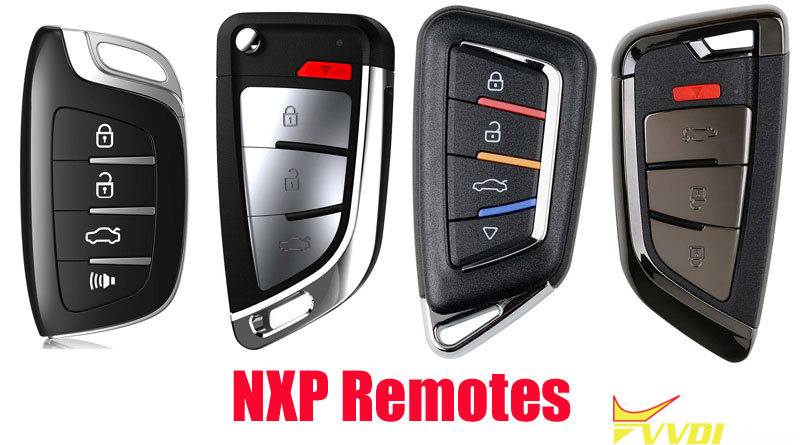
Xhorse Smart Remote has 2 types: XM38 Smart Remote and NXP Smart Remote.

Part 1. XM38 Remote


Reset Xhorse Smart Remote 1


Try the hardware reset function. Remove battery, hold lock button, insert battery and wait a few seconds.

1.Remove battery

2.Press and hold Lock button, then install battery

3.Light on PCB keeps on

4.Go ahead and burn remote controls


*If your XM38 is Chinese version, it will not work on Global version device.


Part 2. NXP Smart Remote

Reset Xhorse Smart Remote 2

1.Check battery capacity

2.Switch battery

3.If the problem remains, send back to factory


www.vvdishop.com

8/22/2023

How to Solve Xhorse Smart Watch SW-007 No Transponder Detected?

 Problem:

Xhorse key tool max is showing an error message: no transponder detected when cloning xhorse smart watch sw-007.

can share how we can program it to work?

Xhorse Smart Watch SW-007 No Transponder Detected 1

Xhorse Smart Watch SW-007 No Transponder Detected 2

Solution:

Xhorse smart watch is more sensible for induction coils then a regular remote key.

Better to take out the board to generate or clone transponder.

8/20/2023

How to Solve Xhorse Remote “Abnormal Hardware 9A” Error?

 Problem:

I want to generate a xhorse universal remote to a DS4 using vvdi key tool max but failed, it says abnormal hardware 9A, what does it mean?

Xhorse Remote “Abnormal Hardware 9A” Error 1

Xhorse Remote “Abnormal Hardware 9A” Error 2

Xhorse Remote “Abnormal Hardware 9A” Error 3

Solution:

Hardware 9A error means your remote is Chinese version.

Get a English version (global) universal remote or a Chinese version mini key tool.

www.vvdishop.com

8/16/2023

Can VVDI Super Chip be Generated with Autel KM100?

 Problem:

I tried to generate xhorse super chip xt27 with Autel KM100. but failed. Can I Generate VVDI Super Chip with Autel KM100?

Can VVDI Super Chip be Generated with Autel KM100

Solution:

Autel KM100 will not generate Xhorse chips or KEYDY directly.

To generate xhorse xt27 super chip with KM100, you need to generate xt27 to Hitag-2 blank chip. Then move xt27 to Autel KM100 and you can generate it as other chips, i.e ID48 Megamos.

1. First I need to generate Xhorse XT27 superchip on Xhorse VVDI Key Tool, like Htag-2?
2. And after this i need to move XT27 to Autel KT100 and i can generate it as ID48-Megamos for example?


Xhorse does not generate Keydy chips or vice versa.

www.vvdishop.com

8/14/2023

How to Solve Xhorse Key Tool Max Pro Firmware Update Failed

 Problem:

Xhorse vvdi key tool max pro stuck on firmware upgrade interface.

It’s 30 minutes now the machine is not updating what can I do please?

Xhorse Key Tool Max Pro Firmware Update Failed

Solution:

Cancel the update, connect to a more powerful network, update again.
Reboot and connect to another server.
If still failed, clear cashe, or do factory reset device and check again.

How to Reset Xhorse VVDI Key Tool Max to Factory Setting?